

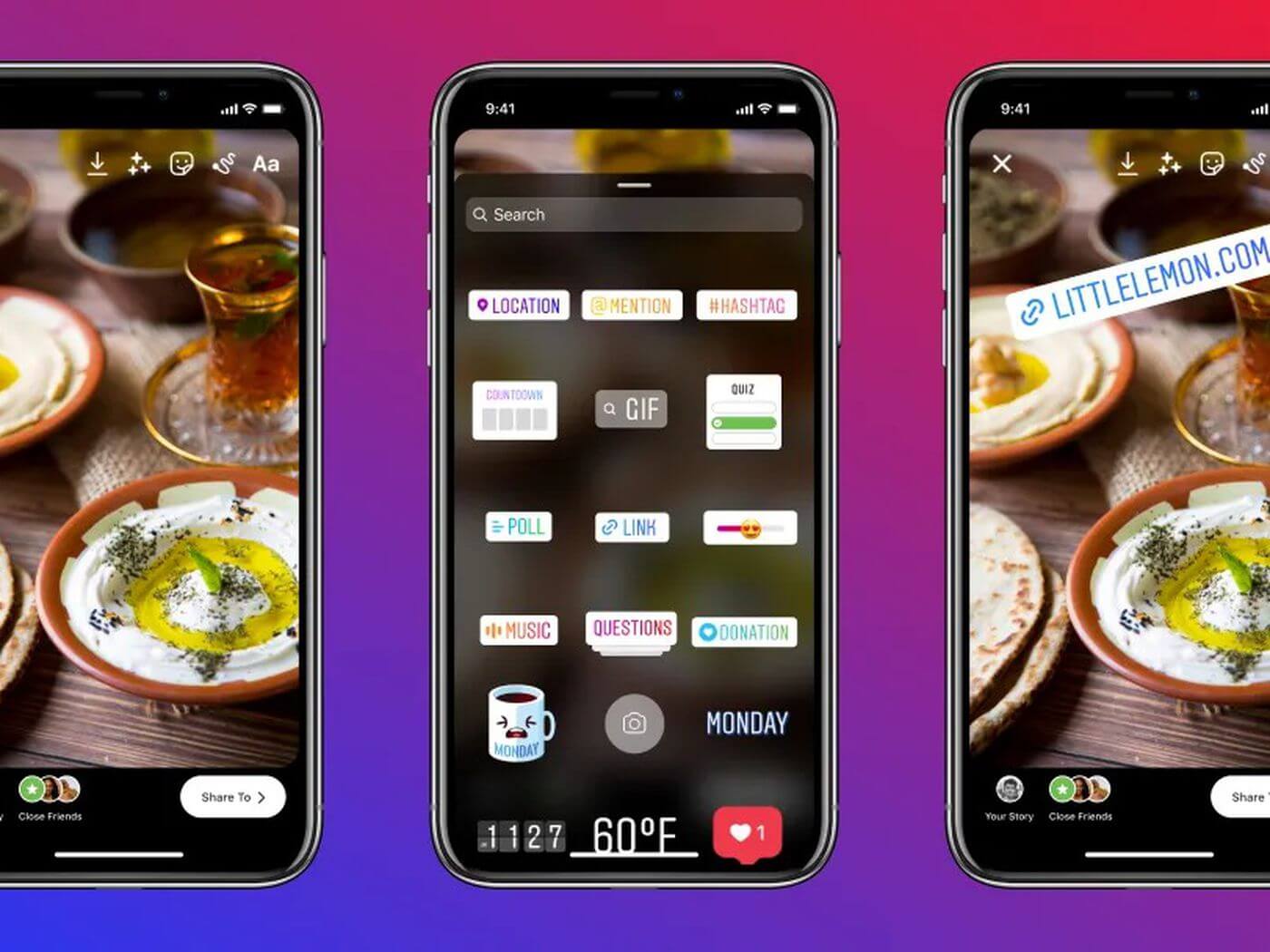
Until now, only the privileged accounts of more than 10,000 followers on their Instagram Profile were able to use the unique feature of embedding the website’s link to swipe up in their stories. The swipe-up feature is one of the most notable features of Instagram that Influencers use to increase the traction on their or any other brand’s website. But the Instagram team has finally heard you all and decided to release Sticker Links in stories for all profiles irrespective of their followers. Currently, Instagram testing link stickers in stories for all accounts & soon, we can expect this feature to be available on our profiles. Here is everything you need to know about this feature.
Check: Instagram Reels Ads Launched Globally
Instagram Link Stickers Feature in Stories for all accounts
Vishal Shah, the head of Product in Instagram, said to The Verge that Testing Sticker links feature in stories is primarily to learn how people might take advantage of links. This test “brings links into the same kind of overall system, which from a simplicity of system perspective, also makes a lot of sense.”
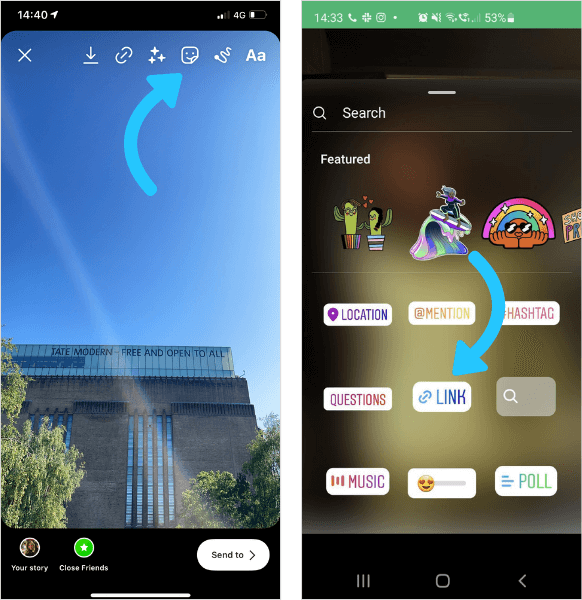
According to him, the team is planning to launch Sticker Links only in stories now. There is no plan to launch them for feed or any part of the app as of now. Currently, Instagram is testing this feature on iOS devices with limited users to see the type of links people post to prevent misinformation & spam. If they get a positive response, the link sticker feature in Instagram Stories will soon be launched for all accounts.
The link sticker feature in Instagram Stories will work the same way the swipe-up does, except with a tap instead of a swipe. Also, through this link sticker feature, users will be able to respond to the stories directly, unlike the swipe-up feature. The direct replies are disabled in case of swipe-up links feature in Instagram stories. But when you use the link sticker in the story, other people will tap on it to open the bottom bar for messages, allowing more engagement to the content.
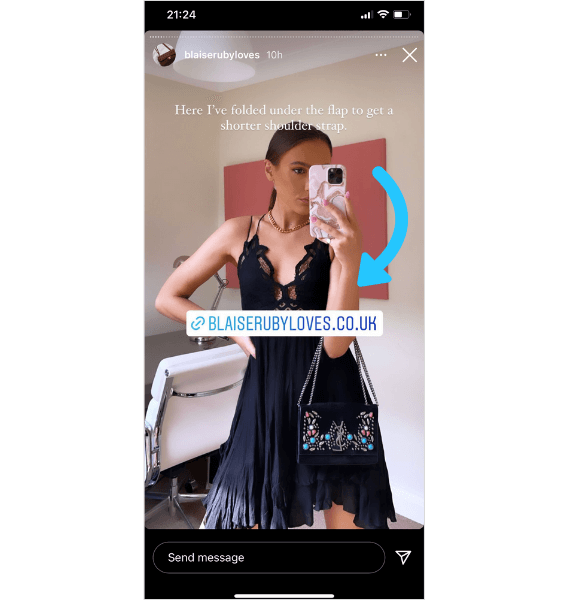
For now, the link sticker in the Stories test is small & limited, and its complete rollout for all Instagram accounts will depend upon users’ response and application of this feature in the app. If everything goes well & positive, we can expect this feature to show in our profile soon.
Also Check: Instagram Affiliate & Shop Features for Creators
Final Words!
Instagram testing Link Stickers feature in Instagram stories for certain accounts only, with a perspective to make the platform more valuable & accessible by all the users. If the feature gets a good response, it will be a massive release for all those who wanted to promote links in their stories so badly. This link sticker feature in Instagram stories will indeed enhance user retention on the platform, and it will be interesting to see how soon the platform will launch this feature worldwide for all accounts.
For more updates on this feature, stay tuned with us and don’t forget to check out our latest articles to get an insight on the latest updates happening on popular social media platforms.
