

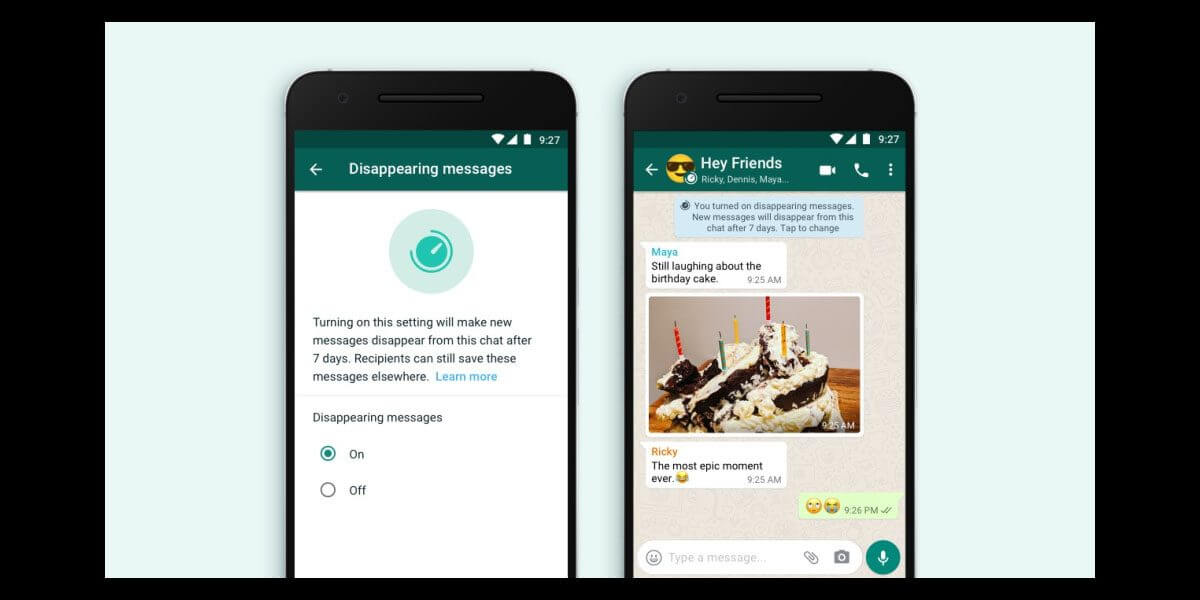
Whatsapp disappearing messages is not the latest feature we will talk about today, but many people are still not aware of this feature & how to use it. Launched a few months ago, Whatsapp Disappearing Messages Feature allow users to set a time limit in their chats, after which their messages will be automatically disappeared. So, if you are new to this feature and don’t know how it works, then this article is tailor-made for you. Let’s see how you can activate this feature on your device and use it.
Check: Whatsapp Latest Privacy Update
How to Activate Whatsapp Disappearing Messages Feature & Use It?
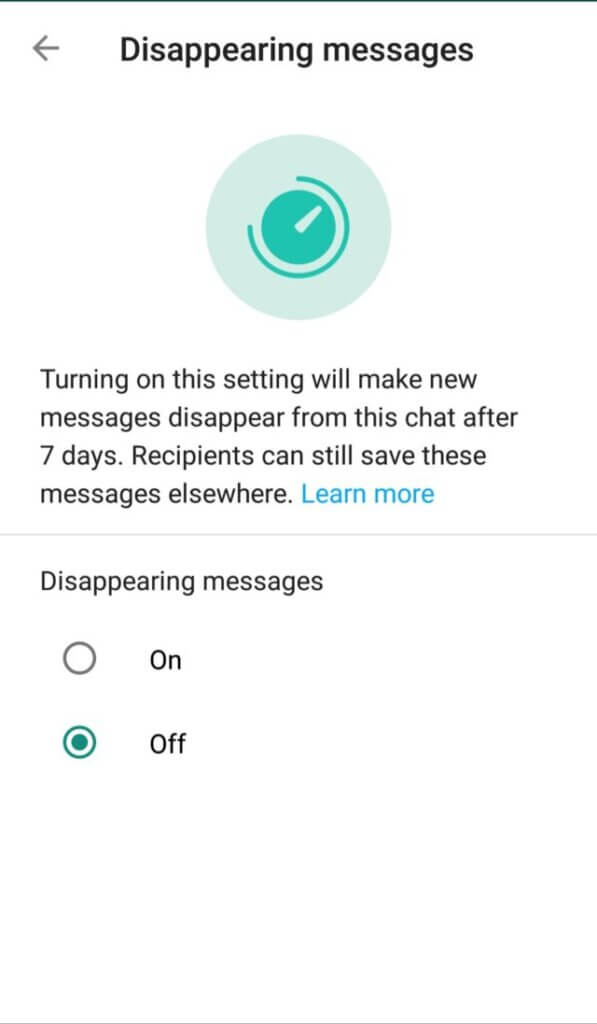
Whatsapp Disappearing Messages are launched with a limit of seven days, after which the messages send & received will disappear automatically from the chat. Currently, the feature doesn’t have a customization option in which your message can be disappeared after seconds, minutes or days.
To explain the reason behind keeping the seven-day limit, Whatsapp said, “We’re starting with seven days because we think it offers peace of mind that conversations aren’t permanent while remaining practical so you don’t forget what you were chatting about. The shopping list or store address you received a few days ago will be there while you need it and then disappear after you don’t.”
While in one-to-one chat, you can turn on this feature by yourself, in Group chats, this option is only available for the group admins. Currently, the feature is available on all Android, iOS, windows and KaiOS devices.
To activate this feature on your device, follow these steps:
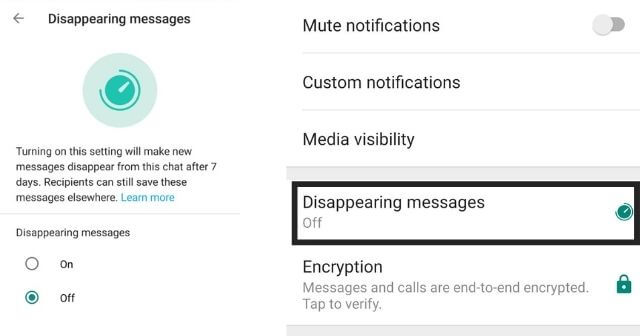
1) To enable disappearing messages feature in the individual chat, open Whatsapp on your device and type the contact’s name.
2) Tap on the contact’s name and then click on the Disappearing Messages option.
3) Turn it On, and the feature will be enabled. To disable the feature, follow the same steps and turn it OFF.
Also Check: Whatsapp Voice & Video Call Option on Desktop
Things to Keep in Mind about Disappearing Messages Feature
There are several points that you need to keep in mind before enabling or disabling the disappearing messages feature on your device, like:
- After enabling this feature, if the receiver doesn’t open the Whatsapp chat for seven days, the message will disappear. However, its preview might still be displayed after that period till the person open Whatsapp.
- Generally, when we reply to any message on Whatsapp, the initial message gets quoted. In case of the disappearing messages, the quoted message will still remain & appear in the chat even after seven days.
- When you forward the message to someone after enabling the disappearing message feature, the message won’t disappear in the forwarded chat if the receiver has disabled that feature.
- In case if you take a backup of messages before disappearing them, they will be included in the backup but will be deleted after restoring the backup.
- The other person can forward or screenshot the disappearing message to save it.
- When you enable the disappearing messages feature, the media also gets deleted after the chat disappears, but it will remain saved in your gallery if the auto-download is On.
If you use WhatsApp for business or broadcasting:
Channels are now one of the strongest ways to share updates with an audience.
You can also buy WhatsApp Channel Members to grow faster.
If you manage a community through WhatsApp Groups:
Groups are better for discussions and engagement.
You can buy WhatsApp Group Members to boost early traction.
Final Words!
Whatsapp disappearing messages feature is a helpful feature to let people experience more like an in-person chat while talking to someone on the platform. If you have any queries related to this feature, drop them in the comments. For more latest technology updates, stay tuned with us!
