

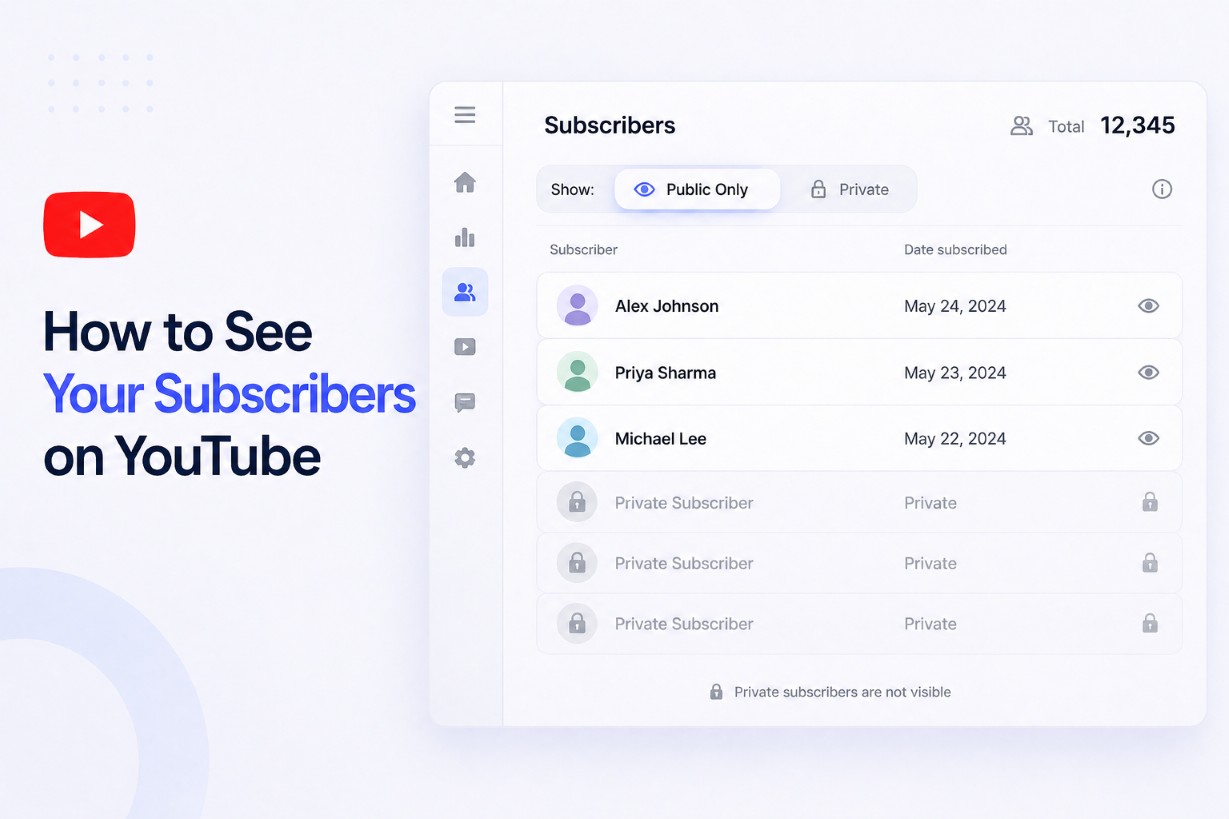
You open YouTube Studio and expect to see a full list of your subscribers, but the list looks incomplete or limited.
This happens because YouTube does not show every subscriber, and this is not an error or a missing feature.
You can only see subscribers who have chosen to keep their subscriptions public, which means a portion of your audience will always remain hidden.
This guide explains how to see your available subscribers, why some of them are not visible, and how to understand the data YouTube actually provides.
How to See Your Subscribers on YouTube
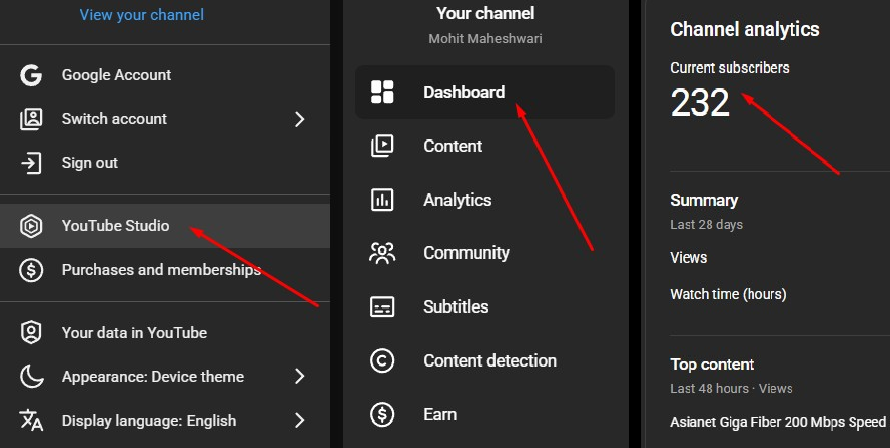
- Go to YouTube Studio. (https://studio.youtube.com/)
- Click on Dashboard from the left menu.
- Locate the Recent Subscribers card.
- Click on See All to expand the list.
You will only see subscribers who have made their subscriptions public, because YouTube does not display accounts with private subscription settings.
Also read: How to Cancel YouTube TV: Step-by-Step Guide & What Happens After
How to See Your Subscribers on Desktop
- Go to YouTube Studio and sign in to your account.
- Click on Dashboard from the left-hand menu to access your channel overview.
- Locate the Recent Subscribers card, which displays a preview of your latest visible subscribers.
- Click on See All to open the full list of subscribers who have made their subscriptions public.
- Use the filter option to sort subscribers by time range, such as the last 7 days, last 28 days, or last 90 days.
This method gives you the most complete view available, but it still excludes subscribers who keep their subscriptions private.
How to See Your Subscribers on Mobile
YouTube provides limited visibility for subscribers on mobile devices, which means you will not get the same level of detail as on desktop.
- Open the YouTube Studio app and log in to your account.
- Navigate to the Dashboard section to view your channel summary.
- Check the Recent Subscribers section, which shows only a small selection of visible subscribers.
If you need full access to your subscriber list, open YouTube Studio in your mobile browser and switch to desktop mode, which allows you to use the same interface and features available on a computer.
Why You Can’t See All Your YouTube Subscribers
You cannot see all your YouTube subscribers because the platform gives users control over their subscription privacy. When someone subscribes to your channel, they can choose to keep that action public or private in their account settings. If a user keeps their subscriptions private, their name and profile will not appear in your subscriber list under any condition.
This limitation is enforced by YouTube’s privacy policy, which is designed to protect user identity and activity. There is no setting in YouTube Studio that allows you to override this restriction, and no official feature that reveals hidden subscribers.
Any tool or service that claims to show all your subscribers is misleading, because YouTube does not provide this data through its interface or API. You can only access information about subscribers who have chosen to make their subscriptions public.
Also read: How to See Who Shared Your Instagram Post
Public vs Private Subscribers (What’s the Difference?)
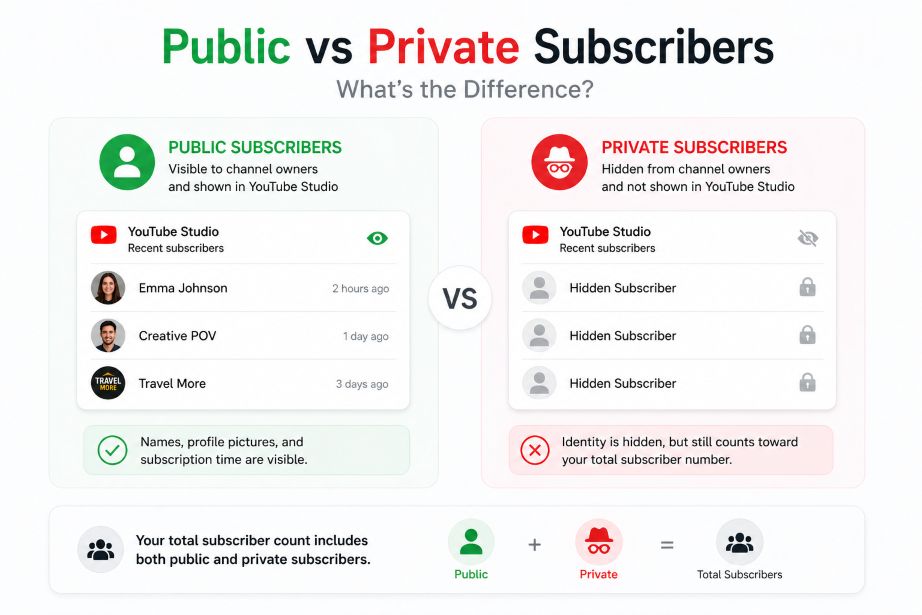
A public subscriber is a user who allows their subscriptions to be visible on their profile.
These users appear in your YouTube Studio dashboard, and you can view their channel name, profile image, and subscription timing.
A private subscriber is a user who has disabled subscription visibility in their account settings.
These users still count toward your total subscriber number, but their identity is hidden from you and cannot be accessed.
YouTube applies a simple rule for visibility, which means you only see subscribers who have made their subscriptions public.
This is why your subscriber count may be higher than the number of profiles you can actually view.
Users control this setting by going into their YouTube privacy settings and toggling the option that keeps their subscriptions private.
Once this option is enabled, their subscription activity becomes invisible to channel owners.
How to See Your YouTube Subscriber Count (Real-Time vs Actual)
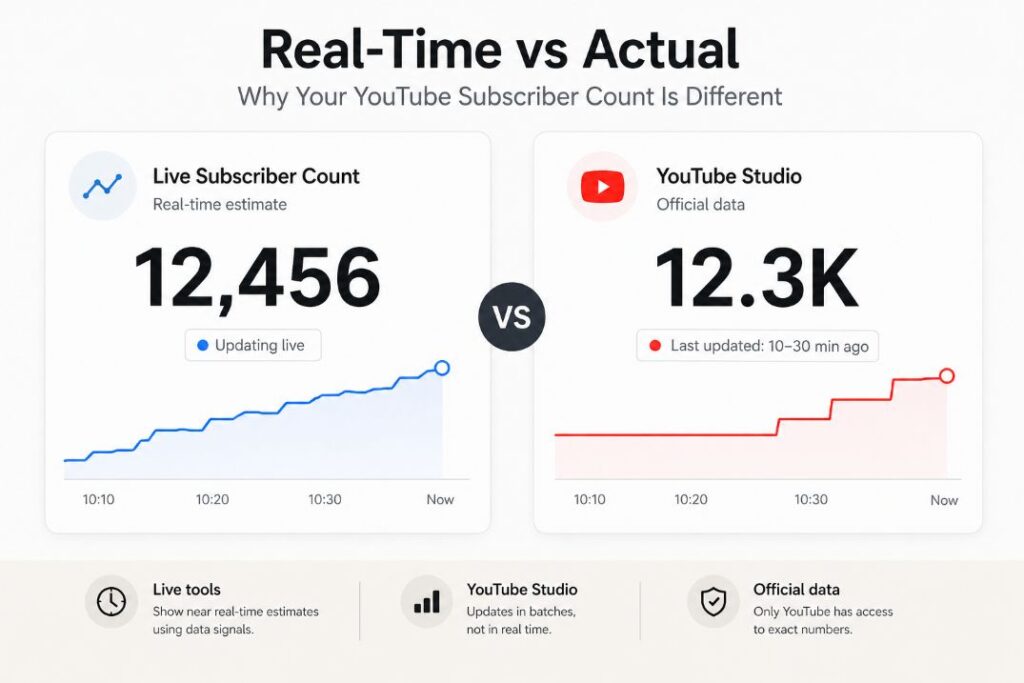
Your YouTube subscriber count is not always displayed in real time, because the platform updates this data in batches instead of instantly. This means the number you see in YouTube Studio may lag behind actual subscriber activity, especially if your channel is growing quickly.
YouTube also rounds subscriber counts once you cross certain thresholds, which reduces precision on your public channel page.
For example, a channel with 12,345 subscribers may be displayed as 12.3K, which hides the exact number.
If you need a more dynamic estimate, live subscriber count tools can provide near real-time tracking based on available data signals.
These tools can give you a closer approximation, but they still cannot access YouTube’s exact internal numbers at every moment.
Read also: Real vs Fake YouTube Views: What YouTube Actually Rewards
Can You See Exactly Who Subscribed to You on YouTube?
You can only see who subscribed to your channel partially, and this visibility is limited to users who keep their subscriptions public.
YouTube does not provide a complete list of all subscribers, even inside YouTube Studio.
This means you will never have access to a full, exact list of every person who subscribed to your channel.
Private subscribers remain completely hidden, and their identities are not shared under any condition.
No third-party tool or service can bypass this limitation, because YouTube does not expose private subscriber data through its system.
Any platform that claims to show all your subscribers is inaccurate or misleading.
How to Get More Visible Subscribers
You can increase the number of visible subscribers by encouraging your audience to keep their subscriptions public.
A simple reminder in your videos or channel description can influence viewers who are not aware of this setting. Consistent community engagement also helps, because active and invested viewers are more likely to keep their profiles public and interact with your channel.
FAQs
Can I see my subscribers’ email addresses?
You cannot access subscriber email addresses because YouTube does not share personal data with channel owners.
You only see basic profile information for users who keep their subscriptions public.
Why is my subscriber list empty?
Your subscriber list may appear empty if most of your subscribers have set their subscriptions to private. This does not affect your subscriber count, but it limits visible profiles.
How to check who unsubscribed on YouTube?
You cannot see exactly who unsubscribed from your channel at any time.
You can only track overall subscriber changes through analytics.
Can I see subscribers on mobile?
You can see a limited list of subscribers in the YouTube Studio app on mobile devices.
For full access, you need to use YouTube Studio in desktop mode through a browser.
Conclusion
You cannot see all your YouTube subscribers because the platform only shows users who keep their subscriptions public. This limitation is part of YouTube’s privacy system and applies to every channel without exception.
To get the most accurate view of your subscribers, use YouTube Studio on desktop and focus on the data that is actually available. If you want to grow and understand your audience better, explore related YouTube guides that explain analytics, engagement, and subscriber growth strategies.
