


Instagram is currently the most popular picture sharing social media network, with over 800 million monthly users the network is growing. The amount of sharing is improving with each year, this year it was twice the images shared in 2015, which indicates growth and acceptance from the users. Although to use the platform effectively one must know about the tools and techniques that can help the user to take the promotion and popularity ahead.
Here are the steps you should follow to set-up an Instagram account for business:
- Download App and register your account
Firstly, go to play store or App store whatever is compatible with the mobile device. Also, it is available on all devices, including tablets and desktops. But preferably, mobile phones are more recommended to have rather than any other device as the postings are more frequently possible on the network. So, register an account on Instagram and take the process forward.
- Link it to Facebook
Another major step is to connect your Instagram account with Facebook Business Page if you don’t have. Allow Instagram to manage a Facebook business page when it asks for permission. This will help you post the content on both the platforms easily.
- Set-up your Profile
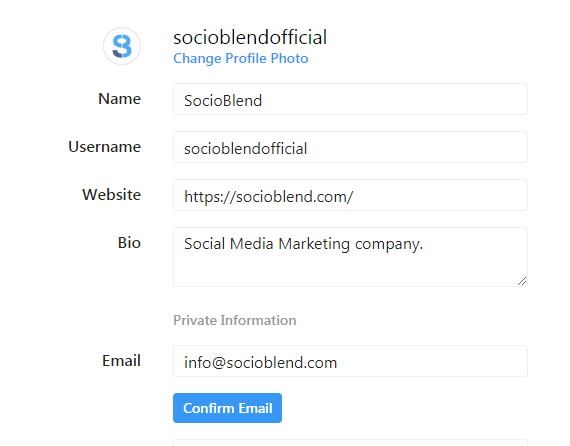
While you create an account, all the details should be filled like Email, phone number, address for your business. After you are finished with filling the information, you can access the insights of the page as it includes promotions and engagement statistics. This feature essentially helps in evaluating the results and viewership, that is required to operate a business account.
See also: Schedule Posts on Instagram (New Feature)
- Invite all contacts
From the settings menu, go to contacts and invite all Facebook friends option in order to connect them to your Instagram account and its updates. Contact on Gmail, LinkedIn, Twitter or any other should be invited and increase the social credibility as a brand.
See also: Pros and Cons of Buying Instagram Followers
- Upload images in Gallery
Start adding images, and improve the chances of making it relevant for the existing audience and try to re-post or reinvent the old photos. Maintain an authenticity about the platform, as it helps the audience find the relevance in the images shared. Apart from that, you can create stories on Instagram, they do last for 24 hours but they are currently, the best way to connect with the audience as they wait for them and look for some special ingredient that they haven’t seen before
- Start posting interesting stuff regularly
The more interesting and unique your content would be, the chances of popularity are more likely. Try to add images that can tell more about the stories behind the scene as they look more relatable and real to the loyal audience and followers.
Above all, what makes your business account special is not dependent on the technicalities, rather it’s more about what you share on the account and how well you are able to share and respond to the comments of the followers.
