

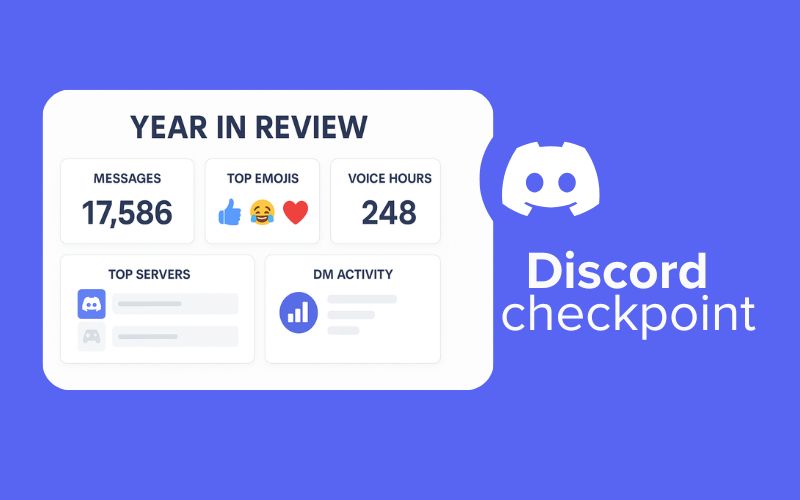
Discord Checkpoint is the official name for Discord’s year in review experience for 2025. If you have seen people talking about “Discord Wrapped” online, they are usually referring to the same thing. Discord has chosen to brand it as Checkpoint because the feature is meant to feel like a progress marker rather than a music style recap. A checkpoint in gaming represents a moment where you stop, look back at what you completed, and understand what comes next. Discord wants users to feel the same way about their activity on the platform. It is a reflection of your year, presented more like a personal milestone than a simple data slideshow.
Discord confirmed that Checkpoint launched on December 4, 2025, and it began rolling out to users through the desktop and mobile app shortly after. Not everyone sees it on the same day because Discord uses a staggered rollout, so some users may receive the update later. This often leads to confusion, especially among users who expect a big pop up as soon as the feature releases. Discord Wrapped content will only appear in your app once your account is included in the rollout, which is normal for major app updates.
Many users ask why Discord changed the name from Wrapped to Checkpoint. The reason is fairly simple. Spotify owns the cultural association with the word “Wrapped,” and every December the internet is filled with Spotify Wrapped screenshots. Discord wanted to move away from being compared too closely to Spotify and build its own identity for an annual recap. The company chose a name that fits the gaming community and the platform’s overall personality. Checkpoint feels more aligned with Discord’s culture, which is built around servers, communities, and shared progress.
Also read: What Is Discord HypeSquad and How to Join It
Even with the new name, the experience still feels familiar to anyone who has seen Spotify Wrapped. Both features show you a highlight reel of your year. Spotify focuses on the music you played, while Discord focuses on your activity inside the platform, such as messages, voice chats, emojis, and servers. Both try to create a moment of surprise and nostalgia at the end of the year. Spotify Wrapped tells you what you listened to. Discord Checkpoint tells you how you interacted with your friends and communities. The concept is similar, but the storytelling is different because Discord is built around conversation rather than content consumption.
What Stats Does Discord Wrapped 2025 Show?
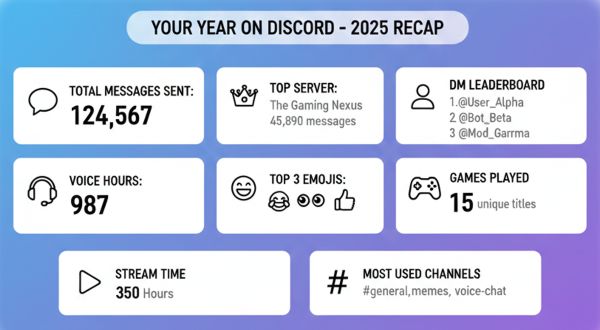
Discord Wrapped 2025, or Checkpoint, gives you a full snapshot of how you used the platform throughout the year. It breaks down your activity into simple categories so you can understand how often you chatted, which servers you spent time in, and what habits shaped your daily interactions. If you have never looked at a Discord recap before, this section will help you understand every metric clearly. Each insight is meant to show you not only what you did, but how you participate in your online communities.
You might also want to check: How to Make Discord Server Members Invisible?
Here are the main stats Discord Checkpoint includes:
- Total messages sent
This shows the exact number of text messages you posted across all servers and DMs. Many users are surprised by how high this number can get because casual conversations throughout the year add up quickly. If you chat a lot in active servers, this metric will likely be one of your biggest. - Voice channel hours
This tells you how much time you spent talking in voice channels. It includes hangouts with friends, study or co working sessions, gaming calls, and any long voice chats you kept open in the background. This metric helps you see how much time you spent socializing through audio rather than text. - Top emojis used
Discord shows you the emojis or custom server emojis you used the most. This is a fun insight because it highlights your personality and the moods you tend to express. If you always respond with a certain laughing emoji or a custom server meme, it will appear here. - Top servers
These are the servers where you were most active. Discord looks at your messages, reactions, time spent, and overall engagement to identify the places where you participated the most. This can include friend groups, gaming communities, study servers, or any public communities you joined. - DM leaderboard
This shows the people you messaged the most in private chats. It gives you a quick look at who you talked to the most consistently throughout the year. For many users, this becomes their favorite part because it feels personal and highlights real friendships. - Games played
If you have game activity sharing enabled, Discord includes the games you played most often while connected. It can show titles you may have forgotten about or remind you how many hours you spent on specific games. - Screenshare or stream time
This metric counts the number of hours you spent streaming your screen to others or watching someone else stream. It includes co watching sessions, study streams, gameplay sharing, or any situation where someone shared their screen in a call. - Most used channels
These are the specific text or voice channels where you spent the most time. It helps you understand your routine inside your servers. For example, you may discover that you spent most of your time in a study channel, a meme dump, or a voice chat with friends.
Each of these metrics gives you a different angle on your activity. When combined, they offer a surprisingly detailed picture of how you spent your year on Discord. Even if you are not a heavy user, you will still see enough insights to understand your behaviour patterns and how you fit into your online communities.
How to Get Your Discord Wrapped 2025
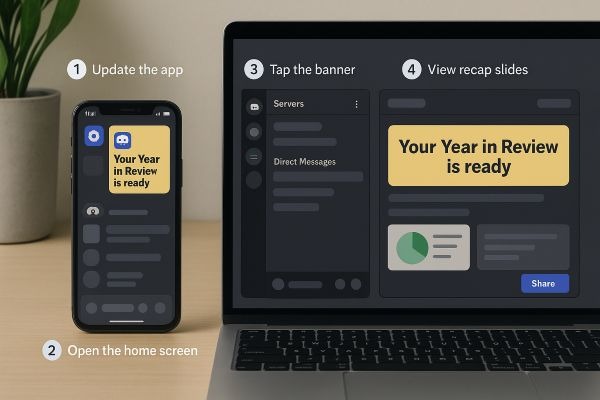
Discord Wrapped 2025, or Checkpoint, appears directly inside the Discord app. You do not need to visit a website or sign up for anything. The recap shows up as an in app card that you can tap or click to open. The steps are very simple, but it helps to walk through them so you know exactly where to look, especially if the feature has not appeared for you yet.
Here is how to access it:
- Open Discord on mobile or desktop
Make sure you are using the latest version of the app. Updates often roll out first on newer versions, so it is a good idea to check your app store or desktop updater. - Look for the Checkpoint or Wrapped banner on your Home screen
On the desktop, you will usually see a card or notification near the top of your Direct Messages panel. On mobile, you may see a banner on the Home tab when you open the app. The card will say something like “Your Discord Checkpoint is ready.” - Tap or click the banner to open your recap
Once you open the card, Discord will guide you through a series of slides that show your stats. These include messages, voice hours, top servers, and other activities. You can swipe or click through each page at your own pace. - Share your results if you want to
Discord gives you quick share options for individual slides. You can save them as images or send them directly to your friends and servers. - If you do not see it, do not panic
Discord rolls out Wrapped features gradually. This means not everyone gets their Checkpoint on the first day. It may take a few hours or even a couple of days for the card to appear on your account. As long as your app is updated, it should arrive soon.
Why Discord Released Wrapped in 2025
Discord has been experimenting with year-in-review features for a while, but 2025 is the year they turned it into something more meaningful. The platform has grown from a place where people joined to play games together to a space where study groups meet every night, creators build mini communities, and friend circles run their entire social life. Discord wanted a way to celebrate everything people do inside the app, not just the gaming side that defined its early years.
Checkpoint gives users a moment to pause and look at their year as a whole. It highlights small habits you probably never think about, like which server you always type in first or how many hours you hung out in a voice channel without even noticing. This kind of reflection helps people feel more connected to their communities. It also puts Discord into the annual year end excitement that users already expect from platforms like Spotify or YouTube. The only difference is that Discord’s recap focuses on relationships and shared spaces rather than content consumption. That alone makes Checkpoint feel more personal.
Is Discord Checkpoint Safe and Private?
Whenever a platform shows personalized stats, the first thing most people wonder is how much data the company is actually using. With Discord Checkpoint, the information is much simpler than it appears. Everything shown in your recap is based on activity the app already tracks to function correctly. That includes the number of messages you send, hours you spend in voice channels, and the servers where you are most active. Discord is not collecting new categories of data for Wrapped. It is only organizing your existing activity into a friendlier format.
It also helps to know that nothing is shared automatically. The recap sits quietly inside your Discord app until you decide what to do with it. You can view it privately and close it. You can save a few slides to your phone. Or you can post them to a server or social platform. Discord does not post anything on your behalf, and no other user can see your Checkpoint unless you share it directly.
Some people worry about the DM leaderboard because they assume it exposes private messages. It does not. All it shows is who you spoke to the most throughout the year. It never displays message content or individual timestamps. The same is true for server activity. Checkpoint may show your most active servers, but it never reveals what you said inside them.
If you want even more control, Discord’s privacy settings let you adjust what type of activity can appear in future recaps. For example, you can turn off game activity sharing, which means your played games will not show up next year. You can also manage which activity tracking features are enabled inside your privacy menu.
Overall, Discord Checkpoint is designed to be a private summary. It uses only the data that already exists in your account, and it leaves the choice to share entirely in your hands. The goal is to help you understand your year, not to pull out new information you never agreed to share.
Discord Wrapped vs Spotify Wrapped
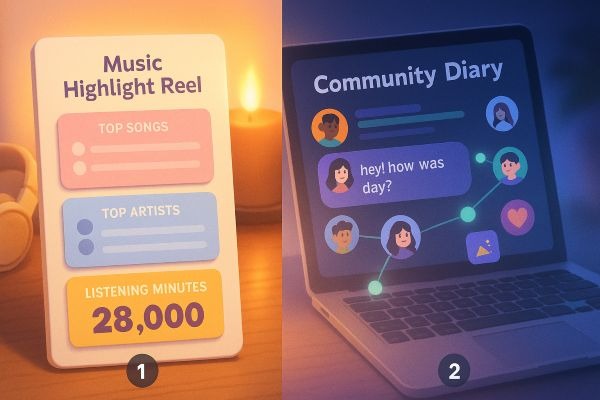
Discord Wrapped and Spotify Wrapped feel similar at first glance, but they focus on completely different parts of your digital life. A quick comparison helps readers understand what to expect.
How they differ:
- What they measure
Spotify looks at your listening habits. Discord looks at how you interact with people and communities. One is about music consumption, the other is about social activity. - What the recap represents
Spotify highlights your personal taste. Discord highlights your behaviour inside servers, voice chats, and DMs. - How it feels to use
Spotify’s recap feels like a highlight reel of your year in music. Discord’s version feels more like a community diary that shows who you spent your time with. - Sharing culture
Spotify Wrapped often trends globally because everyone listens to music. Discord Wrapped tends to spark niche sharing inside friend groups, gaming servers, and communities that are already active on the platform.
If you think of Spotify Wrapped as a mirror that reflects your taste, Discord Wrapped is more like a snapshot of your social life. Both are fun, but they highlight completely different sides of your year.
You can also check the Socioblend’s services that can help you grow your Discord server members here.
Common Questions (FAQ)
Why is it called Checkpoint?
Discord chose the word “Checkpoint” because it feels familiar to gamers and community focused users. A checkpoint marks your progress in a game, and Discord wanted the recap to feel like a moment where you pause, look back at your activity, and understand how far you have come. It is a more personal and community aligned name than “Wrapped,” which is heavily associated with Spotify.
When does it end?
Discord Wrapped usually stays available until the end of December or early January. The exact date can vary, but once the rollout is complete, users typically have several weeks to view their stats. If you want to save or share your slides, it is better to check sooner rather than later.
Why did I not get mine?
This is very common. Discord releases Wrapped gradually, not all at once. Some users see the Checkpoint card on day one, while others receive it after a few days. Your app must be updated, and the feature will appear automatically when your account is included in the rollout. If you still do not see anything after several days, restart the app or check for updates again.
Can I share my stats?
Yes, but only if you choose to. Discord does not share anything automatically. Each slide in your recap has a share button that lets you save the image or post it directly inside servers or on social platforms. You stay in complete control of what you show and who you show it to.
