


Expanding your Facebook following is something every marketer plans to achieve in limited time duration, either to assure a better prospect to reach out to the target strata or as a symbol of increasing the social visibility. But the methods and techniques vary in implementation and therefore, the results are different for each case. Here are few easy and convenient ways to increase your Facebook followers:
- Get in touch with other page admins or managers
Maintain a healthy and strong communication with other page admins in order to cross-promote each other with similar demographics, automatically become a win-win chance for both.
- Keep it original

Anything plagiarized should not be a part of your content as it spoils the quality of your content and diminishes credibility in future. For instance, if you have to post images on a regular basis, keep them spontaneous and can also add inspirational quotes but the content created must not break any copyright laws in anyway.
- Linking page with profile is effective
Any business page has to be associated with the profile and therefore, helps in getting attention by the friends and followers while scrolling through the News Feed.
See also: Buy Facebook Likes
- Add it to your email signature
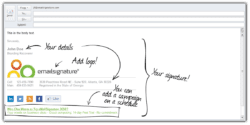
Facebook profile can become an alternative or addition to your email signature. It’s another way to define your social presence and enhance its reach by spreading out the word.
- Participate and comment on other pages often
To give a view to a question or opinion poll is a smart and friendly way to establish an effective way of communication with the other page managers as well as the community. It naturally improves your image as a social media marketer and following list grows automatically.
- Attach a QR code to your business card
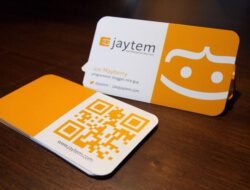
It’s a unique and smart way to incorporate a QR code that becomes a tool to get people connected to your profile or page. Sites like Kaywa and QR stuff.
- Initiate contests
Plan and conduct some interesting contests, where people can feel free to participate and have fun at the same time. It should persuade them to participate and can be done through apps that can conduct a contest for you. Click here to create create a contest on Facebook.
- Advertise on Facebook
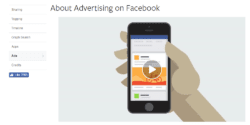
Facebook ads, sponsored ads, are always available to see results, and they are worth paying for. Whether it’s a short-span marketing strategy for a start-up or well-known brand it has proven its impact. Check how to get started with Facebook Ad Campaign for more information. You can also buy Facebook followers.
See also: 10 tips to increase Likes, Reach and Engagement on Facebook.
- Insert a like box to your website

Adding an icon on your website can help in enabling the traffic to press the button and give their valuable like to the page immediately. It proliferates the potential growth of traffic on the page as well as the website itself.
- Update posts from your profile for viewers’ convenience
If the posts would be added from the profile that is linked with the page would get more attention in terms of reach and clicks as the users would share the posts on their timeline.
