
Close Menu
    Facebook X (Twitter) Instagram
    The SocioBlend BlogThe SocioBlend Blog
    • Social Media
    • Technology
    • Business
    • SEO
    • Content Marketing
    • Write for us
    The SocioBlend BlogThe SocioBlend Blog
    Home»Social Media»How to Use Spotify Codes to Share Your Music
    Social Media

    How to Use Spotify Codes to Share Your Music

    Neha SinghBy Neha SinghJanuary 4, 2021No Comments3 Mins Read
    How to Use Spotify Codes to Share Your Music
    Share
    Facebook Twitter LinkedIn Pinterest Tumblr WhatsApp

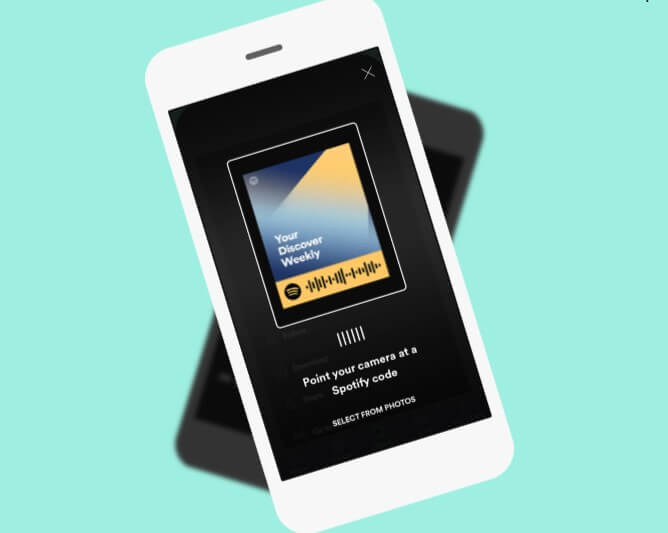
    Spotify had introduced a new and innovative way to share music with friends and family. A new feature called Spotify Codes creates unique code and album cover images for each song, album, artist, and playlist you want to share. It gives users a new way to share and discover amazing content on Spotify. It’s as easy as taking pictures. Just one needs to scan this Spotify code with their new camera in the search bar of the Spotify app to play the song instantly.

    Let’s dive right in and learn how exactly does Spotify Code work.

    What is the Spotify Code?

    Spotify Codes are “scannable” tags like QR that you can use to quickly access or share content in Spotify. It works the same way as a QR code does, but it looks completely different. Each track, artist, album, and the playlist can have its own Spotify code, so there is no limit to what you can share.

    How to find a Spotify code using desktop

    1. When listening to a song, viewing an artist’s profile, accessing your favorite playlist, etc., just click on the three little dots ‘…’  next to the play button. (check the image below)
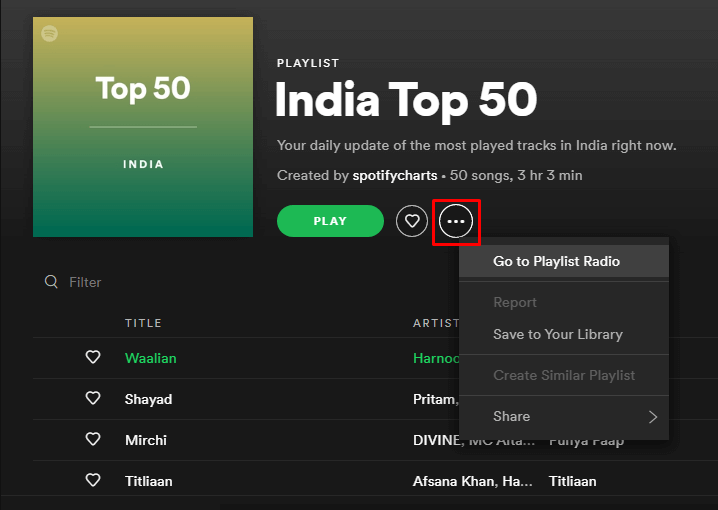
    Click on the three little dots next to play button

    2.Once you clicked on the three little dots, select the share option in drop down menu. once you clicked on the share option another drop down menu will open, select Spotify Code as shown in the image below.
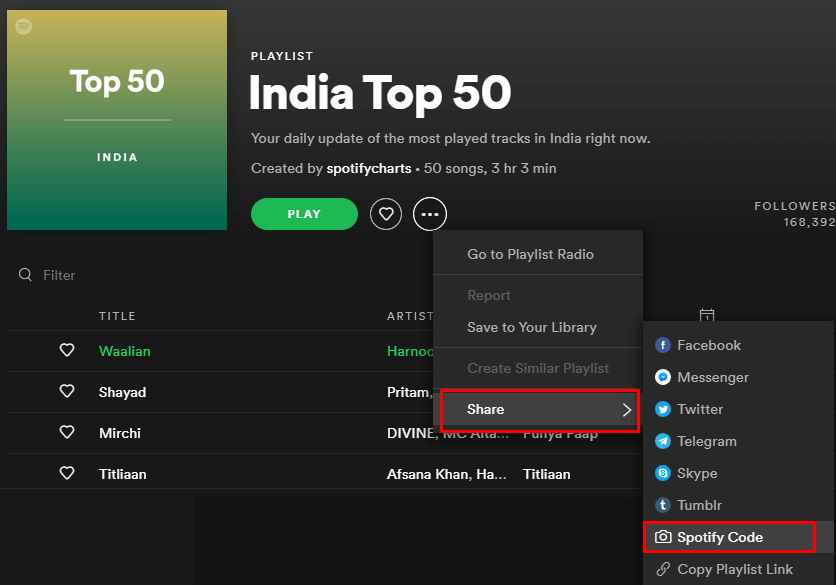
    Select Spotify Code from drop down menu

    3.You will find the Spotify code, you can save it on your website, post it on social media, share with your fans, or distribute it as you like.
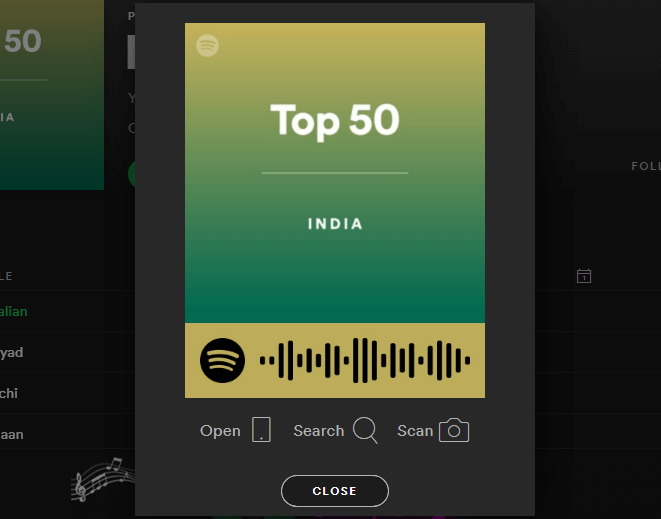
    Save and share the Spotify Code

    See also: 7 Tips to Get More Spotify Plays

    How to find a Spotify code using the phone

    1.When listening to a song, viewing an artist’s profile, accessing your favorite playlist, etc., just click on the three little dots in the upper right corner. (check the image below)
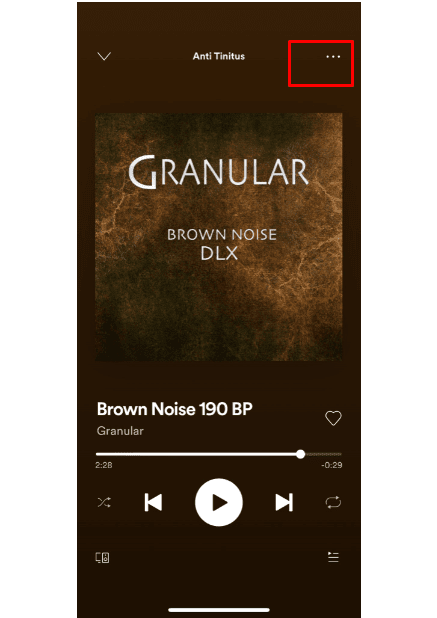
    Click on the three little dots in the upper right corner

    2.The image shown here is known as the Spotify code. Click on it and the Spotify code will expand.
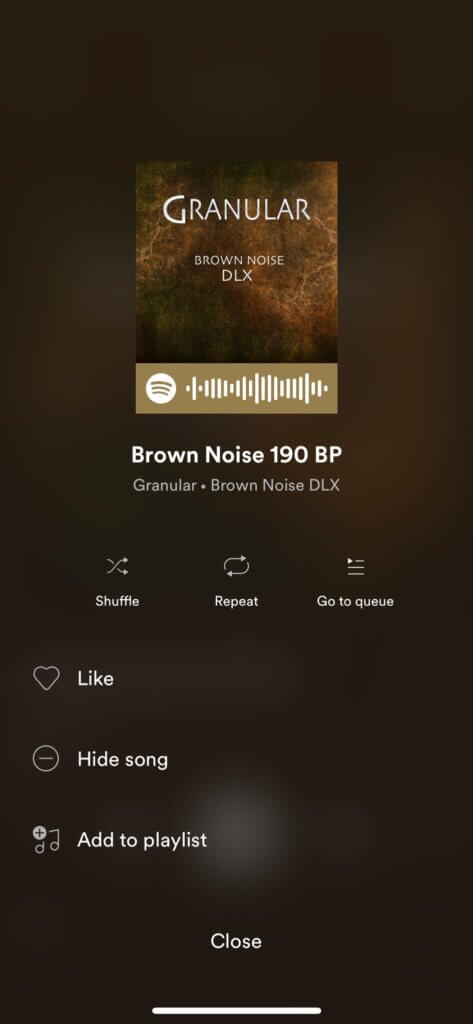
    Click on Spotify Code

    3.Once you find the Spotify code, you can save it on your website, post it on social media, share with your fans, or distribute it as you like.

    (See also: Buy Buy Spotify Plays and Monthly Listeners on a Budget from Socioblend)
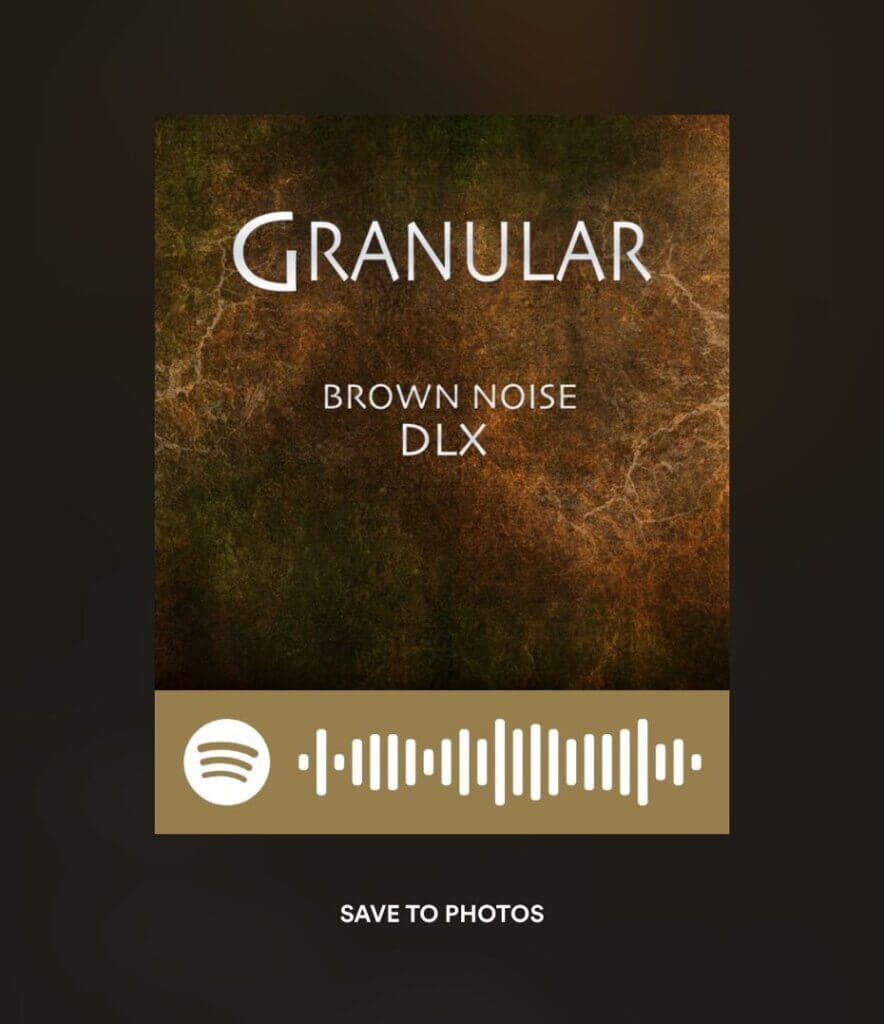
    Find and save the Spotify Code

    See also: Increase Spotify Plays with Royalty Eligible

    How to scan a Spotify code

    1. Scanning Spotify codes is a very simple process. Just tap on the Spotify search bar if you want to search for artists, songs, playlists, podcasts, and more. When the keyboard appears, look in the upper right corner. There is a small camera icon. This is the icon you need to click if you want to scan Spotify codes.
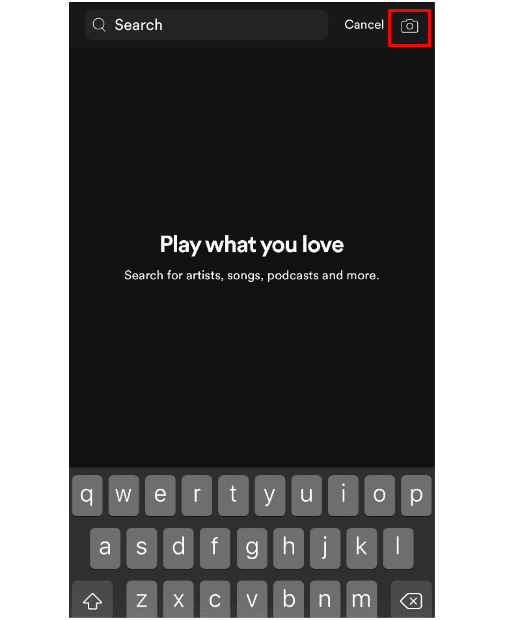
     Scan Spotify codes

    2. After clicking on the icon, you will be prompted to access your camera and photos. Select Yes and you can scan the Spotify code.
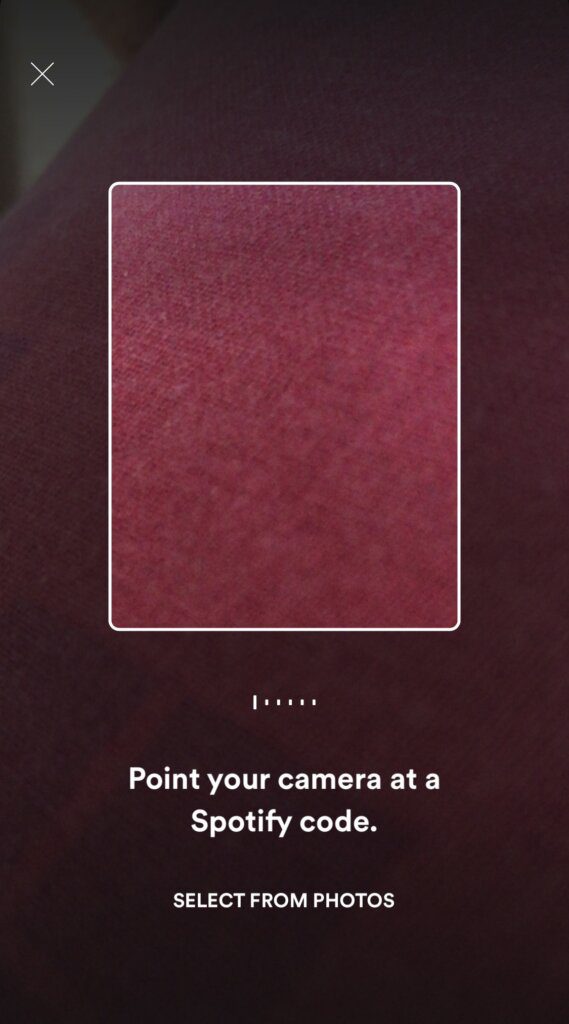
    Access your Spotify camera and scan the Code

    3. If you previously saved the Spotify code or received the Spotify code as a picture, save it to your device and then select the Spotify code from your photos instead of scanning the Spotify code directly from other devices.

    I hope this article has helped you gain some kind of knowledge about Spotify Code and how it works.

    #Spotify Guide how to find Spotify code How to scan Spotify Code Spotify Spotify Code
    Neha Singh
    • X (Twitter)

    Neha Singh is new to the content writing world and she loves to write about travel, lifestyle and social media.

    Related Posts

    Yotpo Video Reviews vs Tolstoy: Shoppable Video Battle 2026

    April 29, 2026

    How to See Your Subscribers on YouTube (Even the Hidden Ones)

    April 28, 2026

    Mike Markkula Net Worth 2026: The Man Who Built Apple

    April 23, 2026

    Why Asha Sharma is Betting on Discord to Save Xbox Game Pass

    April 23, 2026
    Recent Posts
    • Yotpo Video Reviews vs Tolstoy: Shoppable Video Battle 2026 April 29, 2026
    • How to See Your Subscribers on YouTube (Even the Hidden Ones) April 28, 2026
    • Mike Markkula Net Worth 2026: The Man Who Built Apple April 23, 2026
    • Why Asha Sharma is Betting on Discord to Save Xbox Game Pass April 23, 2026
    • Claude Design Is Impressive. But Stop Acting Like Humans Are Obsolete. April 22, 2026
    • How Digital Transformation Is Reshaping Businesses April 21, 2026
    • How to Scale a Business Without Burning Out April 21, 2026
    Categories
    • Business
    • Content Marketing
    • Entertainment
    • News
    • SEO
    • Social Media
    • Technology
    • Twitter
    Social Media

    How Do You Know if You Have Shadowban on Instagram and Fix It

    By Kanika AggarwalFebruary 13, 20240

    Have you ever wondered why your Instagram posts aren’t getting the engagement they used to?…

    Will Facebook Kill Snapchat?

    June 3, 2017

    How to Build a Successful Subreddit From Scratch

    January 31, 2026

    The Best Web Design Tools That Help You Work Smarter

    November 9, 2019
    The SocioBlend Blog
    Facebook X (Twitter) Instagram Pinterest Vimeo YouTube
    © 2026 SocioBlend. Developed by Jitendra Kumar Singh.

    Type above and press Enter to search. Press Esc to cancel.