

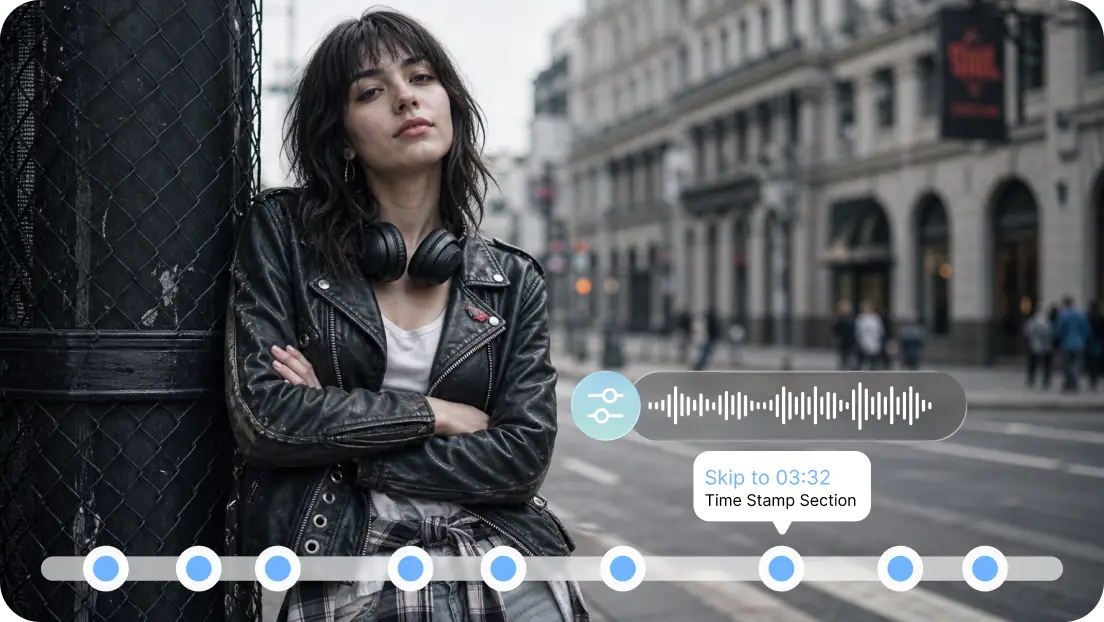
SeedAudio 2.0 provides Pippit users with an adjustable method of producing full scene sound. Can create dialogue, ambience, effects, and music all in one generation. Four input modes cater to various production requirements and creative starting points. The T2A is a text-to-speech device, and the TA2A is a voice-controlled text-to-speech device. T2A is based on video context, while TAV2A is based on video and reference audio.
What Makes SeedAudio 2.0’s Four Modes Different?
SeedAudio 2.0 breaks down audio making into four modes that are based on input. T2A is text-friendly and can be used for projects that begin with text or concepts. TA2A is a combination of text and audio, which gives better voice characteristics. TV2A is a textual and visual understanding of existing visual content. TAV2A is a combination of text, audio, and video to give the widest control. These combinations affect dialogue, ambience, effects, music, and timing. They are also suitable for various phases of a production process. This versatility also aids in workflows like AI dubbing, localization, advertising, animation, and storytelling. For this reason, Pippit offers several routes to a coherent soundscape, not requiring all projects to pass through one input route.
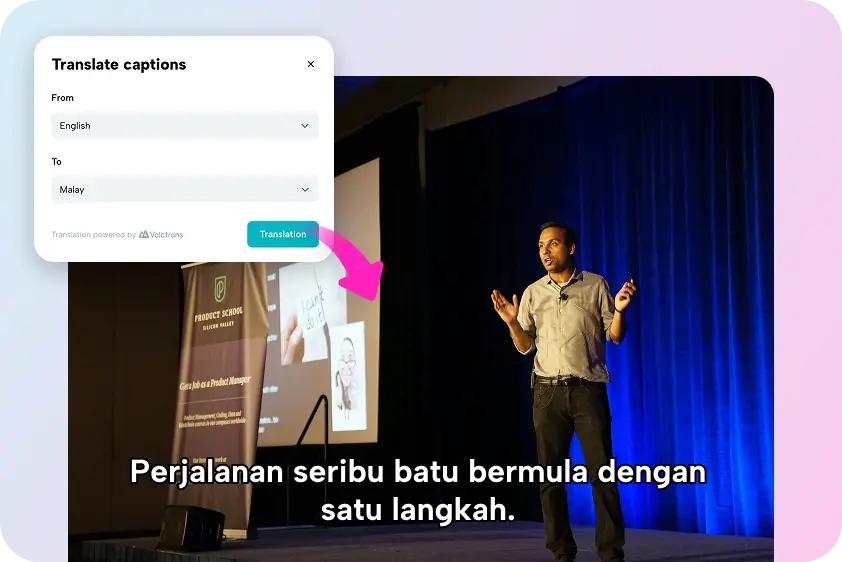
T2A: Generate Complete Audio from Text
T2A (Text-to-Audio generation) is a primary creative direction based on written instructions. This mode is good for projects that start with no audio or video recording. A detailed prompt will include dialogue, ambience, music, effects, speakers, and timing. Determine the role of the speaker, emotional delivery, and position within a scene. Prompts can also set the scene, such as streets, rooms, crowds, weather, or movement. AI MV instructions can be used to set up mood, intensity, transitions, and placements without the need for separate audio layers at the start. This is used to great effect in scripted scenes, narration, ads, animation, and conceptual music.

TA2A: Add Reference Audio for Voice Control
TA2A is a combination of text and provided reference audio to provide more voice control. The reference can be used to maintain the tone of the generated dialogue. This is useful if multiple scenes need the same voice. Voice characteristics can include rhythm, emotional delivery, speaking style, accent, and non-speech expression. These characteristics can be used by Pippit, as they follow the requested textual content and scene direction. Dialogue scenes with different character voices are possible with multiple reference speakers. SeedAudio 2.0 is thus suitable for projects that need higher continuity between the generated lines. A reference voice can also assist creators in not constantly having to describe the vocal characteristics by text only.
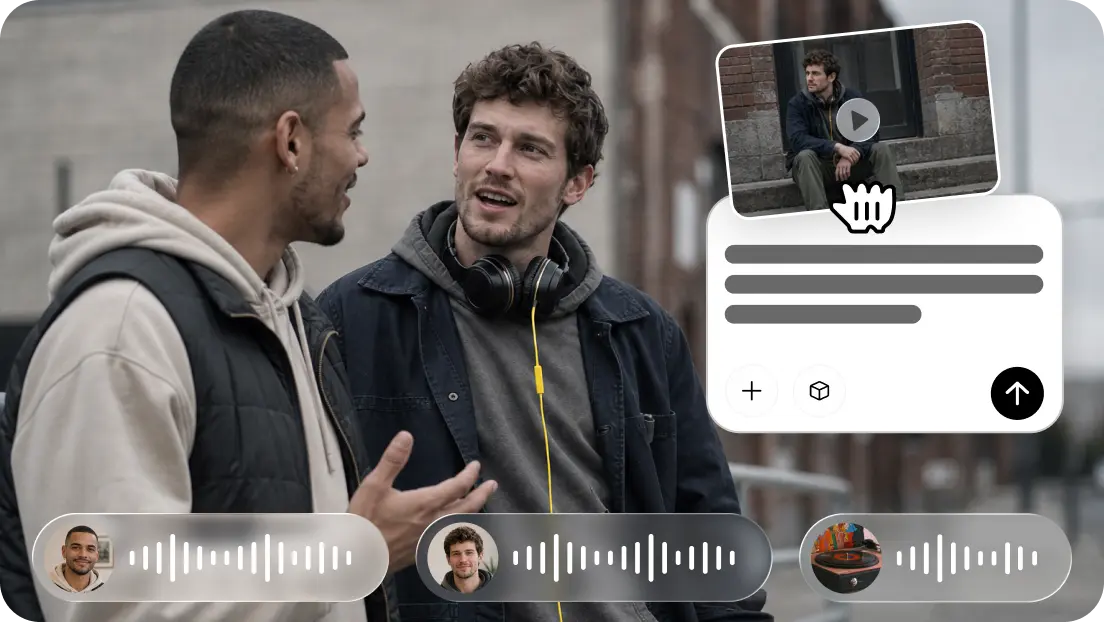
TV2A and TAV2A: Bring Video into Audio Generation
TV2A is an application that turns text and video into audio reacting to the visual material. The video provides Pippit with a visual context for actions, pacing, transitions, and scene changes. Then, the text describes the dialogue, atmosphere, effects, or musical direction of what is to be performed. TAV2A is a combination of all of these with reference audio for further voice control. These modes can synchronize audio with the visual beats, such as movements, reactions, transitions, and key moments in scenes. Video-aware generation is ideal for dubbing, localization, advertising, animation, and AI video production workflows. TV2A is ideal for projects requiring the most stringent visual timing requirements, and where there is no voice reference. When the footage needs consistent character voices, TAV2A works better. This means that existing footage can serve as the basis for sound design and/or verbal content.
Steps to Explore Four AI Audio Modes with Seedanceaudio 2.0 in Pippit
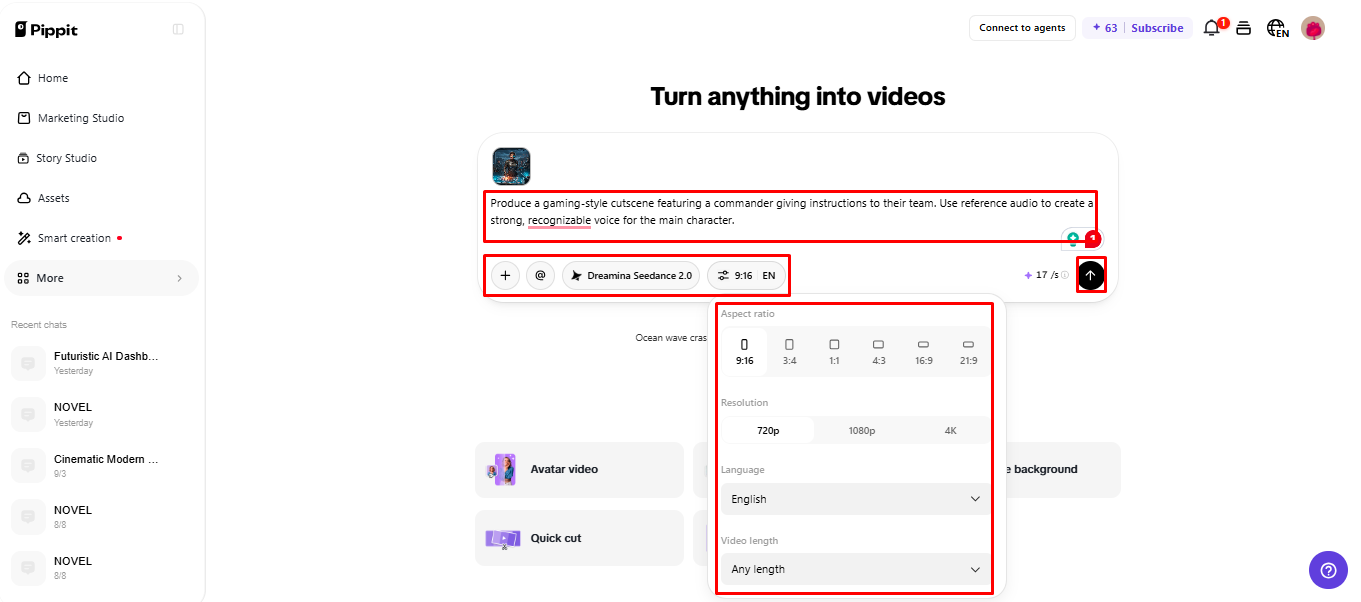
Step 1: Open the Audio Mode Workspace
- Sign up for Pippit using your Google, TikTok, or Facebook account information.
- Go to the “More” tab on the left vertical menu bar and open “Video generator”.
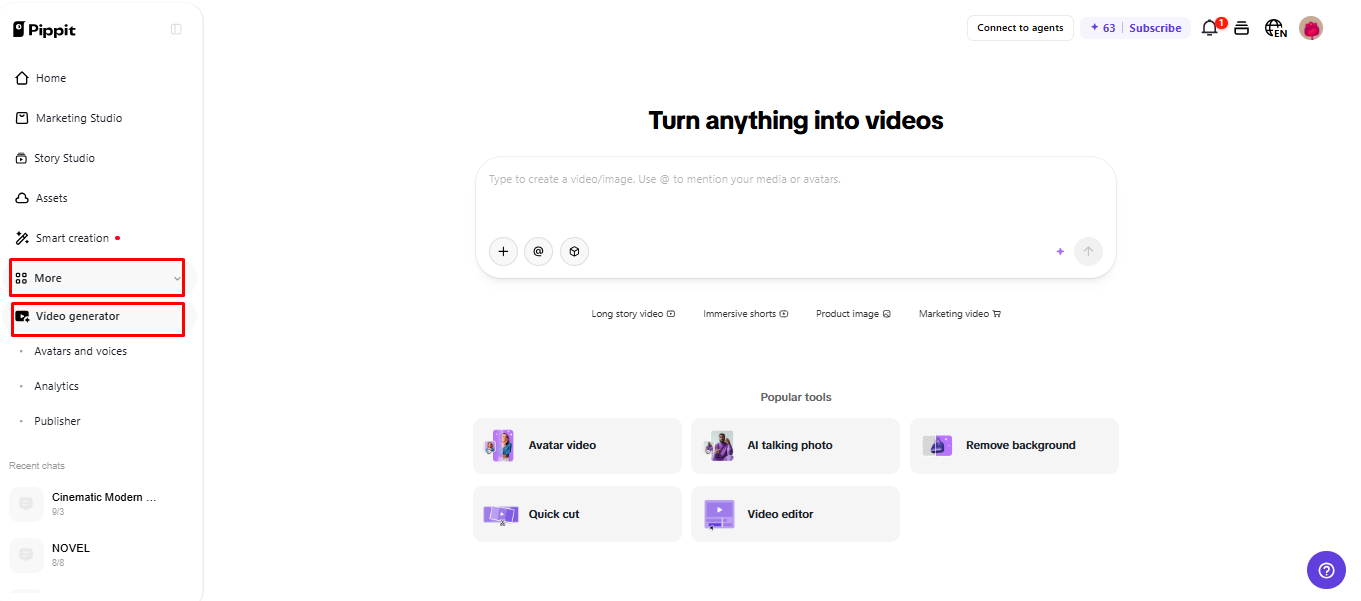
- Choose an AI model such as Dreamina Seedance 2.0 for your project.
- Write a clear text prompt that explains the audio style you want. Include the scene, sound, ambience, effects, music, voice changes, speaker, and text.
- Choose the video length, language, subtitles, and aspect ratio if needed.
- Click “+” to add reference audio files, videos from your device, phone, Dropbox, or a link. You can also select assets when you do not have reference media.
- Review the settings and click “Generate”.
Step 2: Test the Four Audio Modes
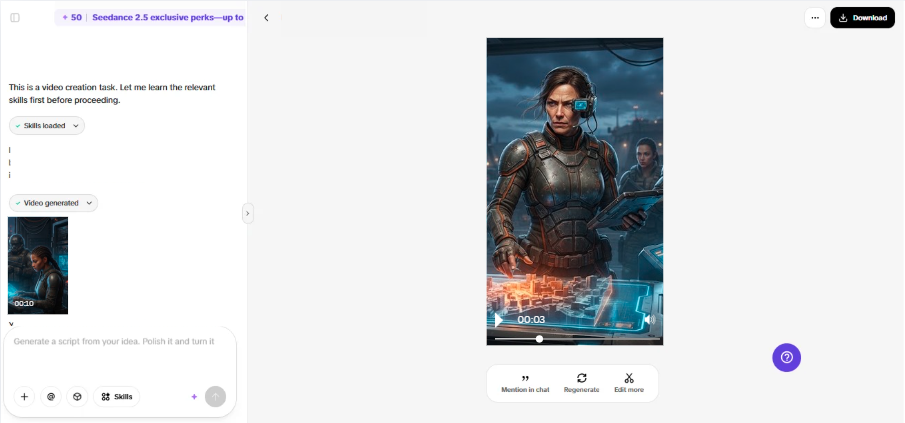
- After you click “Generate”, Pippit automatically creates the video from your prompt and reference media or audio.
- The AI manages transitions, pacing, captions, avatars, voice, lyrics, and visual enhancements.
- Review the generated draft and compare how the four audio modes fit your scene.
- Choose the mode that gives you the most suitable voice, music, ambience, or overall sound.
Step 3: Adjust and Export the Best Version
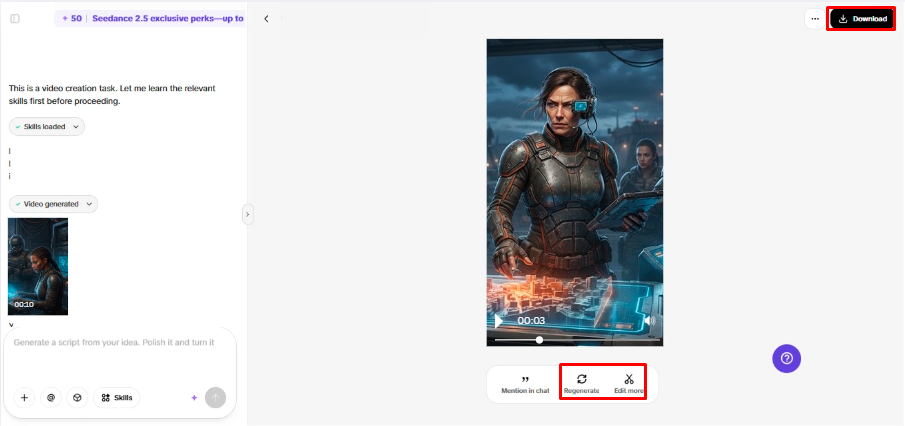
- Use “Download” in the top-right corner to save the video as it is. If the result needs changes, click “Regenerate”.
- To make detailed changes, select “Edit more” below the video and open the Pippit editing interface.
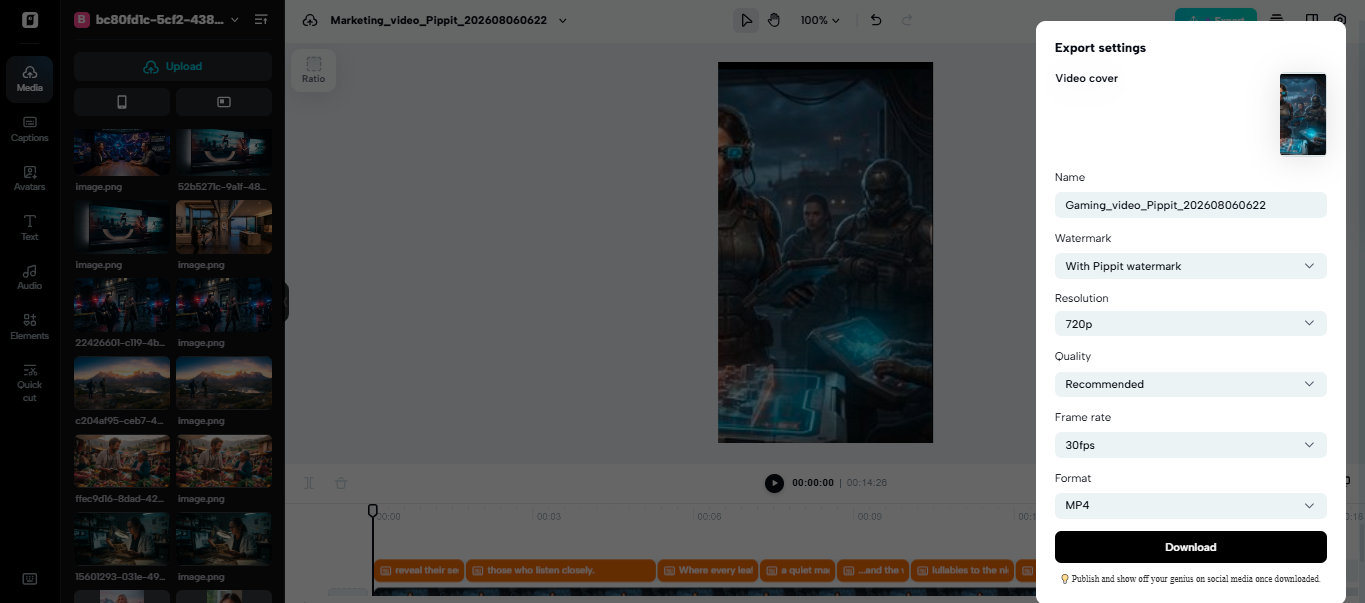
- Edit captions manually, add text, and adjust size, color, alignment, filters, voice, and effects.
- Add background music, remove backgrounds, control emotional timing, edit sync, and fine-tune the visuals.
- When the project is ready, click “Export” in the top-right corner.
- Select “Publish” to post directly to TikTok, Instagram, or Facebook, or choose “Download” to save the video with your preferred format, resolution, frame rate, and quality.
Timestamp Control Across the Four Modes
Timestamp functionality allows for more accurate control over the occurrence of significant audio events. Dialogue, sound effects, musical cues, or other elements of a scene can be identified. This is more helpful the longer the scene is, or the more speakers are involved. A timestamp may be used to specify when a specific line is to start in the produced sequence. The same direction can be used to place an effect following an action or movement that is visible. Important moments in the narrative can also be cued by music, change, and resolve. The accurate timing minimizes the generation of trial and error and minimizes manual synchronization later. This advantage is relevant for advertisements, extended narration, dubbed scenes, and productions with a lot of dialogue. Pippit can thus integrate creative generation with greater temporal direction.
Choosing the Right SeedAudio 2.0 Mode
The mode to start with should be based on the project inputs. Each mode is for a different production condition and control requirement.
- T2A: Select it if a script or text idea is the principal creative input.
- TA2A: Use it where a provided reference voice needs to support character voice and identity.
- TV2A: Select it if there is already video that should be used to generate the audio and visual synchronization.
- Use TAV2A if video context is important and so is voice control as reference.
It’s easier to select when you first find the best project reference. Dialogue, ambience, and effects are normally based on text, and music direction is based on the text. The sound gives the voice an identity, and the pictures give the voice a scene context and timing. Generation can be efficient while still maintaining creative control by using only the inputs that are needed.
Conclusion
SeedAudio 2.0 provides Pippit with four different ways to create complete scene audio. T2A is a text-first approach, and TA2A is a control-centred approach with reference voices. TV2A links up audio that is created to existing footage and visual timing. TAV2A is a combination of visual context and reference voice control. These workflows are made more precise with timestamp placement. Individual audio tracks can also be post-produced separately. These capabilities combine to provide dialogue, ambience, effects, and music in a single streamlined workflow. Pippit provides those options for narration, advertising, localization, animation and video production.
