

Artificial intelligence is changing how we create content, market products, and tell stories online. Tasks that once required hours of writing, editing, filming, and designing can now be completed much faster with the right AI tools.
Whether you’re a blogger looking to publish better articles, a digital marketer building campaigns, or a video creator producing content for YouTube, Instagram, or TikTok, AI can help you work smarter.
But with so many tools available, choosing the right one can be challenging. Some specialize in writing and research, while others generate cinematic videos, realistic AI presenters, or ready-to-publish social media content.
Also read: What Is Grok Bot?
To make your decision easier, here’s a practical guide to 15 of the best AI content and video generation tools in 2026, including their key features, ideal use cases, and limitations to consider.
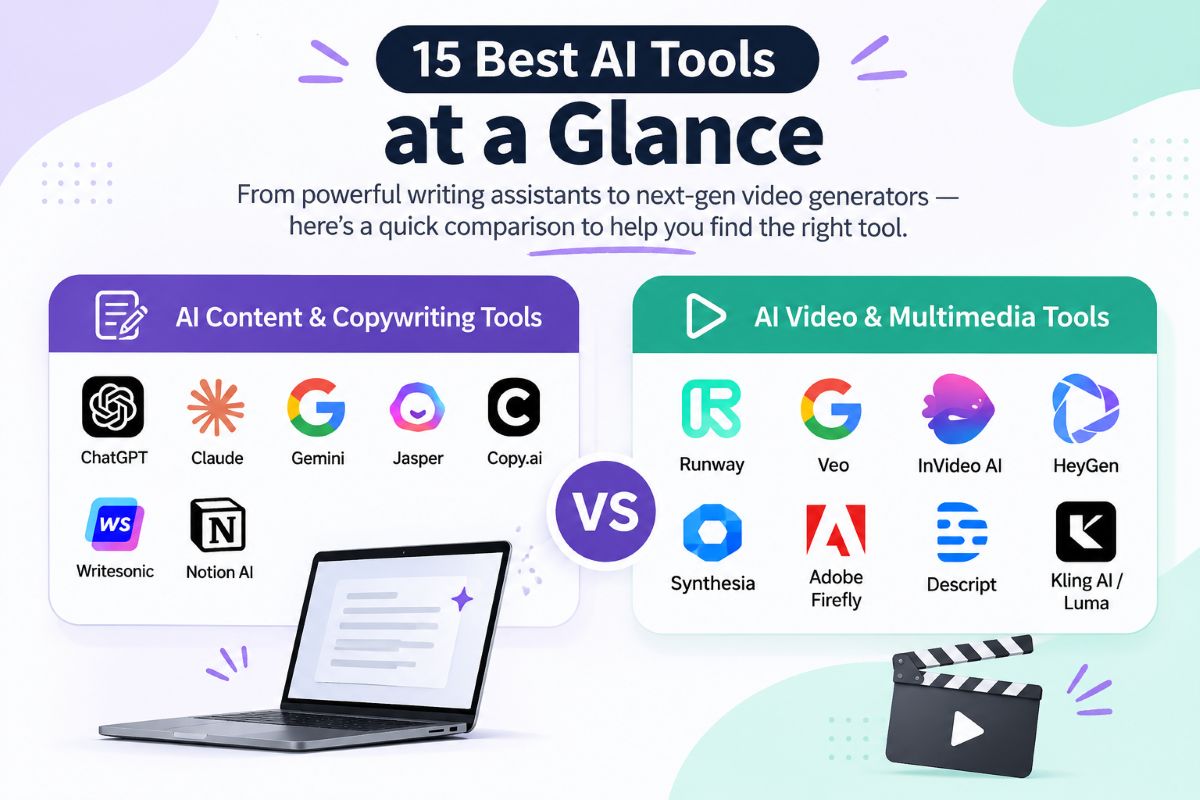
Quick Comparison: Best AI Tools at a Glance
| AI Tool | Best For | Category |
|---|---|---|
| ChatGPT | Writing, brainstorming, and research assistance | AI writing |
| Claude | Long-form writing and document analysis | AI writing |
| Google Gemini | Multimodal tasks and Google ecosystem workflows | AI assistant |
| Jasper AI | Brand-focused marketing campaigns | AI marketing |
| Copy.ai | Sales copy and marketing workflows | AI marketing |
| Writesonic | SEO content creation | AI writing |
| Notion AI | Team collaboration and documentation | Productivity |
| Runway | Creative and cinematic video generation | AI video |
| Google Veo | High-quality generative video | AI video |
| InVideo AI | Social media and YouTube videos | AI video |
| HeyGen | AI avatars and multilingual videos | AI video |
| Synthesia | Training and business presentation videos | AI video |
| Adobe Firefly | AI-assisted creative production | Design and media |
| Descript | Podcast and video editing | Media editing |
| Kling AI / Luma Dream Machine | Generative video and visual experimentation | AI video |
Note: Features, availability, model names, and pricing can change. Check each provider’s official website for the latest details.
Best AI Content and Copywriting Tools
AI writing tools can help with everything from generating ideas and organizing research to drafting articles, writing ad copy, and improving existing content. However, the best choice depends on your workflow, not simply on which tool produces the most words.
1. ChatGPT – Best for Versatile Content Creation
ChatGPT is a flexible AI assistant for writers, marketers, entrepreneurs, and content teams. It can help generate blog ideas, develop outlines, draft articles, rewrite paragraphs, explain complex topics, and assist with coding.
One of its biggest strengths is its conversational workflow. Instead of accepting the first draft, you can refine the output through follow-up instructions until it better matches your audience and goals.
Best uses:
- Brainstorming blog topics and content angles
- Creating SEO-friendly article outlines
- Drafting social media posts, emails, and newsletters
- Repurposing long articles into shorter content
- Generating and debugging code
Potential limitation: ChatGPT can produce inaccurate claims or generic writing if the instructions and source material are weak. Important facts should be verified, and the final content should reflect your own expertise.
Ideal for: Bloggers, freelancers, digital marketers, and businesses looking for an all-purpose AI assistant.
2. Claude – Best for Long-Form Writing and Analysis
Claude, developed by Anthropic, is worth considering for tasks involving long documents, detailed analysis, and editorial refinement. It can help writers organize complicated ideas, improve transitions, evaluate arguments, and maintain a consistent tone throughout a draft.
For content teams, it can also be useful for reviewing research documents and turning dense information into clearer explanations.
Best uses:
- Drafting and editing long-form articles
- Analyzing reports and lengthy documents
- Improving clarity, flow, and readability
- Developing thoughtful explanations of technical subjects
Potential limitation: Writing quality varies with the prompt, source material, and model version. Human editing and fact-checking remain necessary.
Ideal for: Editorial teams, researchers, technical writers, and bloggers who prioritize clear, structured prose.
3. Google Gemini – Best for Multimodal Workflows
Google Gemini is an AI assistant that can work with different types of information, including text and supported visual inputs. Depending on the version and available integrations, it can help with research, document analysis, content generation, and workflows involving Google services.
Its appeal is particularly strong for people who already use tools such as Google Docs, Gmail, and Google Drive.
Best uses:
- Brainstorming and drafting content
- Analyzing supported images and documents
- Organizing information from multiple sources
- Supporting workflows across compatible Google products
Potential limitation: Features and integrations vary by plan, region, and product. Always verify important research claims against reliable sources.
Ideal for: Content marketers, researchers, and teams working extensively within Google’s ecosystem.
4. Jasper AI – Best for Brand-Consistent Marketing
Jasper focuses on marketing content and brand-oriented workflows. It can help teams develop campaign messaging, create advertising variations, and produce copy aligned with established brand guidelines.
For businesses publishing across multiple channels, the ability to standardize messaging can be more valuable than generating isolated pieces of copy.
Best uses:
- Advertising and promotional campaigns
- Landing pages and product descriptions
- Email marketing
- Brand-focused content production
Potential limitation: Dedicated marketing platforms may be more expensive than general-purpose AI assistants. Evaluate the workflow features you will actually use before committing to a subscription.
Ideal for: Marketing departments, agencies, and businesses with established brand guidelines.
5. Copy.ai – Best for Marketing and Sales Workflows
Copy.ai is designed around marketing and go-to-market tasks, including sales messaging, outreach content, and repeatable content workflows.
Rather than manually creating every variation of a message, teams can use AI to develop initial drafts and adapt them for different audiences or campaign objectives.
Best uses:
- Sales outreach and email sequences
- Advertising copy
- Product messaging
- Repeatable marketing workflows
Potential limitation: Automated copy still needs review for accuracy, personalization, and brand fit. Excessive automation can make customer communication feel impersonal.
Ideal for: Sales teams, growth marketers, and businesses looking to streamline repetitive content tasks.
6. Writesonic – Best for SEO-Focused Content Workflows
Writesonic is an option for marketers who want AI-assisted writing alongside search-oriented content features. Its offerings have included tools for blog generation, keyword-related workflows, and content optimization.
It can help speed up the process of turning a topic into a structured draft, particularly when writers already have a clear search intent and content strategy.
Best uses:
- Drafting search-focused articles
- Developing content briefs and outlines
- Creating supporting website copy
- Streamlining parts of an SEO content workflow
Potential limitation: AI-generated content is not automatically optimized to rank. Search intent, originality, evidence, topical coverage, and usefulness still determine whether an article deserves to perform well.
Ideal for: SEO specialists, bloggers, publishers, and content agencies.
7. Notion AI – Best for Content Planning and Team Productivity
Notion AI brings AI assistance into a workspace used for notes, documentation, project management, and collaborative planning.
Its main advantage is workflow convenience. Instead of moving between separate applications, teams can use AI within their existing documents and project systems, subject to the features available in their plan.
Best uses:
- Organizing content calendars
- Summarizing meeting notes
- Drafting and editing internal documents
- Maintaining content briefs and editorial guidelines
- Organizing collaborative projects
Potential limitation: It may not replace a dedicated SEO research platform or a specialized long-form writing tool.
Ideal for: Content teams, freelancers, startups, and remote agencies that manage projects in Notion.
Best AI Video and Multimedia Generation Tools
AI video tools are making it easier to turn written ideas, images, and scripts into visual content. Some generate entirely new scenes, while others focus on avatars, editing, or complete social media videos.
Choosing the right tool depends on whether you need creative freedom, production speed, realistic presenters, or control over the final edit.
8. Runway – Best for Creative and Cinematic Videos
Runway offers AI-powered tools for generating and editing visual content. Its generative video capabilities are useful for experimenting with scenes, motion, visual effects, and creative concepts without filming every shot from scratch.
It can be particularly valuable when a project needs distinctive visuals rather than a conventional talking-head video.
Best uses:
- Creating cinematic video clips
- Developing visual concepts and storyboards
- Generating experimental scenes
- Producing supplementary footage for creative projects
Potential limitation: Complex movement, character consistency, and precise scene control can still require multiple attempts and conventional editing.
Ideal for: Filmmakers, creative agencies, designers, and experimental video creators.
9. Google Veo – Best for Generative Video Creation
Google Veo is Google’s generative video technology, designed to create video from prompts and supported visual inputs, depending on the product interface and model available.
It can help creators explore scenes, develop visual storytelling concepts, and produce footage that would otherwise require more extensive production work.
Best uses:
- Generating video from descriptive prompts
- Exploring cinematic scenes and camera movements
- Developing visual concepts for campaigns
- Creating supplementary footage for storytelling
Potential limitation: Access, output capabilities, duration limits, and commercial-use terms depend on the specific offering. Review the current product documentation before using generated footage in commercial projects.
Ideal for: Creative professionals, advertisers, and content creators experimenting with AI-generated visuals.
10. InVideo AI – Best for Social Media and YouTube Videos
InVideo AI is designed to help users turn ideas and scripts into video projects. Depending on the available workflow, it can assemble visuals, narration, subtitles, and other elements into a draft that can be edited for publication.
This can be helpful for creators who need a repeatable production process without managing every technical aspect of video editing.
Best uses:
- Creating YouTube videos
- Producing short-form social media content
- Turning scripts into visual stories
- Developing promotional and explainer videos
Potential limitation: Automatically selected visuals and narration may feel generic. Review stock footage, licensing terms, pacing, and factual accuracy before publishing.
Ideal for: Social media managers, solo creators, marketers, and small businesses.
11. HeyGen – Best for AI Avatars and Multilingual Videos
HeyGen focuses on AI-generated presenter videos, avatars, and multilingual video production. It can help businesses create training materials, product explainers, and localized communication without recording a separate presenter for every version.
This is especially useful when the same message needs to reach audiences who speak different languages.
Best uses:
- Multilingual marketing videos
- Product demonstrations
- Corporate communications
- Training and educational content
- Presenter-led explainer videos
Potential limitation: Synthetic presenters may not suit every brand or audience. Voice cloning and likeness replication should only be used with appropriate authorization and consent.
Ideal for: International businesses, educators, training teams, and marketers producing presenter-led videos at scale.
12. Synthesia – Best for Business Training and Explainer Videos
Synthesia specializes in presenter-led AI video production. Businesses can use it to create structured videos featuring digital presenters, making it useful for repeatable communication across teams and departments.
For organizations that regularly update training or onboarding materials, an AI-based workflow can reduce the need to reshoot every video when a script changes.
Best uses:
- Employee onboarding
- Internal training videos
- Customer education
- Software walkthroughs
- Business presentations
Potential limitation: Highly expressive storytelling and authentic personal communication may still benefit from real presenters and traditional filming.
Ideal for: HR departments, corporate trainers, SaaS businesses, and enterprise communication teams.
13. Adobe Firefly – Best for AI-Assisted Creative Production
Adobe Firefly brings generative AI capabilities into Adobe’s broader creative ecosystem. Depending on the feature and product version, these capabilities can support image creation, visual editing, design workflows, and video-related production.
Its appeal lies in combining AI assistance with established creative tools rather than treating generation as an isolated activity.
Best uses:
- Generating visual assets for campaigns
- Exploring design concepts
- Editing and extending visual compositions
- Supporting creative production workflows
Potential limitation: Commercial-use considerations depend on the feature, source assets, applicable terms, and any third-party material involved. Do not assume every AI-generated asset is automatically free of legal risk.
Ideal for: Designers, advertising teams, creative agencies, and businesses already using Adobe applications.
14. Descript – Best for Editing Videos and Podcasts with Text
Descript takes a transcript-based approach to editing audio and video. Instead of relying entirely on a traditional timeline, users can edit spoken content through its text transcript, with changes reflected in the associated media.
This can make it easier to clean up interviews, podcasts, webinars, and educational recordings.
Best uses:
- Editing podcasts and interviews
- Removing unwanted sections from recordings
- Producing subtitles and transcripts
- Repurposing webinars into shorter clips
- Improving spoken-word content
Potential limitation: Transcript errors, speaker identification mistakes, and audio quality issues can affect the result. Always review the final export.
Ideal for: Podcasters, educators, YouTubers, and teams repurposing long-form recordings.
15. Kling AI and Luma Dream Machine – Best for Visual Experimentation
Kling AI and Luma’s Dream Machine are generative video offerings worth exploring when you want to transform prompts or images into moving visuals.
They are particularly relevant to creators experimenting with visual storytelling, animated concepts, and scenes that would be difficult or expensive to film conventionally.
Best uses:
- Animating still images
- Exploring camera movements and scene transitions
- Generating short visual sequences
- Creating concept footage for creative projects
Potential limitation: Results vary by model, prompt, and input quality. Consistent characters, realistic interactions, and exact control over a scene may require several iterations.
Ideal for: Digital artists, independent filmmakers, designers, and creators exploring generative video.
Because these products evolve quickly, compare their current features and access terms before choosing between them.
How to Choose the Right AI Tool for Your Needs
With so many options, it is easy to waste money on subscriptions that overlap. The smarter approach is to start with the problem you want to solve.
| Your Main Goal | Tools to Consider |
|---|---|
| Write blog posts and social media content | ChatGPT, Claude |
| Work across Google apps and supported media | Gemini |
| Maintain consistent marketing messaging | Jasper, Copy.ai |
| Streamline SEO content production | Writesonic |
| Organize an editorial calendar | Notion AI |
| Generate cinematic visual clips | Runway, Veo |
| Produce videos from scripts | InVideo AI |
| Create multilingual avatar videos | HeyGen |
| Develop employee training videos | Synthesia |
| Generate creative assets within a design workflow | Adobe Firefly |
| Edit podcasts and spoken-word videos | Descript |
| Experiment with AI-generated scenes | Kling AI, Luma Dream Machine |
Five Things to Check Before Paying for an AI Tool
1. Define your actual use case. Are you writing articles, generating videos, editing recordings, or automating repetitive tasks? Choose a tool that solves a specific problem.
2. Test output quality. Use the same brief or sample project across shortlisted tools. Compare accuracy, consistency, editing time, and the amount of rework required.
3. Calculate the real cost. Look beyond the advertised subscription price. Check generation limits, usage credits, export restrictions, and the cost of additional features.
4. Review privacy and commercial-use terms. Understand how uploaded information is handled and what rights or restrictions apply to generated content.
5. Check workflow compatibility. A tool that integrates with your existing writing, editing, or project management process may save more time than one with a longer feature list.
Can AI-Generated Content Rank on Google?
Yes, AI can be used to help create content that performs in search. However, using AI does not guarantee rankings, traffic, or backlinks.
A stronger approach is to use AI for research assistance, outlining, drafting, and editing while ensuring the final article provides original value.
For better results:
- Answer the reader’s main question early.
- Include accurate facts and trustworthy sources.
- Add examples, practical experience, and original insights.
- Use relevant keywords naturally instead of repeating them excessively.
- Make the article easy to scan with descriptive headings.
- Update outdated information and remove unsupported claims.
- Review every important factual statement before publishing.
The goal is not to publish more content simply because AI makes production faster. It is to publish content that genuinely helps readers make better decisions.
How to Use AI Tools in a Practical Content Workflow
You do not need all 15 tools to build an effective content operation. A small, well-chosen combination is often enough.
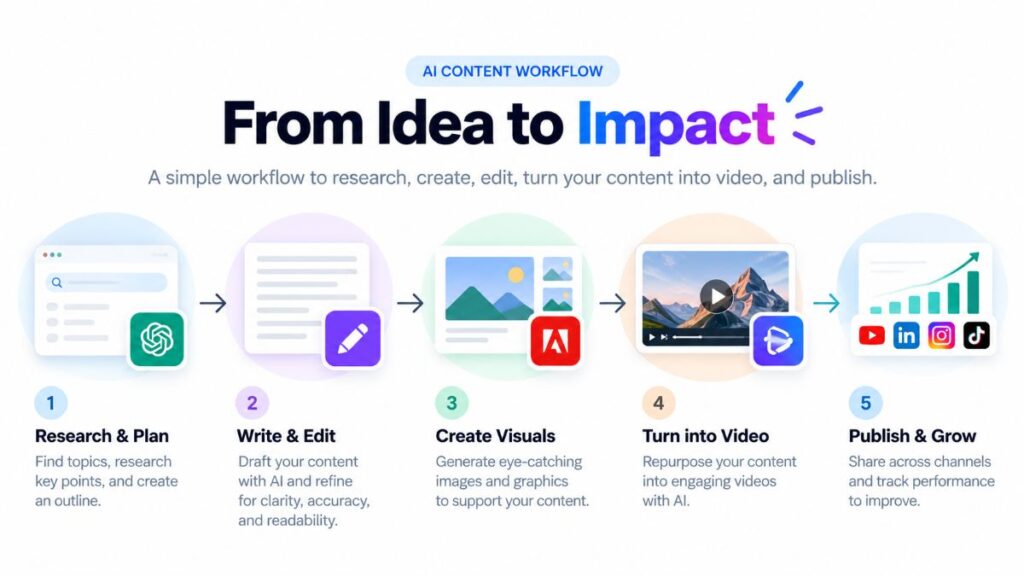
Consider this example workflow for publishing a blog article and promoting it through video:
- Research: Use a search-enabled research workflow to identify the audience’s questions and verify important facts.
- Plan: Use ChatGPT or Claude to develop an outline and identify gaps in the existing coverage.
- Write: Create a first draft, then add original examples, expert commentary, and editorial improvements.
- Edit: Use a writing assistant to improve clarity and readability, followed by human fact-checking.
- Create visuals: Use Adobe Firefly or another suitable visual tool to develop supporting graphics.
- Repurpose: Turn the article into a short video using InVideo AI, or create presenter-led content with HeyGen or Synthesia.
- Publish and measure: Track engagement, organic traffic, conversions, and the questions readers continue to ask.
This approach helps you reuse valuable ideas across formats without publishing the same material everywhere unchanged.
Final Verdict: Which AI Tool Should You Start With?
The best AI content and video generation tool depends on your priorities.
- For general writing and brainstorming: Start with ChatGPT.
- For long-form editing and document analysis: Test Claude.
- For Google-centered workflows: Explore Gemini.
- For structured marketing campaigns: Compare Jasper and Copy.ai.
- For SEO content production: Evaluate Writesonic alongside your existing SEO tools.
- For cinematic AI visuals: Experiment with Runway or Google Veo.
- For fast social video production: Consider InVideo AI.
- For avatar-led business communication: Compare HeyGen and Synthesia.
- For podcast and video editing: Try Descript.
If you are just starting, choose one writing tool and one video tool. Use them on real projects for a week, compare the results, and keep the combination that saves time without compromising quality.
AI should make your work more useful, creative, and efficient—not simply increase the amount of content you publish.
Frequently Asked Questions
1. What is the best AI tool for content creation?
There is no universal winner. ChatGPT and Claude are useful general-purpose writing assistants, while Jasper and Copy.ai focus more on marketing workflows. Your ideal choice depends on your goals and budget.
2. Which AI tool is best for generating videos?
Runway and Google Veo are worth exploring for generative video, while InVideo AI focuses on turning ideas into more complete social videos. HeyGen and Synthesia are more suitable for presenter-led content.
3. Can I use AI tools for free?
Some providers offer free access, trials, or limited usage. Availability and restrictions vary, so check the current plans on each provider’s official website.
4. Is AI-generated content good for SEO?
It can be, provided the published content is accurate, useful, original in its contribution, and created for readers. AI use alone does not guarantee search visibility.
5. Do I need separate AI tools for writing and video creation?
Not always. Some platforms offer multiple capabilities, but specialized tools can provide better control for particular tasks. Start with your requirements rather than subscribing to every popular product.
6. Are AI-generated videos safe to use commercially?
Not automatically. Review the provider’s current terms, applicable licensing restrictions, and the rights associated with any uploaded assets, voices, or likenesses before using a video commercially.
Editorial note: AI products and capabilities change frequently. This guide is intended as a practical starting point, not a definitive ranking based on independent benchmark testing. Verify current features, prices, and terms before making a purchase.
