

Removing a negative or fake Google Business review is a critical task to accomplish for any business. Find out some easy and effective methods to take down any such review.
If you Google about Google reviews, removing a fake review is one of the most frequently asked question. Companies from various industries, try to make peace with such negative reviews daily. Some of the renowned online portals have sued fake review posters, but this doesn’t put an end fake reviews from publishing.
Here are a few methods to take down a fake Google Business review:
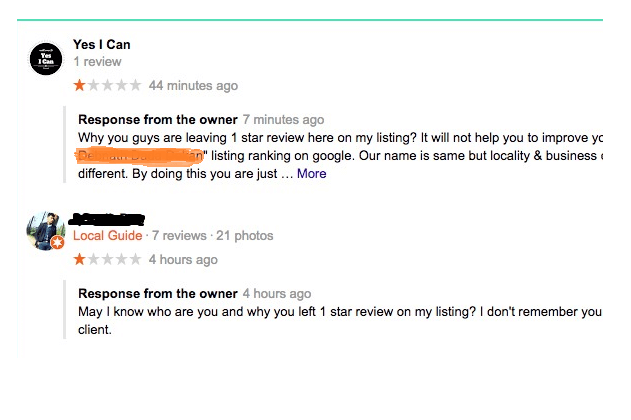
Keep your response, responsible for the review
The first-aid for a fake google review is to make use of the provision – “Respond to the review”. This is the best quick-fix to soothe the damage done by the negative review. Your ability to respond to the review decides where you want your customers to focus on. Instead of escaping from the situation, you need to address the issue right there and clarify to your customers about the allegations, complaint or experience, discussed in the review. Business is advised to initiate a sincere response to nullify the negativity created. This is the best remedy, any business can attempt in such a situation.
Showcase you problem-solving intent
Please keep in mind that you are a business, and the review is not a declaration by the judiciary of the highest court. You are supposed to respond professionally, without getting affected by the harsh words used in the review. Never respond with an upsetting emotion, your response is representing the outlook of your company, and it should not be in a negative light. Remember that your future customers are bigger, larger and greater than the previous ones. Therefore, respond immediately to such reviews and shift the focus of your customers. It will be washed out completely from the minds if the response is to the point and problem-solving. As customers lookout for a company that is solution-oriented.
Use your power to Flag
(See also: Local SEO: Top 10 Things That You Should Know)
You can immediately choose to notify the Google team by flagging the particular review. As per the review policy, if you find any review derogatory or in bad taste, you can immediately raise your concern by hovering over the flag.
Steps to follow:
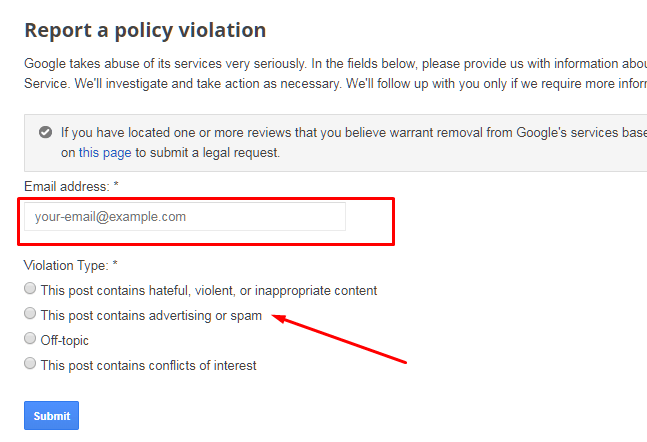
- Once you click on the Flag, you will be taken to the “Report a Policy violation Page”, and you need to choose anyone from the given options.

- You can enter your company’s Email ID and select the type of violation that the review falls into the category of.
- Your task is complete. A member from the Google team will contact you for details if in case required.
(See also: How to Get a Full 100 Score on Google PageSpeed Insights?)
Note: If you want this bad review to be taken down as quickly as possible, make sure many others follow the steps and hover flag over the review. Big numbers matter more.
After completing the above steps, your response will lead to the removal of the review. Provided it is found highly profane, such as hate-speech, insensitive or disrespectful as per the strict policies of Google.
Still, if your review has not been removed. Here’s another method to follow:
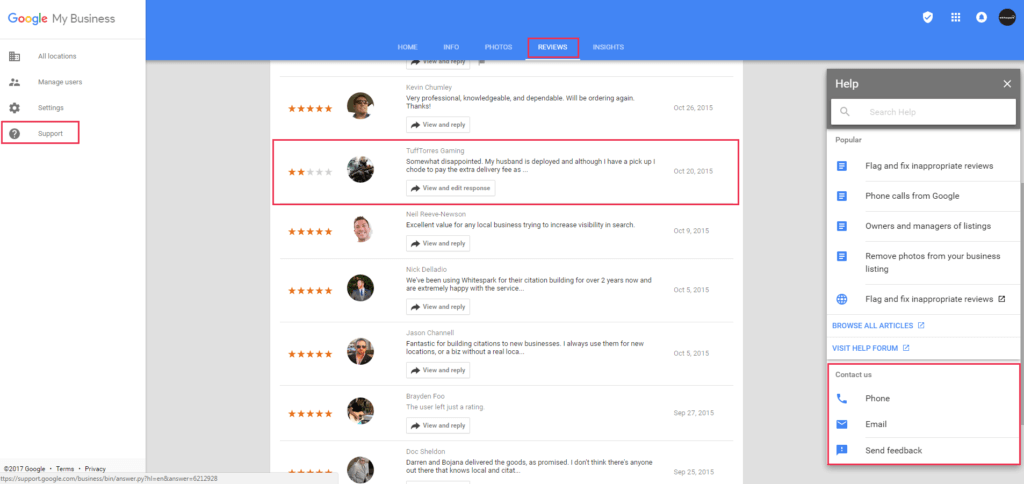
- Go to Google My Business dashboard
- Enter the reviews section
- Go to the home menu and click on ‘support’
- Contact via phone or Email
- Fill your contact details and upload a screenshot of the review you want to remove.
- Wait patiently at least up to 48 hours, a team member will get back to you.
Bonus Tip: You can also go to the Google community and ask specific questions from the community members. Through a support forum, you will get answers from experts.
