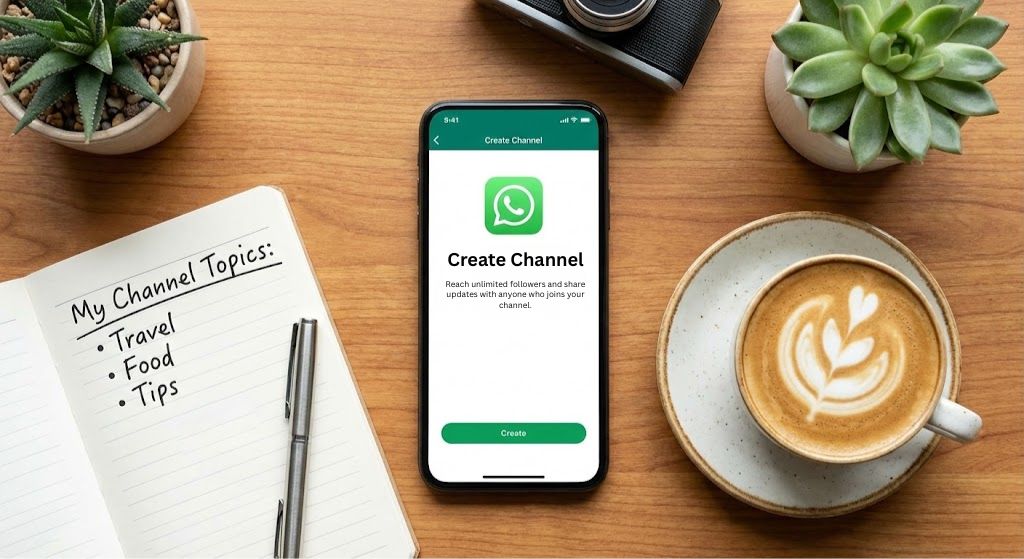
The first time I noticed the “Updates” tab on my phone, I honestly felt a bit lost. I kept seeing these massive “Channels” for sports teams and news outlets and wondered if this was just a fancy way to get more spam. It turns out that I was looking at one of the most useful features WhatsApp has added in years.
If you are opening this for the first time or if you have never even sent a voice note, do not worry. I spent the last week clicking every button and testing every setting to see how this actually works. I wanted to figure out how a regular person can use this to share things without the chaos of a standard group chat.
Most people assume a channel is a group where only one person talks. That is a small part of it. The real magic is in how it keeps your life private. You can reach a thousand people without ever revealing your phone number to them. This simple change makes the whole experience feel much safer and more professional than any group I have ever been in.
I am going to walk you through exactly how to set one up in less than two minutes. We will look at why you might want one and how to make sure you do not make the classic mistakes that most beginners hit on day one.
Setting Up Your First Channel
Creating a channel is surprisingly fast. I expected a long verification process, but it actually takes about sixty seconds. Whether you are on an iPhone or an Android, the steps are almost identical.
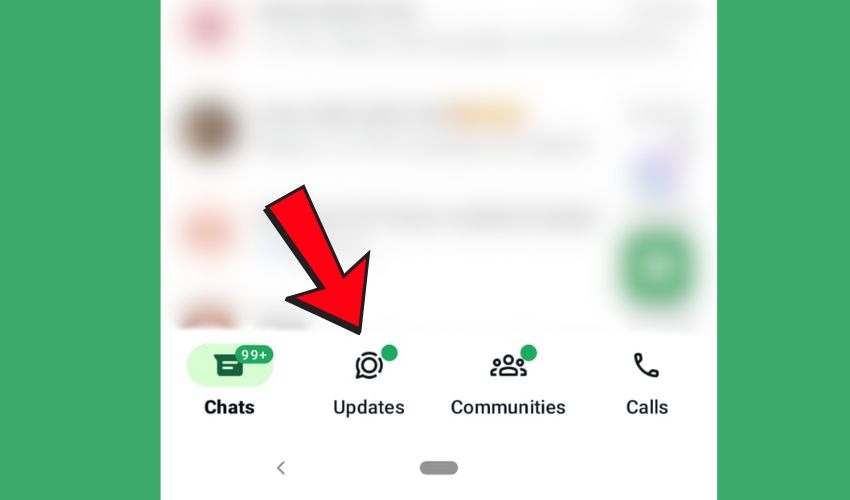
- Go to the Updates Tab: This is the same place where you see your friends’ status stories. Look at the bottom of your screen on iPhone or the top on Android.
- Find the Plus Sign or the Three Dots: On many phones, you will see a small + icon next to the word “Channels.” If you do not see that plus sign, look for the three vertical dots in the top right corner of the Channels section. Tap whichever one you see.

- Select “Create Channel”: A screen will pop up to explain the basics. Just hit “Continue.”
- Give It a Name and a Face: You need a name and a profile picture. If you are nervous about the name, do not be. You can change it as many times as you want later.
- Write Your Description: Tell people why they should follow you. Be brief. People usually scan this in two seconds before deciding to join.
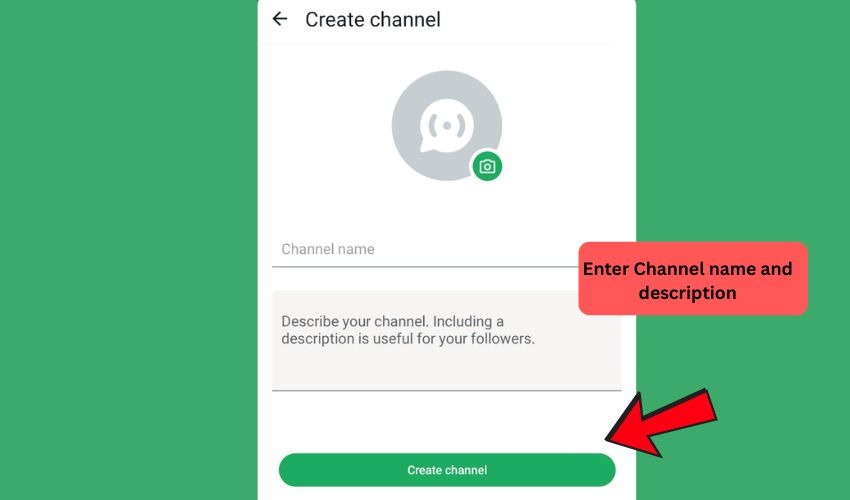
- Tap “Create Channel”: That is it. You are officially a broadcaster.
A quick tip from my testing: Before you share the link with anyone, post your first update. Nobody wants to join an empty room. Post a photo or a quick welcome note so the first person who arrives sees that the lights are on.
Can You Have More Than One WhatsApp Channel?
Yes, you can create multiple channels from the same account. I tried creating three different ones for different hobbies and it worked perfectly.
However, I noticed something important while playing around with this. Just because you can have five channels does not mean you should. It is much better to have one channel that is full of energy than four channels that are empty and less active. Start with one and get the hang of it before you try to build an empire.
WhatsApp Channel or WhatsApp Group: Which One Do You Need?
This is where most people get confused. They look similar, but they feel completely different when you use them.
- WhatsApp Groups are like a dinner party. Everyone can talk, everyone can hear each other, and everyone can see who else is in the room. It is great for planning a trip or talking with family.
- WhatsApp Channels are like a stage. You are on the microphone and the followers are the audience. They can react with emojis, but they cannot talk back or see who else is watching.
If you want a messy, fun conversation, stay with a group. If you want to share information without getting fifty notifications every hour, the channel is your best friend.
Who is Winning on WhatsApp? A Look at the Biggest Channels Right Now
I was curious about who actually uses this, so I looked at the numbers for early 2026. The biggest channels in the world right now are not just random people. They are massive organizations and celebrities who have realized that reaching people directly on their phones is a game changer.
As of January 2026, the leaderboards are dominated by sports and entertainment. Real Madrid CF holds the top spot globally with over 66 million followers. They are followed by FC Barcelona with nearly 50 million. It is clear that football fans love getting instant updates without having to check a separate news app.
Outside of sports, Netflix is a massive player with over 31 million followers. They use their channel to drop trailers and show dates directly to fans. In India, brands like Duolingo India and news outlets like Aaj Tak have also built audiences of over 20 million people. Even celebrities like Katrina Kaif have proven that individuals can compete with big brands by sharing more personal, “behind the scenes” content.
The interesting thing is that people are choosing to follow these accounts. There is no algorithm forcing this content into your feed. If someone follows you, it is because they genuinely want to hear what you have to say. This gives you a level of direct access that is very hard to find on other social media platforms today.
How to Get Your First WhatsApp Channel Followers
Once your channel is live, it feels a little lonely sitting at zero followers. Since channels do not just show up in a public search for everyone immediately, you have to be the one to open the door.
- Share Your Link to Your Status: This is the easiest way. Tap “Channel link” at the top of your channel screen and share it directly to your WhatsApp Status. Your friends and family are your first natural audience.
- Use Your Other Socials: If you have an Instagram or a Facebook, put the link in your bio. Tell people exactly what they will get there that they cannot get anywhere else.
- The Personal Invite: You can send the link directly to a few people you know would actually care about the topic. Just avoid sending it to every single person in your contact list. You want followers who actually want to be there.
Also read: 10 Benefits of Having More WhatsApp Channel Members
The Essential Checklist for Your First WhatsApp Channel Post
Before you start inviting the world to see what you have created, you want to make sure the “room” looks good. Most people join a channel and leave within seconds if it looks messy or empty. Here is the exact checklist I followed to make sure my launch felt professional and inviting.
- Choose a High-Quality Profile Picture: Your image is the first thing people see in the directory or when they get a notification. Use a clear photo of your face or a bold logo. It needs to be easy to recognize even when it is a tiny circle on a phone screen.
- Write a Clear “Welcome” Message: Your very first post should tell people exactly why they are there. I suggest writing a short note that explains what value you will provide. Try something like: “Welcome! I am starting this channel to share the best local coffee spots I find every week.”
- Pin Your Most Important Update: Once you post your welcome message, tap and hold it to “Pin” it to the top. This ensures that even if you post twenty more times, a new follower can always see your introduction first.
- Check Your Public Profile Name: Remember that while your phone number stays hidden, your profile name and photo are public. Go into your settings and make sure your channel name is catchy and easy to spell so people can find you.
- Enable Emoji Reactions: This is the only way your followers can talk back to you. It is a great way to see if your audience is enjoying your content. If you post a photo and see twenty “thumbs up” emojis, you know you are on the right track.
Also read: 5 Ways to Grow Your WhatsApp Channel Followers Organically
Why You Should Start Your WhatsApp Channel Today
The beauty of this feature is that it puts the power of a broadcast station right in your pocket. You have the chance to share your ideas and build something meaningful from scratch. Whether you want to reach ten people or ten million, the process is exactly the same.
You have the steps and you have the plan. Now you just have to hit that “Create” button. The world of millions of followers started exactly where you are right now.
You can try Socioblend’s most trusted WhatsApp growth services, which can help you gain more Whatsapp Channel and Group Followers.