
Close Menu
    Facebook X (Twitter) Instagram
    The SocioBlend BlogThe SocioBlend Blog
    • Social Media
    • Technology
    • Business
    • SEO
    • Content Marketing
    • Write for us
    The SocioBlend BlogThe SocioBlend Blog
    Home»Social Media»Instagram Latest Pronoun Feature: How to add in your bio
    Social Media

    Instagram Latest Pronoun Feature: How to add in your bio

    Divya GuptaBy Divya GuptaMay 16, 2021Updated:May 18, 2021No Comments3 Mins Read
    Instagram Latest Pronoun Feature: How to add in your bio
    Share
    Facebook Twitter LinkedIn Pinterest Tumblr WhatsApp

    Instagram, a popular social media platform, has been launching exciting and smooth features for quite a time to enhance user experience. In addition to that, the company has recently announced the latest pronoun feature in a few countries, which will allow users to add up to 4 pronouns in their Instagram bio from the various available options. Instagram’s latest pronoun feature includes dozens of options ranging from she, he, ze, ve, and many others. 
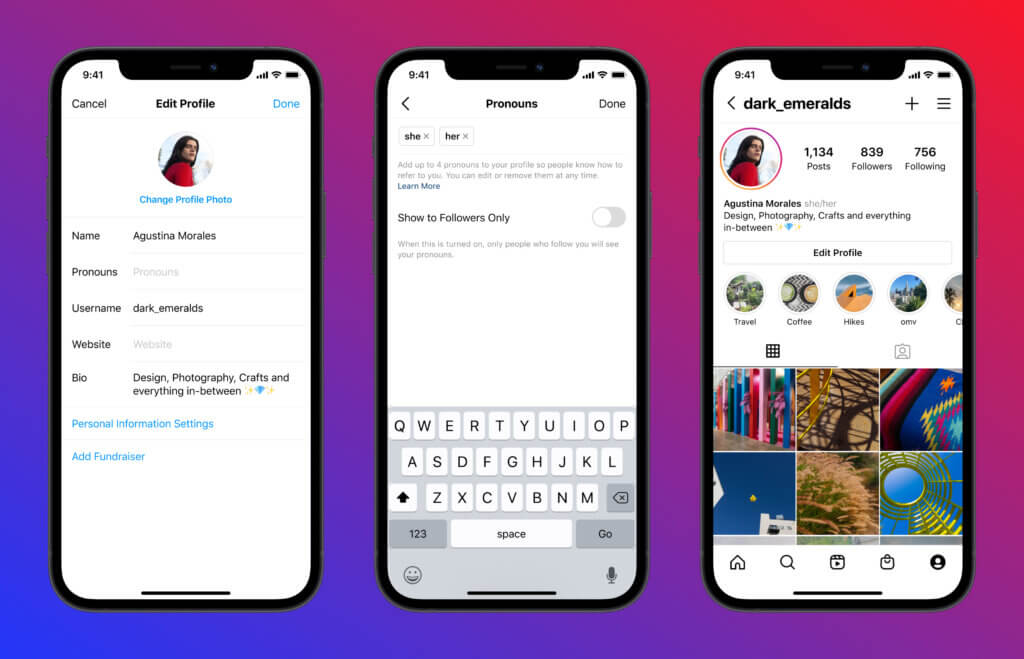
    Instagram Pronoun Feature
    Instagram Pronoun Feature

    Apart from it, if the user wants some specific pronoun that is not available in the list, they can submit their request by filling a form. This feature will help users to define their bio well without using any inappropriate words. According to Instagram, Users under 18 years will have this feature automatically turned on by default. Though the feature is not rolled out in every country yet, Instagram will make it available soon for all the users Worldwide.

    Also Check: Instagram’s New Feature of Showing or Hiding Likes

    How to use Instagram Latest Pronoun Feature in your bio? – Step by Step Guide

    Adding pronoun to your Instagram bio is quite fun and straightforward, but the feature is limited in some countries only. So you can only be able to use this feature if your country has access to the same. Follow these steps to add your favourite pronoun in your Instagram Bio:

    1) To add pronouns, go to your Profile and click on the Edit Profile option.
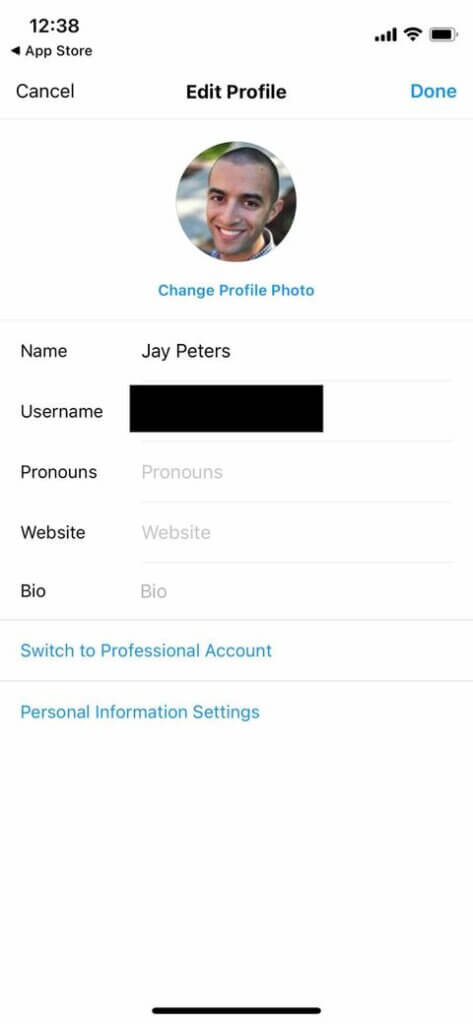
    How to add Pronoun to Instagram Bio
    Image Credit: The Verge

    2) Now, select the Pronouns option under your display name and type any pronoun you want to choose or add to your profile.

    3) Now, select whether you want to share these Pronouns publicly or private on your account with your followers.

    4) That’s it. You can add a maximum of 4 Pronouns and can edit/change them anytime you want.

    Sounds Fun, Right? Check it out on your profile and let us know whether you found this feature interesting or not in the comments section. If you are unable to find this Instagram Latest Pronoun Feature, you probably have to wait some more.

    Before Instagram, some other platforms like OkCupid and Lyft has provided this option for the users in their app. Facebook also allow users to use Pronouns since 2014, but they are limited to he/she, him/her, they/them, etc. It will be fun to see how users will react to this latest feature of Instagram. For more social media latest updates, stay tuned with us!

    add pronoun in instagram bio Instagram Pronoun feature
    Divya Gupta
    • Facebook

    A professional content creator who loves to write about the latest trends, fashion, technology, and everything you might probably looking to search on Google. Every news or story is worth sharing if you know how to write it!

    Related Posts

    How to See Who Shared Your Instagram Post – A Beginner’s Guide

    February 9, 2026

    How to Get More Comments on Facebook Posts (Advanced Strategies That Actually Work in 2026)

    February 5, 2026

    Anil Thadani Net Worth in 2026 (In Rupees & Dollars)

    February 4, 2026

    How to Create a WhatsApp Channel in 2026: A Simple Step by Step Guide for Beginners

    February 3, 2026
    Recent Posts
    • Dan Clancy Net Worth: Inside the Wealth and Vision of Twitch’s CEO February 23, 2026
    • How to Buy Backlinks Safely and Without Destroying Rankings February 20, 2026
    • Why Social Search is Replacing the Traditional Search Bar February 11, 2026
    • Why Most Salesforce Marketing Cloud Implementations Underperform February 10, 2026
    • How to See Who Shared Your Instagram Post – A Beginner’s Guide February 9, 2026
    • How to Get More Comments on Facebook Posts (Advanced Strategies That Actually Work in 2026) February 5, 2026
    • Anil Thadani Net Worth in 2026 (In Rupees & Dollars) February 4, 2026
    Categories
    • Business
    • Content Marketing
    • Entertainment
    • News
    • SEO
    • Social Media
    • Technology
    • Twitter
    Technology

    Post: Reinventing News on Social Media – Exploring the App’s Unique Feeds

    By Divya GuptaJune 22, 20230

    Post, a publisher-focused social media app aiming to be the next Twitter, has officially launched its iOS app. The app entered beta testing shortly after Elon Musk’s acquisition of Twitter, with the goal of revolutionizing how people consume news on social platforms. Post offers three distinct feeds: following, explore, and news which are the core features of the app.

    10 Tips to Promote Your Local Business and Get More Sales

    November 1, 2017

    All You Need to Know About Twitter Moments

    February 14, 2017

    When Do Youtube Views Update?

    March 19, 2017
    The SocioBlend Blog
    Facebook X (Twitter) Instagram Pinterest Vimeo YouTube
    © 2026 SocioBlend. Developed by Jitendra Kumar Singh.

    Type above and press Enter to search. Press Esc to cancel.