

After sending persistent reminders about its updated privacy policy, Facebook-owned messaging app Whatsapp has now decided to take strict action against users who are continuously ignoring the privacy updates. A few weeks ago, Whatsapp had confirmed that it wouldn’t delete users’ accounts if they don’t accept Whatsapp New Privacy update by the 15th of May, but will definitely restrict some of the critical features, which is even worse than losing your account.
Let’s take a look at which features will be disabled after 15th May if you won’t accept the updated privacy policy.
Check: Whatsapp New Features
Key Features that will be ban after rejecting Whatsapp New Privacy Update after 15th May:
On the Whatsapp FAQ page, the team has clarified that users won’t lose the complete functionality immediately after 15th May, as the company will still sending persistent reminders for Privacy update. But it will gradually disable some of the necessary features that will make user accept their privacy updates at the end.
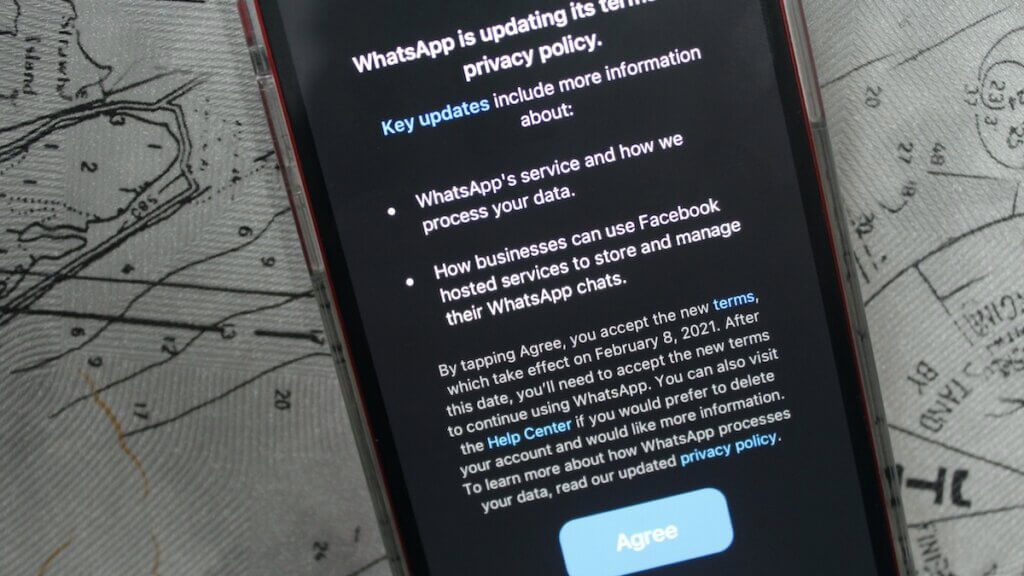
Whatsapp will not limit all the functions immediately. No account deletion will take place on 15th May if you wouldn’t accept the latest privacy update, but the following features get limited to access by users:
1) Initially, Whatsapp will disable the chat feature for those accounts that will not accept the latest privacy update. The company will allow users to answer the incoming phone and video calls on Whatsapp but won’t access the WhatsApp chat list.
Those who have enabled the notifications will be able to tap on it and respond to a message or call they missed, but the entire chat list will no longer be available.
2) After few weeks, if users will still not accept the privacy update, your app will become completely useless as eventually, Whatsapp will disable the call feature as well.
In that case, if you delete your Whatsapp account, all your message history and backup will be deleted, and you will no longer remain a part of any of the WhatsApp groups.
For Business, Creators, and Community Admins:
WhatsApp isn’t just a personal messenger anymore – it’s now widely used for broadcasting content through Channels and for running discussion-based Groups.
If you want to scale a broadcast Channel, you can buy WhatsApp Channel Members
If you manage a community-driven Group, you can buy WhatsApp Group Members
Why is Whatsapp taking such extreme steps?
Initially announced in January 2021, Whatsapp’s latest privacy update faced a massive backlash from the users over its privacy policy and security threat. Users felt that the new privacy update of Whatsapp would enhance data sharing, which could be a threat to their privacy.
Though Whatsapp assured the users that their chats are entirely encrypted and there will be no threat to their privacy with this new update, users are still not convinced & hence ignoring the persistent reminders about the update.
Whatsapp had released this update to make the app function better and smoothly and actively want users to accept it to enhance their messaging experience.
Now the coming days will show how users will react to Whatsapp’s latest announcement. We will keep updating this thread with the latest updates. Stay tuned with us for more social media updates!
