

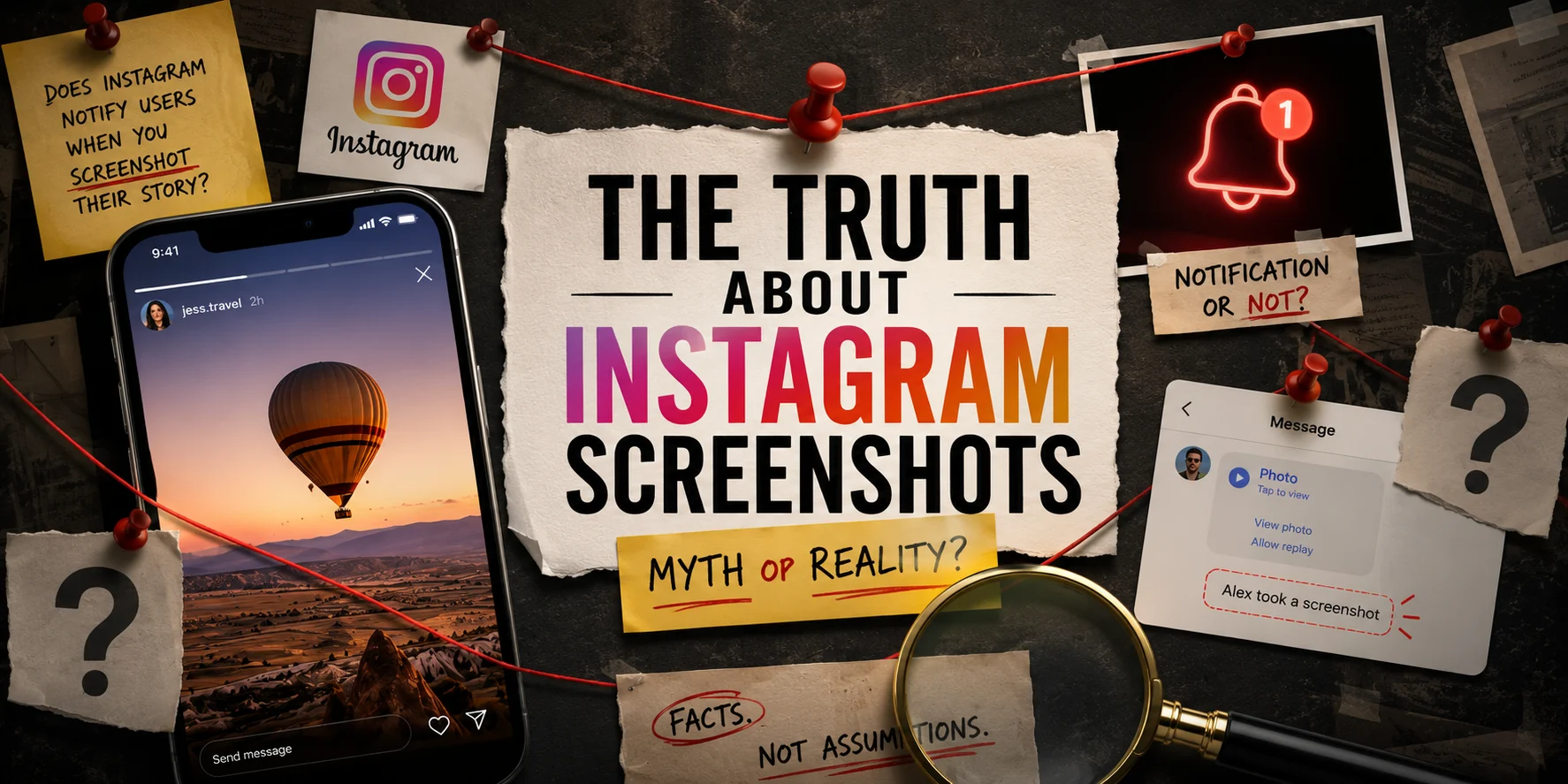
If you’ve ever taken a screenshot of someone’s Instagram Story and immediately regretted it, you’re definitely not alone.
Maybe it was a friend’s vacation photo that you wanted to revisit later. Maybe it was a recipe you planned to try over the weekend. Or perhaps it was something posted by an ex, a crush, or someone you’d rather not admit you’re still checking up on. Whatever the reason, the moment after taking the screenshot is usually the same.
Wait… does Instagram tell them?
The good news is that Instagram does not notify people when you screenshot their Stories.
The bad news is that the answer isn’t quite as simple as most articles make it seem.
Much of the confusion around Instagram comes from trying to understand what information the platform shares with other users. Screenshot notifications are one example, but content sharing raises similar questions. If you’re interested in learning more, check out our guide on how to see who shared your Instagram post.
Part of the confusion comes from the fact that Instagram has changed several privacy features over the years. Another reason is that different parts of Instagram follow different rules. What applies to Stories doesn’t necessarily apply to disappearing messages, Vanish Mode, or direct messages.
So instead of giving you a one-word answer and sending you on your way, let’s look at what’s actually happening.
Does Instagram Notify Someone When You Screenshot Their Story?
No, Instagram does not notify users when someone takes a screenshot of their Story.
You can screenshot a Story, save it, or even record your screen while viewing it without the creator receiving a notification.
If your concern is specifically about Stories, you can stop worrying.
However, this is where many articles end, and that’s exactly why people remain confused.
Why So Many People Still Think Instagram Sends Screenshot Notifications
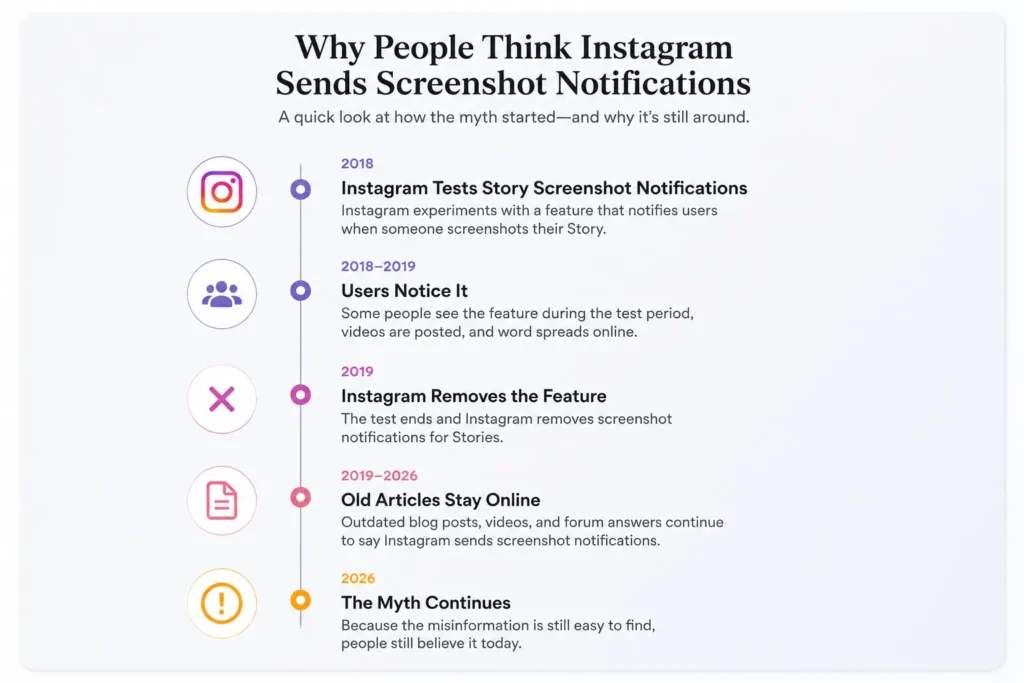
One of the biggest reasons this myth refuses to disappear is that Instagram actually tested Story screenshot notifications in the past.
Several years ago, Instagram experimented with a feature that allowed creators to see when someone captured their Story. During the test period, users would receive an indicator showing that a screenshot had been taken.
The feature never became permanent.
Instagram eventually removed it, but the internet didn’t get the memo.
Old blog posts, outdated YouTube videos, forum discussions, and social media advice continue to circulate years later. As a result, many users are operating on information that is no longer accurate.
The irony is that people aren’t entirely wrong for believing Instagram once had this feature. They’re just wrong about Instagram having it today.
Also read: The Complete Guide to Deactivating or Deleting Instagram
What Happens When You Screenshot an Instagram Story?
From Instagram’s perspective, nothing happens.
The Story creator sees the same viewer list they would normally see. Your name appears there if you viewed the Story, but there is no special icon, alert, or notification indicating that you took a screenshot.
The same applies if you use your phone’s screen recording feature.
Instagram does not alert the creator when you record a Story.
This means that whether you capture a single image or record the entire Story, the creator receives exactly the same information they would have received if you had simply watched it and moved on.
Where Instagram Does Send Screenshot Notifications
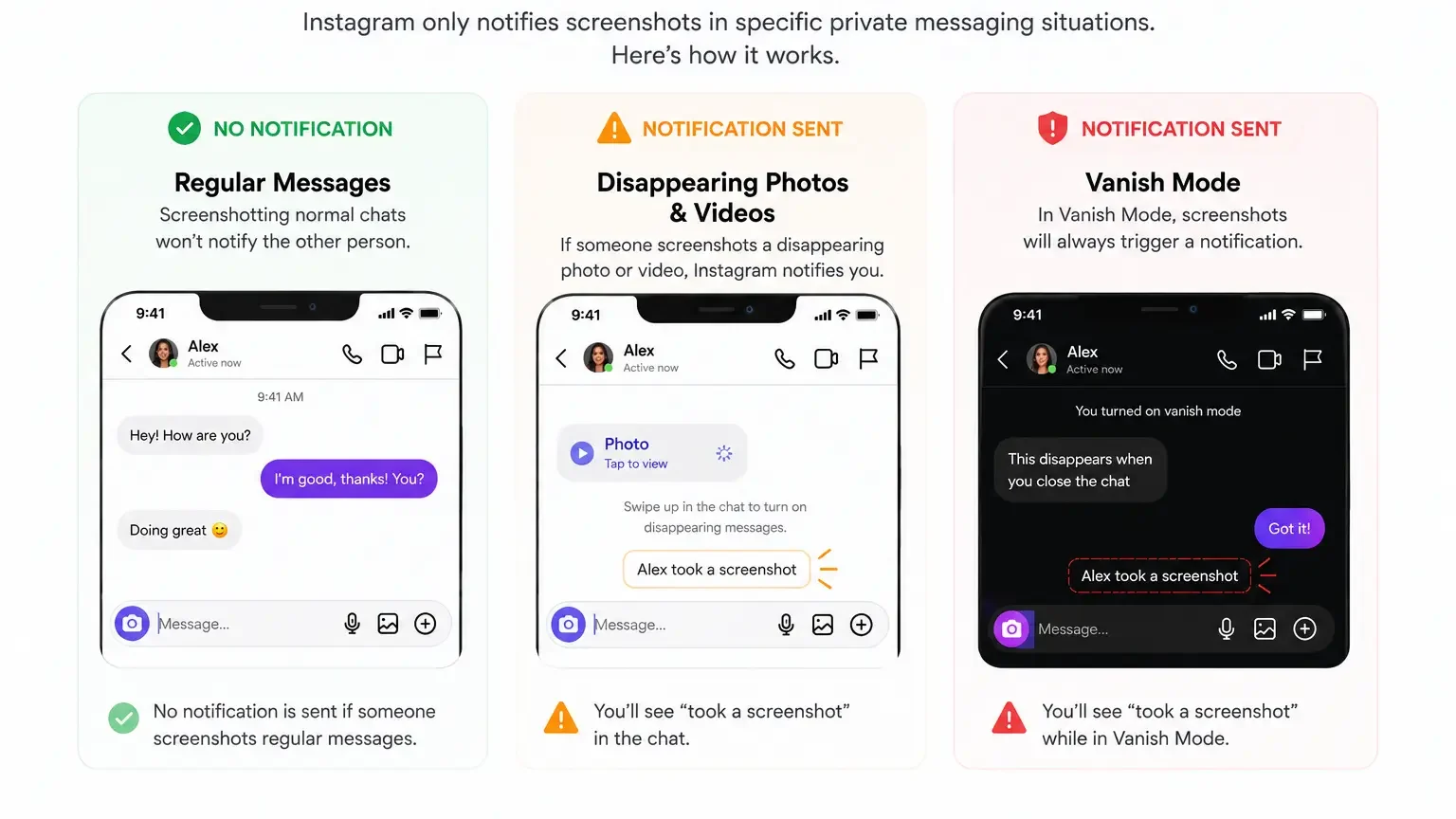
This is the part that creates most of the confusion.
While Instagram does not notify Story screenshots, it does notify users in certain private messaging situations.
Specifically, screenshot notifications can appear when someone captures disappearing photos or videos sent through Instagram Direct Messages.
These are the messages designed to be viewed once or only a limited number of times before disappearing.
In those situations, Instagram may notify the sender that a screenshot was taken.
The logic is fairly straightforward. A disappearing message is intended to be temporary. If someone saves it by taking a screenshot, Instagram treats that differently from saving a public Story.
As a result, many users hear about screenshot notifications in direct messages and mistakenly assume the same rule applies everywhere else on the platform.
It doesn’t.
Also read: How to Schedule Instagram Reels, Stories & Posts Automatically
What About Reels, Posts, and Profiles?
Stories aren’t the only content people screenshot.
Instagram users regularly save Reels, posts, comments, profiles, captions, and conversations through screenshots.
Fortunately for curious users everywhere, Instagram does not send notifications for these actions either.
You can screenshot:
- Reels
- Feed posts
- Profiles
- Comments
- Captions
- Hashtag pages
- Explore content
without triggering a notification.
This has been the standard behavior for quite some time.
If Instagram suddenly began notifying creators every time someone saved a Reel or captured a post, the platform would likely become unusable overnight.
Can Third-Party Apps Tell Someone You Took a Screenshot?
This is another area where misinformation spreads quickly.
You may come across apps, browser extensions, or websites claiming they can reveal who screenshotted your Stories.
Be skeptical.
Instagram does not provide Story screenshot data to creators, which means third-party apps generally don’t have access to that information either.
Many of these tools rely on marketing claims rather than actual functionality.
If someone tells you they know exactly who screenshotted their Story, there’s a very good chance they’re bluffing.
The Real Privacy Question Nobody Talks About
Most people focus on whether Instagram sends notifications.
A more interesting question is why we care so much in the first place.
The fear usually isn’t about the screenshot itself. It’s about being noticed.
People worry that a screenshot might reveal their interest, curiosity, or attention.
Yet Instagram already provides far more obvious signals.
When you view someone’s Story, your name appears in their viewer list. When you like a post, leave a comment, reply to a Story, or send a reaction, you’re actively creating a record of your interaction.
Compared to those actions, a private screenshot is relatively invisible.
The reality is that if someone is trying to understand who engages with their content, Story views often tell them far more than screenshots ever could.
Also read: Instagram Reposts Tab: The Complete Guide for 2026
Concluding
No, Instagram does not notify users when you screenshot their Stories.
It also doesn’t notify them if you record the screen while watching a Story, capture a Reel, save a post, or screenshot a profile.
The confusion comes from Instagram’s history of testing screenshot notifications and from the fact that disappearing messages inside direct messages follow different rules.
For regular Instagram Stories, however, no notification is sent.
So if you’ve just taken a screenshot and are anxiously waiting for a notification to appear on someone else’s phone, you can relax. Instagram isn’t telling them.
