

Millions of people use Facebook every day to check updates, view profiles, and stay connected with friends. Sometimes curiosity leads people to look at someone’s profile more than once. Because of this, a common question many users ask is simple: does Facebook notify profile views?
People often worry that the person might receive a notification after their profile has been visited. Others want to know if there is a way to see who has been looking at their own profile. This topic has been discussed for years, and many websites and apps claim they can reveal profile visitors.
The truth is that Facebook keeps profile viewing private. When someone opens your profile page, Facebook does not send you a notification. There is also no built in feature that allows users to see a list of people who visited their profile.
Even though this answer seems straightforward, there is still a lot of confusion online. Some browser extensions and mobile apps claim they can show profile viewers. Other posts suggest secret tricks that reveal hidden information inside Facebook’s page source code.
In this guide, we will explain whether Facebook notifies profile views, why the platform keeps this information private, and which Facebook activities actually trigger notifications. You will also learn about common myths related to profile viewer tools and whether they really work.
If you are curious about how profile views work on Facebook, the following sections will explain everything in a clear and beginner friendly way.
Many users still search for ways to track profile visitors. If you want to explore all the methods and common myths in detail, read our full guide on how to see who viewed your Facebook profile.
Does Facebook Notify When You View Someone’s Profile?
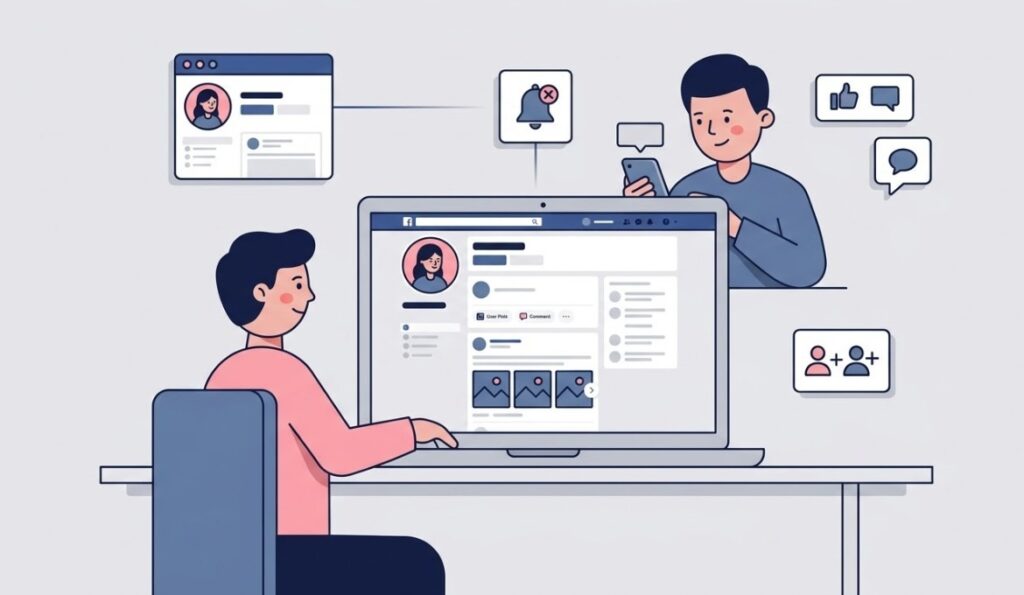
The short answer is no. Facebook does not notify users when someone visits their profile. You can open a person’s profile, scroll through their photos, or read their posts, and they will not receive any alert or notification.
This rule applies to both desktop and mobile versions of Facebook. Whether you use the website or the app, profile views remain private. Facebook does not provide a feature that allows users to track who has viewed their personal profile.
Many people search for this information because they want to know if someone can see that they looked at their profile. Others want to find out if they can identify people who may be checking their page. At the moment, Facebook does not allow either of these options.
According to Facebook’s official help documentation, the platform does not let users see who views their profile. This means that if you visit someone’s profile, your visit stays private.
However, there are certain actions on Facebook that do create notifications. For example, if you like a post, leave a comment, react to a photo, or send a friend request, the person will receive a notification about that interaction. Viewing the profile alone will not trigger any alert.
Also read: Facebook Does Not Show Your Posts to Everyone. Here’s Why
Why Facebook Does Not Show Profile Views
Facebook keeps profile views private mainly to protect user privacy. If people could see who visited their profile, it could lead to unnecessary tension or uncomfortable situations between users.
For example, someone might feel pressured if they knew that every profile visit was visible to others. This could make people hesitant to explore profiles or interact freely on the platform. By keeping profile visits private, Facebook allows users to browse without worrying about being tracked.
Another reason is safety. If profile views were visible, it could increase the chances of harassment or unwanted attention. Facebook focuses on maintaining a safe environment, so limiting access to this type of data helps reduce potential misuse.
There is also a technical reason. Facebook manages billions of profiles and interactions every day. Tracking and displaying every profile visit would require additional processing and could complicate how the platform works.
For these reasons, Facebook has chosen not to introduce a feature that shows profile viewers. Even though many users are curious about who visits their page, the platform continues to prioritize privacy and security over profile tracking.
Actions That Do Trigger Notifications on Facebook
Even though Facebook does not notify profile views, several other activities do send notifications. These actions involve direct interaction with another person’s content or account.
One common example is reacting to posts. If you like, love, or react to a photo, video, or status update, the person who shared that post will receive a notification. Comments also trigger notifications, so the user will know when someone responds to their content.
Friend requests are another action that sends an alert. When you send a friend request, Facebook immediately notifies the other person so they can accept or decline it.
Tagging someone in a post or photo also creates a notification. This allows users to see when they are mentioned or included in someone else’s content.
Messages work the same way. When you send a message through Facebook Messenger, the recipient receives a notification unless they have muted conversations.
These interactions are visible because they involve engagement with a user’s content. Simply opening and viewing a profile page does not count as engagement, so Facebook does not send a notification for it.
Can Apps Show Who Viewed Your Facebook Profile?
Many websites and apps claim they can reveal who viewed your Facebook profile. These tools often appear as browser extensions, mobile apps, or online services that promise to show profile visitors.
In reality, these tools cannot access that information. Facebook does not provide profile view data to third party apps through its system. Because of this restriction, apps cannot see who visited your profile.
Some of these tools use misleading tactics to attract users. They may display random names, suggest people from your friend list, or ask you to complete surveys before showing results. The information they provide is not based on actual profile visits.
Using these apps can also create security risks. Some extensions request permission to access your Facebook account or personal information. This could expose your data or lead to unwanted activity on your account.
For this reason, it is best to avoid apps that promise to show Facebook profile viewers. If a tool claims it can reveal who visited your profile, the claim is not accurate.
How to See Who Interacts With Your Facebook Profile
Even though Facebook does not show profile visitors, there are several ways to see who interacts with your content. These interactions can give you an idea of who is engaging with your profile the most.
One of the easiest ways is through post engagement. When you share a post, Facebook shows the people who liked, reacted, or commented on it. This allows you to see who regularly interacts with your updates.
Another useful feature is Facebook Stories. When you post a story, you can open the viewer list to see exactly who watched it. The viewer list remains visible while the story is active and even for a short time after it expires.
If you manage a Facebook business page or professional account, you can also use insights and analytics. Facebook provides information such as post reach, audience demographics, and engagement metrics. While these insights do not reveal specific profile visitors, they help you understand how people interact with your content.
These tools help you track engagement and activity on your page. However, they still do not provide a way to see who simply viewed your profile without interacting.
Read also: Is Facebook Dead? Search Interest Drops by 92% Since Its Peak
Common Myths About Facebook Profile View Notifications
Many myths about Facebook profile viewers continue to spread online. These claims often appear on social media posts, blogs, or videos that promise secret tricks to reveal profile visitors.
One popular myth suggests that you can check Facebook’s page source code to find profile viewers. Some guides tell users to search for certain numbers or profile IDs in the code. In reality, these numbers usually represent friends who recently interacted with you or people connected to your account in other ways.
Another myth claims that Facebook occasionally releases hidden updates that allow users to see profile visitors. These rumors usually spread quickly, but they are not based on official features from Facebook.
There is also a belief that certain browser extensions can track profile views. As mentioned earlier, these extensions cannot access Facebook’s internal data, so they cannot detect profile visitors.
Because these myths appear frequently online, many users still believe there is a hidden trick somewhere. In truth, Facebook has consistently confirmed that profile view tracking is not available to users.
Can Facebook Business Pages See Who Viewed Their Profile?
Many people assume that Facebook pages for businesses or public figures might have a feature that shows profile visitors. In reality, Facebook business pages also cannot see the exact users who viewed their page.
What business pages do have is access to Facebook Insights. Insights provide useful analytics about how people interact with the page and its posts. Page owners can see data such as the number of page visits, post reach, and engagement levels.
For example, a business page can see how many people viewed the page in a certain period of time. They can also see which posts received the most likes, shares, or comments. This information helps businesses understand their audience and improve their content strategy.
However, Facebook does not reveal the identity of the individuals who visited the page. Page owners can see overall statistics but not the specific people behind those visits.
This approach protects the privacy of Facebook users while still giving businesses helpful data about how their content performs.
Frequently Asked Questions About Facebook Profile Views
Can someone see if I search for them on Facebook?
No. Facebook does not notify users when someone searches for their name or profile. Searching for a profile and viewing it remains private.
Does Facebook notify screenshots of profiles?
Facebook does not notify users when someone takes a screenshot of their profile, photos, or posts. You can take screenshots without the other person being alerted.
Can you see who views your Facebook story?
Yes. When you post a Facebook Story, you can open the viewer list and see the accounts that watched it. This feature is limited to stories and does not apply to profile views.
Do Facebook profile viewer apps work?
No. Apps that claim to show who viewed your Facebook profile do not have access to that information. Facebook does not share profile visit data with third party apps.
Is there any way to track profile visitors on Facebook?
At the moment, Facebook does not provide any built in feature that allows users to track who visited their personal profile. Profile viewing activity remains private on the platform.
