
Close Menu
    Facebook X (Twitter) Instagram
    The SocioBlend BlogThe SocioBlend Blog
    • Social Media
    • Technology
    • Business
    • SEO
    • Content Marketing
    • Write for us
    The SocioBlend BlogThe SocioBlend Blog
    Home»Technology»Clubhouse Backchannel Feature for the latest messaging experience: How it Works
    Technology

    Clubhouse Backchannel Feature for the latest messaging experience: How it Works

    Divya GuptaBy Divya GuptaJuly 21, 2021No Comments3 Mins Read
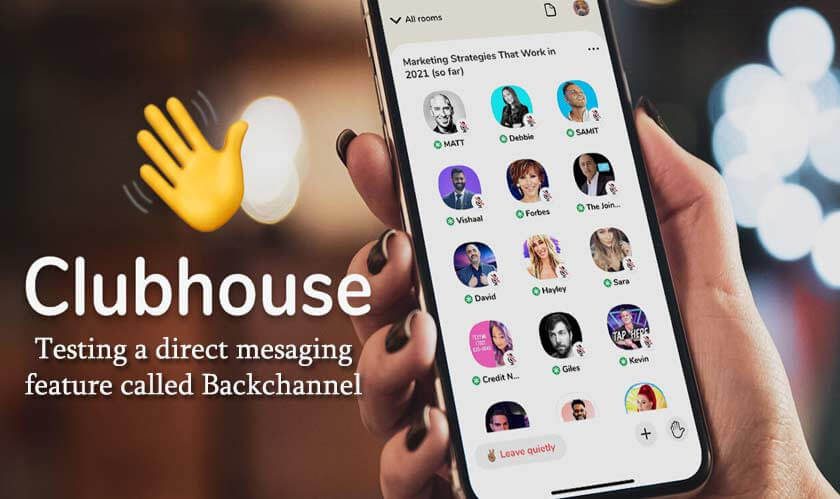
    Clubhouse backchannel feature
    Share
    Facebook Twitter LinkedIn Pinterest Tumblr WhatsApp

    Clubhouse, the latest viral social audio app, left no stone unturned to capture the audience on both android and iOS devices worldwide. To make the app more exciting and valuable for the users, the platform has launched the latest messaging feature, named Backchannel. This latest Clubhouse Backchannel feature will allow users to initiate conversations behind the scenes in the app. Here is everything you need to know about this feature if you are an active Clubhouse user.

    Check: How to get an invite from the Clubhouse app

    How will Clubhouse Backchannel Feature work for all users on both iOS and Android devices?
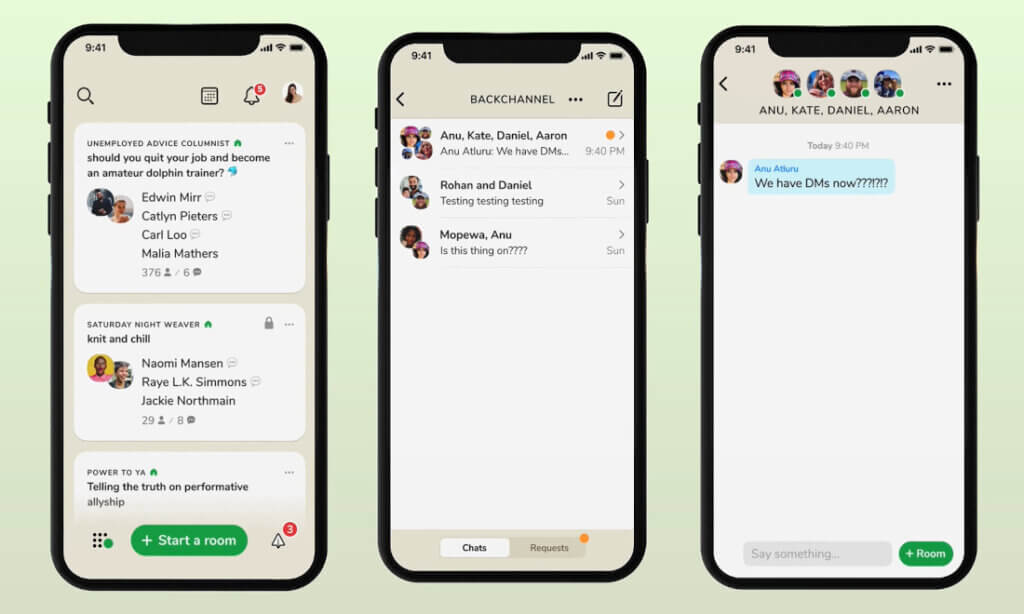
    Clubhouse Private Messaging feature in app
    Image Source: FoneAreana

    Previously, users were able to chat with the other users on the Clubhouse app using the live audio option only. But now, with the Backchannel feature, users can conversate with each other via text messages within the app. The backchannel feature works as both one-on-one messaging as well as group chat. Here is how you can use this latest backchannel features in the app:

    • To send and receive questions within the room regarding the topic.
    • To coordinate with co-host during the session.
    • To thank the audience or interact with them.
    • To plan events with the collaborators within the room, and so much more.

    But right now, the backchannel feature is launched with some limitations for users, as they can only send links or text messages but not images or videos using the backchannel feature.

    Also, there will be a messaging request feature within the backchannel where you can see the requests from people you don’t know. Once you approve the request, the person will be able to communicate with you. The feature allows you to message only those people you already know or would like to know.
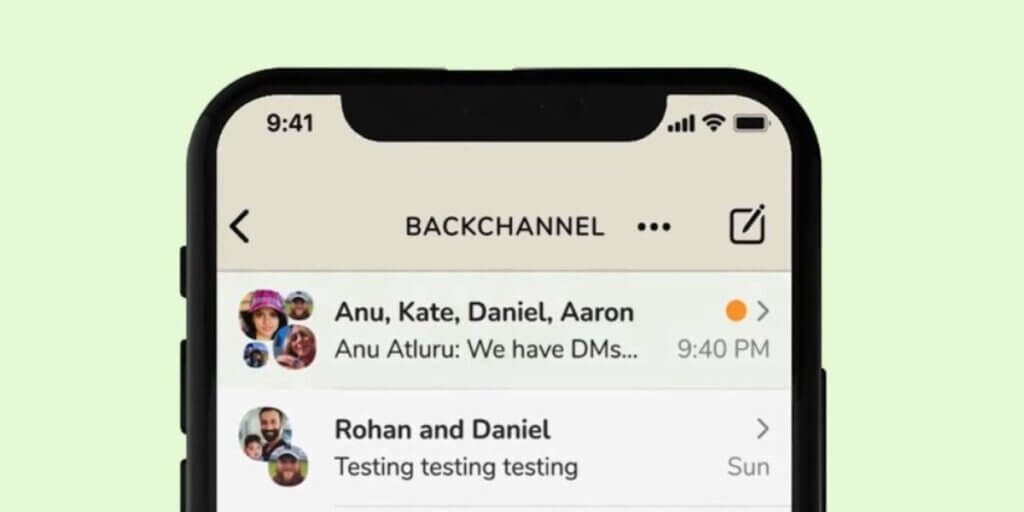
    Latest Backchannel Feature in the Clubhouse app for Android and iOS
    Image Source: Cashify

    The backchannel feature is active for all users within the iOS and android app. It appears as a little paper aeroplane icon on the user’s profile page. If you cannot find it, you can access it by swiping right from the main menu to pull it up. But the biggest drawback of this feature is that you cannot delete messages yet on the app, so you have to be a little aware of the messages you are sharing, as there is no way to unsend them.

    Also Check: Exclusive TED Talks on Clubhouse app

    Final Words!

    Earlier, both the competitors of the Clubhouse app, the Twitter Spaces and Facebook Live Audio Rooms, were providing the option of text messaging in their app along with the live audio chat feature. With the launch of the Clubhouse Backchannel feature, the app is all set to take over its rivals with more user retention. The app has already recorded a high number of downloads over 8 million times on Android devices, with more than 500,000 rooms created daily. 

    Now it will be interesting to see how this feature contributes to the growth of the app, which it indeed will. If you have any queries related to the backchannel feature, don’t forget to ask us in the comments. For more technology or social media updates, check out our latest articles!

    Clubhouse messaginf feature how to use clubhouse app latest backchannel feature
    Divya Gupta
    • Facebook

    A professional content creator who loves to write about the latest trends, fashion, technology, and everything you might probably looking to search on Google. Every news or story is worth sharing if you know how to write it!

    Related Posts

    The First 24 Hours After Installing a Phone Tracker App: What Actually Matters

    May 26, 2026

    Best Free Minecraft Server Hosting: Tested Options That Actually Work

    May 23, 2026

    6 Best Proxies for Facebook Account Management in 2026

    May 20, 2026

    Why I Started Using Residential Proxies After Getting Blocked 47 Times in One Week

    May 13, 2026
    Recent Posts
    • The First 24 Hours After Installing a Phone Tracker App: What Actually Matters May 26, 2026
    • Heart Health in High-Stress Agency Environments: Why Marketers Need to Unplug May 26, 2026
    • Best Free Minecraft Server Hosting: Tested Options That Actually Work May 23, 2026
    • Google Killing FAQ Rich Results Reveals a Bigger SEO Problem May 22, 2026
    • 6 Best Proxies for Facebook Account Management in 2026 May 20, 2026
    • Instagram Instants Explained: What It Is, How It Works, and Why Creators Should Care May 18, 2026
    • Stretching Freelance Budgets: Crafting Unified Visual Identities With Ouch May 18, 2026
    Categories
    • Business
    • Content Marketing
    • Entertainment
    • News
    • SEO
    • Social Media
    • Technology
    • Twitter
    Social Media

    10 Hacks to Increase SoundCloud Downloads, Plays and Likes

    By Mini JainAugust 23, 20191

    For musicians, SoundCloud plays and downloads need to grow continuously to expand the fan following.…

    How to Use Snipping Tool on Windows & Mac (With Shortcuts + Tips)

    January 12, 2026

    Snapchat to Fight Fake News with Its New Design

    January 29, 2017

    Top 10 Snapchat Accounts You Should Follow

    February 8, 2017
    The SocioBlend Blog
    Facebook X (Twitter) Instagram Pinterest Vimeo YouTube
    © 2026 SocioBlend. Developed by Jitendra Kumar Singh.

    Type above and press Enter to search. Press Esc to cancel.