

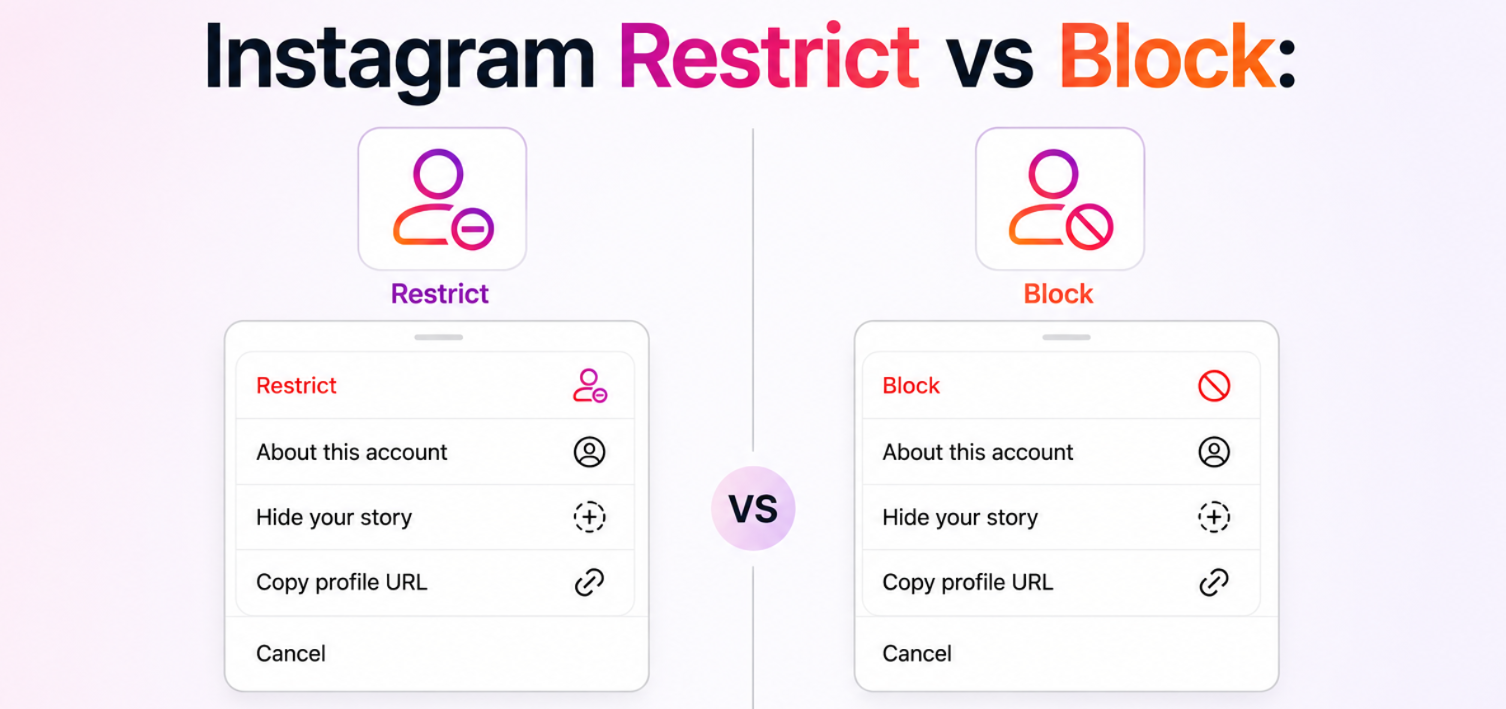
Someone is making you uncomfortable on Instagram — leaving unwanted comments, sending messages you’d rather not receive, or simply being someone you no longer want in your digital space. Instagram gives you two main tools to handle this: restrict and block. They sound similar, but they work very differently, and choosing the wrong one can leave you more exposed than you expected. This guide breaks down Instagram restrict vs block clearly — what each does, what it doesn’t do, and when one makes more sense than the other. And if you’ve been blocked or restricted yourself and need to understand what you can still access, a private IG viewer gives you a clear picture of what’s actually visible.
Also read: Can Someone See If You Screenshot Their Instagram Story?
What Instagram Restrict Does
Restrict is Instagram’s quieter, more discreet option. It was designed specifically for situations like dealing with a bully or someone you don’t want to confront directly — where a full block might escalate things unnecessarily. Here’s what happens when you restrict someone:
- Their comments on your posts become visible only to them — other users won’t see the comments, and neither will you unless you choose to approve them
- Their direct messages move to your Message Requests folder automatically — you won’t get notifications, and they won’t know you’ve seen the message
- Their active status is hidden from them — they can no longer see when you were last online
- They don’t receive a notification — the person has no way of knowing they’ve been restricted
- They can still see your profile and your posts, follow you, and interact — they just won’t know their interactions are being filtered
Restrict is essentially a soft boundary. The person thinks everything is normal. Their behavior is quietly contained without any direct confrontation.
What Instagram Block Does
Block is the more decisive option. It creates a clean and complete separation between two accounts:
- The blocked person can no longer find your profile through search — it becomes invisible to them
- Your posts, stories, and highlights disappear entirely from their view
- Existing comments you’ve left on their posts (and vice versa) are hidden while the block is active
- They can’t send you DMs — the conversation disappears from both sides
- They won’t receive a notification — but if they search for your account and can’t find it, the block becomes apparent
- They can still create a new account to view your public profile if it isn’t set to private
The key difference in Instagram block vs restrict is visibility. Restrict hides your discomfort from the other person. Block hides you from them entirely — or attempts to.
Instagram Restrict vs Block: Which Should You Use?
The right choice depends on your specific situation. Here’s a practical breakdown:
Use Restrict when:
- You want to quietly manage someone without confrontation
- The person is a classmate, coworker, or acquaintance where a block would cause social friction
- You want to filter their comments without deleting them or alerting the person
- You’re dealing with mild unwanted attention rather than genuine harassment
- You still want to be able to monitor their activity without them knowing
Use Block when:
- The situation involves serious harassment, threats, or behavior you need to stop immediately
- You want complete separation and don’t care whether the person notices
- You have no social overlap that would make a block awkward
- You want their comments removed from your posts entirely
- You need the strongest boundary Instagram’s native tools offer
One important caveat on Instagram block vs restrict: neither option is foolproof. A blocked account can view your public profile from a logged-out browser or a secondary account. Restrict doesn’t prevent the person from screenshotting your public content or sharing it. Both tools manage the experience within Instagram — they don’t control what someone does outside it.
What Happens to Your Access When You’re Restricted or Blocked
Understanding the other side of these tools is equally important — especially if you suspect you’ve been restricted or blocked and want to know what you can still see.
If you’ve been restricted:
- You can still view the person’s profile and content normally
- Your comments appear to post successfully — you just don’t know they’re hidden from others
- Your DMs appear sent — you just don’t know they’ve been filtered to requests
- Nothing obvious signals that you’ve been restricted
If you’ve been blocked:
- Their profile becomes unsearchable under your account
- Direct links to their profile return an error or show no content
- Mutual followers can still see their profile — you specifically cannot
- If their account is public, a logged-out browser will still show their content
Also read: How to See Who Shared Your Instagram Post – A Beginner’s Guide
How a Private IG Viewer Fills the Gap
Both restrict and block create visibility limitations that Instagram enforces within its own interface. A private IG viewer operates outside that interface entirely — which means the restrictions Instagram applies to your account don’t affect what you can access through the dashboard.
This is particularly useful when:
- You’ve been blocked by an account you need to monitor for legitimate reasons
- You want to view content on a private account without sending a follow request
- You need to verify whether content on an account has changed or been removed
- You’re researching an account anonymously without your visits being logged
Peekviewer works as a full instagram profile viewer covering both public and private accounts. Through the dashboard, you can access:
- Posts and full content history — including deleted posts that were captured before removal
- Stories — stored for up to three months, viewable even after the 24-hour expiry
- Comments — including deleted comments no longer visible in the app
- Like activity — engagement patterns and interaction data across posts
- Followers viewer — full follower lists including on private accounts
- Tagged content — posts where the account has been tagged by others
Verdict
Instagram restrict vs block comes down to how visible you want your boundaries to be. Restrict is discreet — the other person doesn’t know, their interactions are quietly filtered. Block is decisive — complete separation, no access to your profile. Neither is perfect, and both have workarounds. When you need to view an account that has restricted or blocked you, or access a private profile without sending a follow request, a private IG viewer like Peekviewer gives you the visibility Instagram’s native tools deliberately remove — anonymously, cleanly, and without leaving a trace on your own account.
