
Close Menu
    Facebook X (Twitter) Instagram
    The SocioBlend BlogThe SocioBlend Blog
    • Social Media
    • Technology
    • Business
    • SEO
    • Content Marketing
    • Write for us
    The SocioBlend BlogThe SocioBlend Blog
    Home»Technology»Medium Not Loading in India? Here’s Why and the Quick Fix That Works
    Technology

    Medium Not Loading in India? Here’s Why and the Quick Fix That Works

    Mohit MaheshwariBy Mohit MaheshwariNovember 5, 2025No Comments3 Mins Read
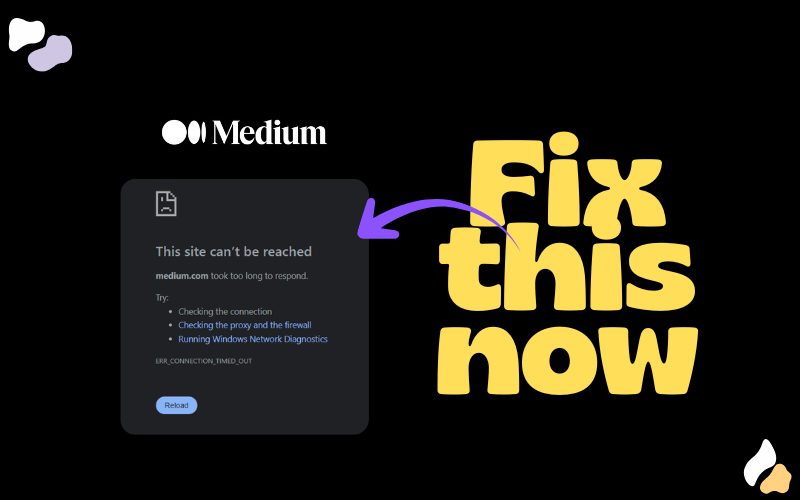
    Graphic showing how changing DNS to Google or Cloudflare fixes Medium loading issues in India.
    How changing DNS to Google or Cloudflare fixes Medium loading issues in India.
    Share
    Facebook Twitter LinkedIn Pinterest Tumblr WhatsApp

    If Medium hasn’t been opening for you in India lately, don’t panic. You’re not the only one. Over the past few weeks, many users have noticed that medium.com just won’t load either on the app or browser.

    Turns out, the problem isn’t Medium’s fault. It’s your internet provider’s.

    What’s Actually Going On

    Around mid-October, several Indian ISPs including Jio, Airtel, and Vi started routing Medium’s traffic incorrectly. When you try to visit medium.com, your request goes to the wrong IP address.

    Medium’s servers are fine, but your ISP’s system called DNS has messed up the directions.

    Why It Happens
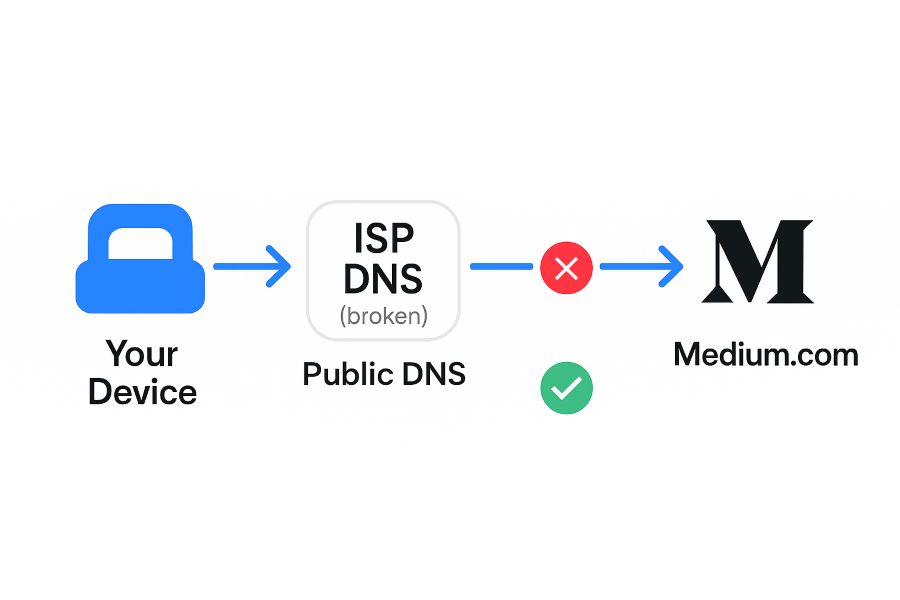
    Illustration showing ISP level DNS routing error causing Medium.com to fail loading in India 1

    If I have to explain what DNS means in the most simplest way then, DNS is like your phone’s contacts plus autocomplete for the internet.

    Instead of remembering someone’s full phone number, you just type their name and your phone dials the right number.

    Same way:

    If DNS is wrong or corrupted, it’s like your contact pointing to the wrong person – you tap “Mom” and some random uncle picks up
    When your ISP’s DNS cache goes wrong, websites appear “down” even when they’re working fine.

    The Fix: Change Your DNS Settings

    You don’t have to wait for your ISP to fix it. You can do it yourself in just a few minutes.

    By changing your DNS to a public resolver like Google or Cloudflare, your device skips the broken ISP lookup and goes straight to the right address.

    Option 1 – Google DNS

    • Primary: 8.8.8.8
    • Secondary: 8.8.4.4

    Option 2 – Cloudflare DNS

    • Primary: 1.1.1.1
    • Secondary: 1.0.0.1

    How to Change DNS (Step-by-Step)

    For Windows:
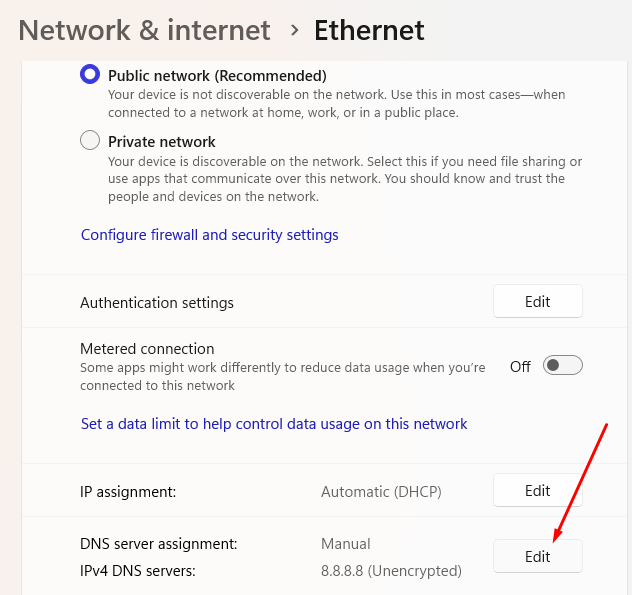
    how to edit your DNS
    1. Open Control Panel → Network and Internet → Network and Sharing Center.
    2. Click Change adapter settings on the left.
    3. Right-click your active connection → Properties.
    4. Select Internet Protocol Version 4 (TCP/IPv4) → click Properties.
    5. Choose “Use the following DNS server addresses.”
    6. Enter:
      • Preferred: 8.8.8.8
      • Alternate: 8.8.4.4
    7. Click OK and restart your browser.

    For macOS:

    1. Go to System Settings → Network.
    2. Select your Wi-Fi network → Details.
    3. Open the DNS tab.
    4. Click the + icon and add:
      • 8.8.8.8
      • 8.8.4.4
    5. Click OK → Apply.

    For Android:

    1. Go to Settings → Network & Internet → Internet.
    2. Tap your connected Wi-Fi → Advanced → Private DNS.
    3. Choose “Private DNS provider hostname.”
    4. Type dns.google (for Google DNS) or 1dot1dot1dot1.cloudflare-dns.com (for Cloudflare).
    5. Save.

    For iPhone (iOS):

    1. Open Settings → Wi-Fi.
    2. Tap the i (info) icon next to your connected network.
    3. Scroll to Configure DNS → select Manual.
    4. Delete existing entries and add:
      • 8.8.8.8
      • 8.8.4.4
    5. Tap Save.

    That’s it, you can load medium.com just fine.

    Want to read another article related to Medium? – How to Build a Loyal Community on Medium: 8 Steps

    Medium Medium not loading medium not loading in India Medium not working
    Mohit Maheshwari
    • Website
    • Facebook
    • X (Twitter)

    SEO Analyst and a part-time Content Writer.

    Related Posts

    Why I Started Using Residential Proxies After Getting Blocked 47 Times in One Week

    May 13, 2026

    The Complete Guide to Deactivating or Deleting Instagram

    May 12, 2026

    How to Save TikTok Content Online Without Installing Extra Apps

    May 7, 2026

    Top Website Chatbot Tools for Businesses: How to Choose the Right One

    May 6, 2026
    Recent Posts
    • Why I Started Using Residential Proxies After Getting Blocked 47 Times in One Week May 13, 2026
    • The Complete Guide to Deactivating or Deleting Instagram May 12, 2026
    • How to Save TikTok Content Online Without Installing Extra Apps May 7, 2026
    • Best B2B SaaS AI SEO Firms in London for Organic Growth in 2026 May 7, 2026
    • How To Listen To The The Joe Rogan Experience Podcast May 7, 2026
    • Top Website Chatbot Tools for Businesses: How to Choose the Right One May 6, 2026
    • How to Choose an SEO Copywriting Partner for Better Rankings May 5, 2026
    Categories
    • Business
    • Content Marketing
    • Entertainment
    • News
    • SEO
    • Social Media
    • Technology
    • Twitter
    Social Media

    14 Ways to Use Instagram Stories Highlights for Growth

    By Rahul MaheshwariJanuary 2, 20230

    Instagram Stories Highlights can be valuable to any brand’s digital marketing strategy. Here are 14…

    How Much Do You Earn per 1000 Views on YouTube?

    November 21, 2017

    5 Times AI Voices Sounded Too Real To Believe (And What That Means For Your Content)

    April 29, 2025

    Instagram’s New Repost, Friends Tab & Map: Smart Upgrade or Copycat Move?

    August 13, 2025
    The SocioBlend Blog
    Facebook X (Twitter) Instagram Pinterest Vimeo YouTube
    © 2026 SocioBlend. Developed by Jitendra Kumar Singh.

    Type above and press Enter to search. Press Esc to cancel.