


Hashtags on Instagram were widely used and considered an effective way to categorize and discover content. However, the effectiveness and popularity of hashtags can change over time due to various factors.
Hashtags on Instagram are outdated because of a shift in user behavior or platform algorithm changes that prioritize different content discovery methods.
The primary goal of any social network would be to provide users with the most accurate, useful, and up-to-date information in response to their search queries.
|Read also: How to Add ALT Text to Your Facebook Posts
How to Optimize your Instagram Reels in 2023
Add Topics to Your Reels Right Away
On Instagram, Topics refer to a feature that allows users to explore and discover content related to specific subjects or interests. Topics categorize posts and reels based on their content, making it easier for users to find and engage with the content they are interested in. When you add a Topic to your post or reel, it becomes associated with that particular subject and becomes visible to users who are exploring or following that specific topic.
Step 1: Just right before you post your Reel, click on the icon ‘#’ to add topics (as shown in the screenshot below).
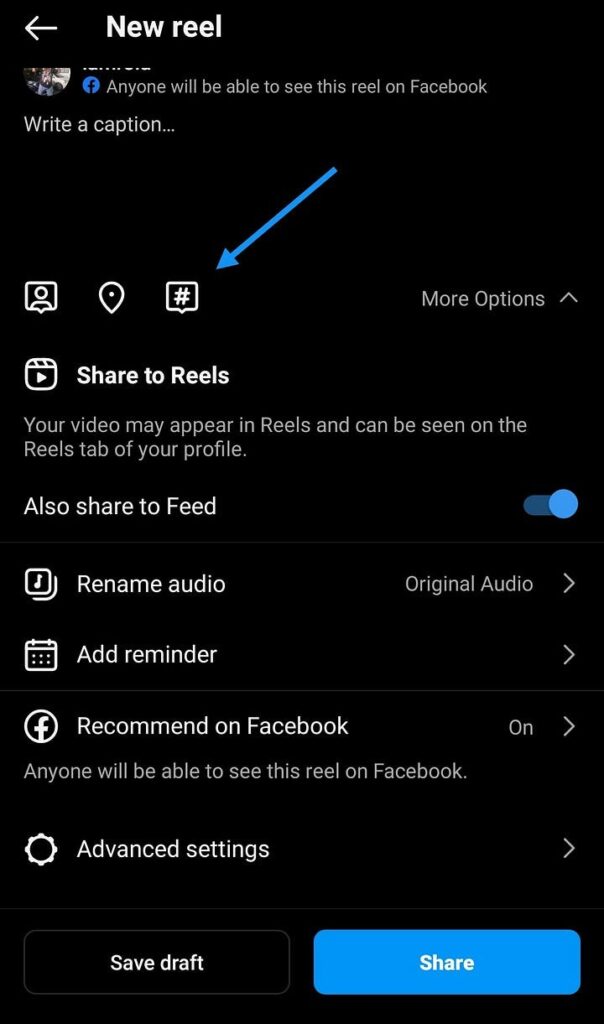
Step 2: Select 3 categories that suits your reel the most.
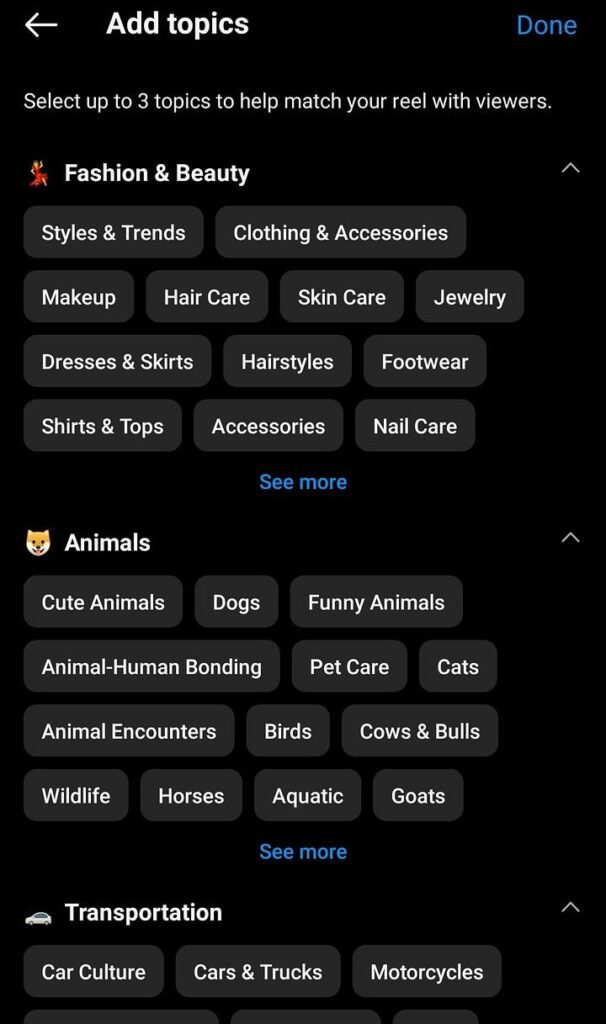
Instagram’s algorithm takes various factors into account when deciding which content to show to users. Including relevant topics can improve the chances of your Reels appearing in the Explore page or being recommended to users who have shown interest in similar topics.
Add ALT Text to Your Carousels/Posts The Right Way
Once you have selected the Image/Images for your new post, Click on Advanced Settings and on the bottom you will be able to find the option called “Write Alt Text” (check the screenshot below).
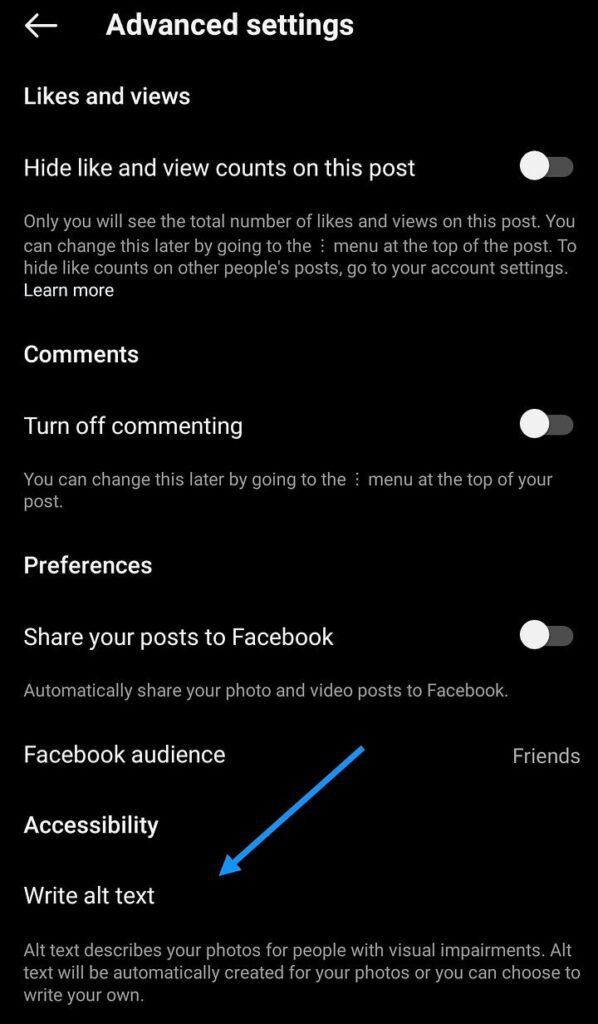
When you add alt text to your Instagram posts, it provides a textual description of the image or video content, allowing visually impaired users who rely on screen readers to understand and engage with your posts.
While alt text itself does not directly impact the visibility of your post in terms of reaching a wider audience or improving search rankings, there are a few indirect ways in which alt text can potentially contribute to increased visibility:
- By providing alt text, you make your content accessible to a larger audience. This inclusivity can lead to increased engagement and reach as you cater to a broader range of users.
- Alt text provides additional context and information about the visual content of your post. People who have a slow internet connection or are viewing your post in a situation where images or videos may not load properly.
- When users share your Instagram posts on other platforms or link to them, the alt text can accompany the shared content. This means that individuals who come across your post through social sharing or external links will also have access to the alt text, allowing them to understand the content even outside of the Instagram platform.
Add Important Keywords in Your Caption
Till now one could only search in Instagram Explore via hashtags, location tags, usernames, and profile names.
But times have changed. You can now search using keywords. Which means if you write descriptive captions using important keywords can impact your content’s discoverability.
Despite all the new algorithms, Hashtags are still relevant if you are using them in the right way, which means using hashtags that are not banned by Instagram, which are not spammy, using them in the correct numbers and most importantly, using the ones which explains your post in the most meaningful way.
