


The podcast has become the latest trendiest thing on social media after the success of Clubhouse & Spotify, and this is why Apple is also rolling out its podcast feature worldwide. But Apple is not alone in the race, as the social media giant Facebook has also announced the launch of its latest Podcast feature on its platform in the upcoming week, probably on June 22. Facebook new podcast feature will be rolled out with an additional feature that will allow listeners to create clips from their favourite shows. Learn everything about this new feature here and how it can benefit you if you are a Podcast addict or Podcast Page owner.
Check: Facebook Integrated Spotify Mini-Player in app
Everything You Need to Know About the latest Podcast Feature
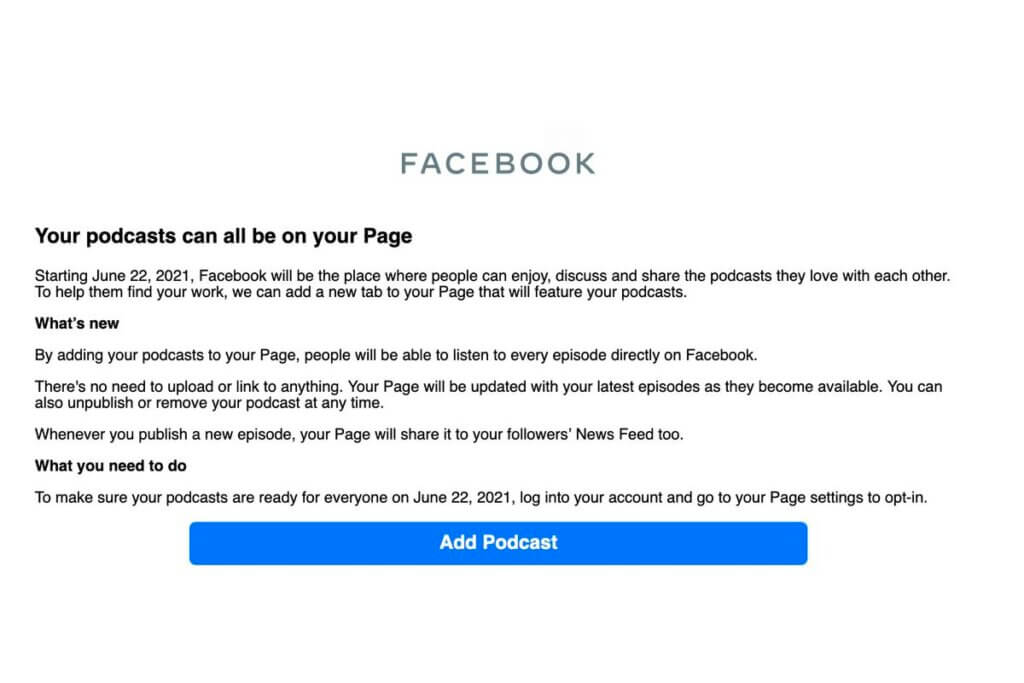
According to the email sent to the Podcast owners by Facebook regarding the launch of the feature will allow Hosts to link their shows’ RSS feed to Facebook, which will automatically generate News Feed Posts for all the episodes published, and it will show under the Podcast tab.
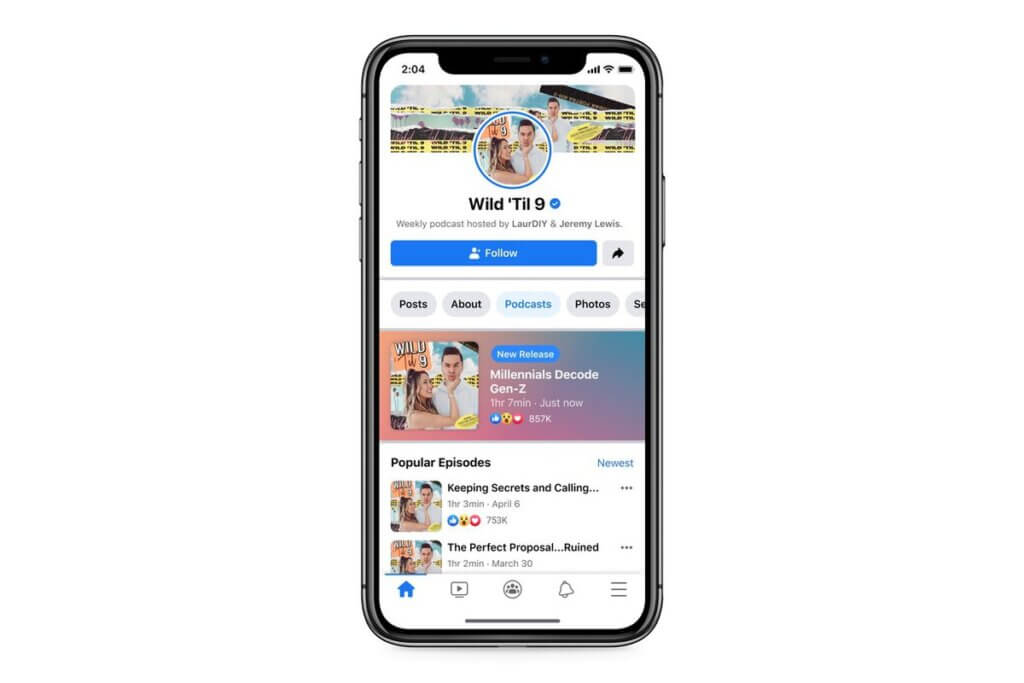
There will be a dedicated Podcast Tab that you can expect to see between the About and Photos tab at the top of the page. Thus, users will be able to play podcasts on the Facebook app in the background even when the phone is locked. By launching this feature, Facebook expects to retain a vast user base on the platform that might be interested in the podcasts on various topics & niches.
According to the company, “Facebook will be the place where people can enjoy, discuss, and share the podcasts they love with each other.”
Also Check: Audiomack vs. Soundcloud
Podcast Terms & Conditions for Podcast Owners & Users
Podcasters who want to publish their content under this feature will have to agree to the standard terms of service listed here. Although the relatively standard agreement doesn’t have clear limits yet about What Facebook can do with the podcasts distributed on its platform, the company might own all the rights for the content published on its platform.
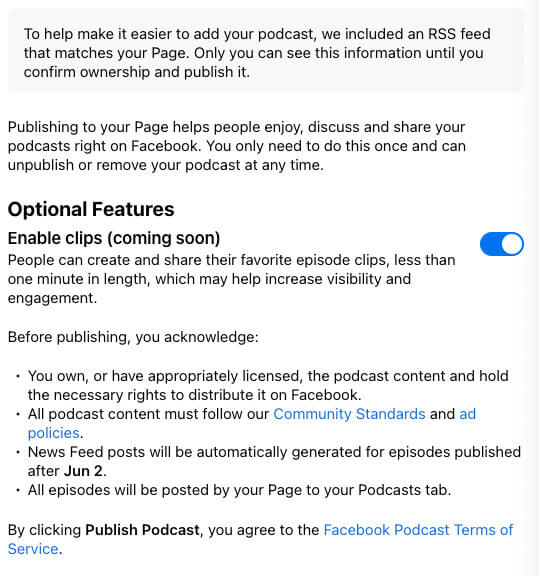
Facebook will also provide the Podcast owners with an option to decide whether to enable clips, which the platform says will be created by listeners and last up to one minute in length. Listeners will only be able to create and share the short clips for promotional purposes if the owner enables the option. According to the company, this option will increase the visibility and engagement on content & will help the Podcast creators to reach up to a large audience in future.
Currently, the company has sent emails regarding the launch of this feature to the limited Podcast owners, but the list will indeed increase soon, and all the creators can soon expect this feature for themselves.
Also Check: 10 Tips to Increase Spotify Podcast Plays
Final Words!
The launch of Podcast Feature will be a massive opportunity for Facebook to tap into a considerable userbase interested in Podcasts, especially when Apple is rolling out its podcast subscription. It will be interesting to witness who will win this ultimate battle and how users will respond to this feature. We will keep updating this thread once the officials will release more information. Till then, keep checking our latest articles to stay updated with the social media marketing & technology updates.
