

Close Menu
    Facebook X (Twitter) Instagram
    The SocioBlend BlogThe SocioBlend Blog
    • Social Media
    • Technology
    • Business
    • SEO
    • Content Marketing
    • Write for us
    The SocioBlend BlogThe SocioBlend Blog
    Home»Technology»Why Google Allo is better than WhatsApp?
    Technology

    Why Google Allo is better than WhatsApp?

    Mini JainBy Mini JainNovember 12, 2016Updated:November 12, 2016No Comments3 Mins Read
    Google Allo Featured image
    Share
    Facebook Twitter LinkedIn Pinterest Tumblr WhatsApp

    Google have been continuously coming up with innovative features which has helped it sustain till now. Now it’s all set to give tough fight to the most used messaging app i.e. WhatsApp by introducing an all new and improved platform to interact. It surely has the capability to outsmart some of the WhatsApp features, which is till now the most liked one but Google Allo has some original developments to offer such as:

    Your all-time assistant
    Google Allo chat assitant
    Image source: Telegraph

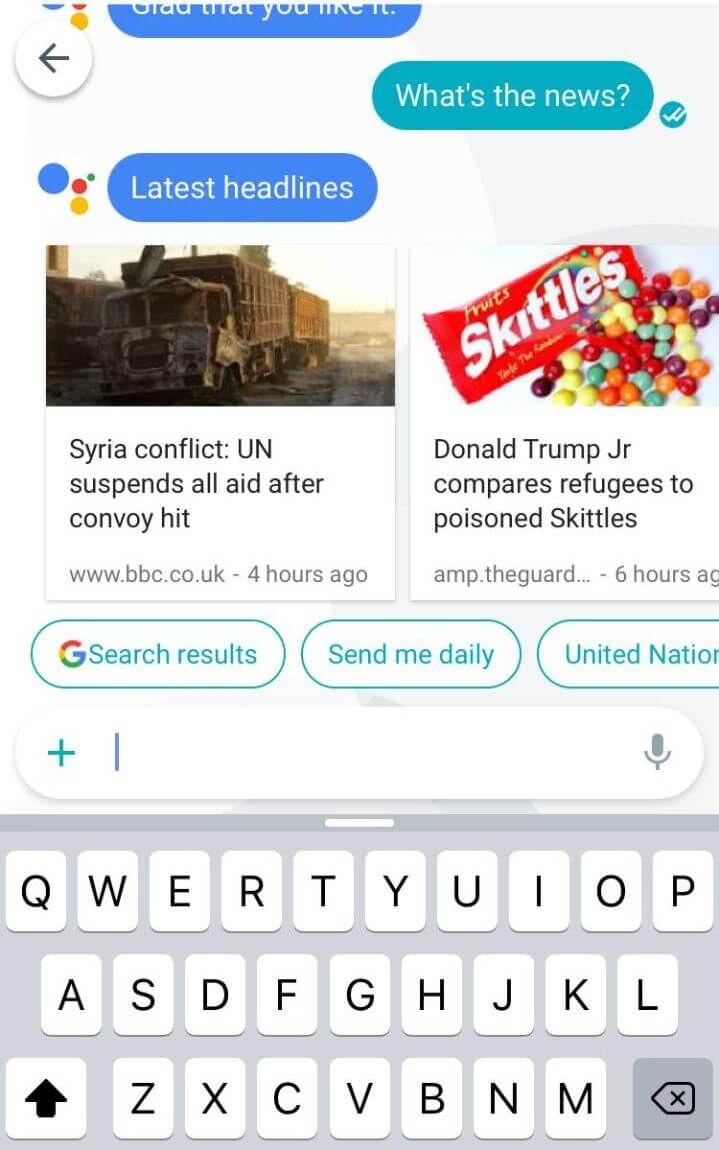
    Unlike Whatsapp, Google Allo offers a full-time service accessibility, which allows the user to get day to day activities done a bit more easily, such as available flights, travelling duration to a certain place, accompanied with the pictures according to the question you have asked before @Google.

    In-message suggestions

    Google allo suggestion
    Image source: Techpiration

    In-built features to recommend activities or things you like most, as per the findings of Google is an extension to what WhatsApp. For instance, while doing chat you can see a list of suggested restaurants, or a song you are talking about, Google Allo will provide you link to it so that users on both ends can access it.

    Automatic selective response
    automatic-response-google-allo

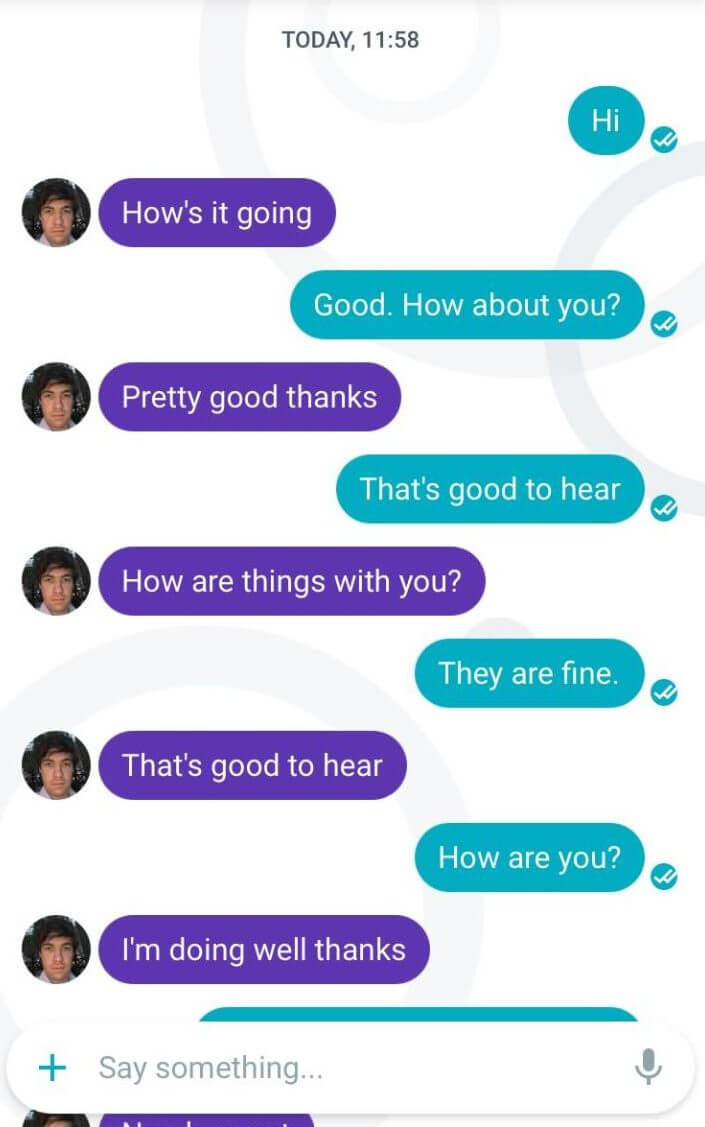
    Google Allo assists the user in giving instant suggestions based on the conversation taking place. The most used response is picked up automatically to respond to a specific question. For example, if you get a message asking ‘How are you?’ it would immediately pick the most used phrase like ‘I am good’ or a word like Fine. That’s how it would become a much convenient option to use especially for the users on the go, this feature is almost the way Siri works in iPhone.

    Image recognition
    google allo image recognition
    Image source: wired.com

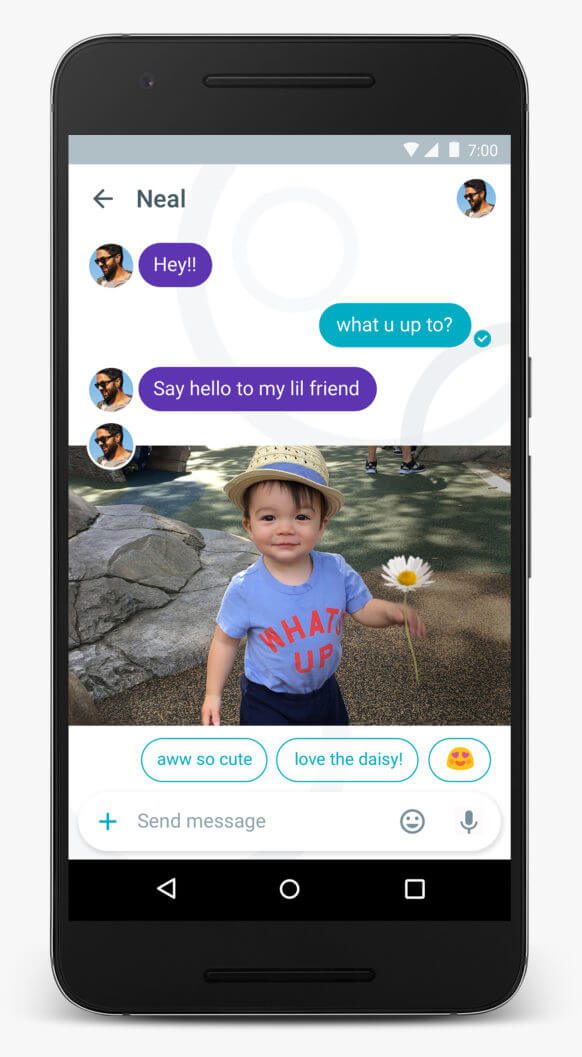
    This new addition is a unique upgrade, which no other App has offered till now. Google Allo would be the first to introduce such innovative feature and that incorporated in the messaging app. It wold instantaneously identify the picture and suggest a suitable response. The most likes, searched or used word would get first preference such as fantastic, great or beautiful. Of course it will ask you first, which one to choose before posting.

    See also: How to use Google Plus to promote your local business

    End to end encryption not mandatory
    incognito in google allo
    Image source: India Today

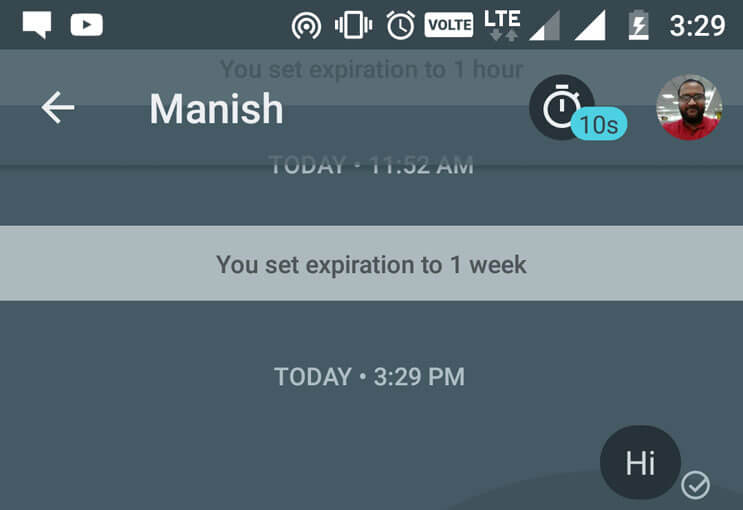
    It simply allows the user to opt for ‘Incognito mode’ chat and the user can switch off the expiration period but the chat will remain as it is. The user is free to select the end-to end encryption policy at his/her will. It’s no longer a compulsion unlike WhatsApp.


    Text settings available
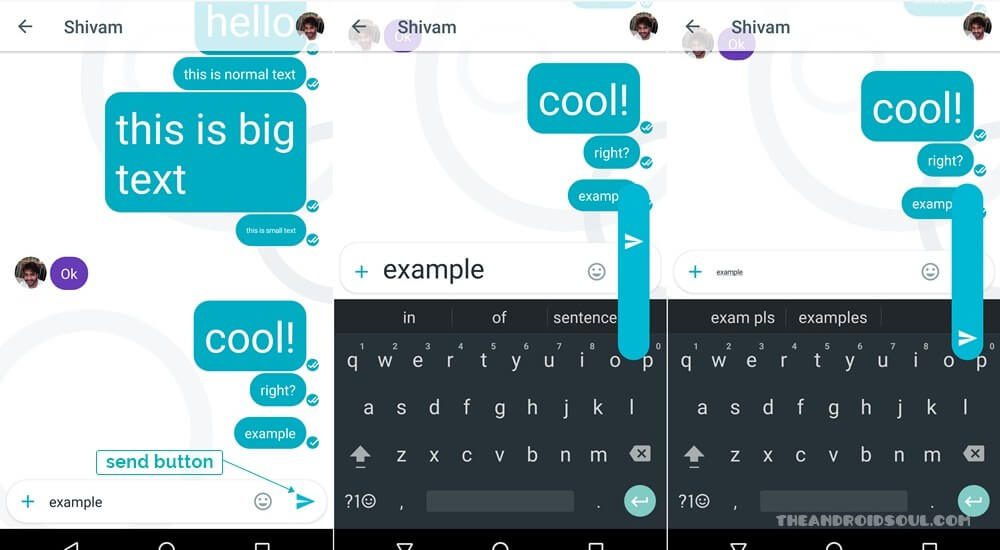
    Google allo text settings
    Image source: The Android Soul

    If the user is bored of the same font, size, text or sticker collection, then Google Allo would give a flexible range to scribble with the pictures and add any personalized expression to it before sharing it across the network.

    Brand loyalty

    Google Allo being the new child of Google is focused on building a sound network of users, that’s the reason why direct or video call has not been incorporated in this app. Rather it’s a tool dependable based on Google search engine in and out, providing the a much secure and casual tool to explore and go beyond texting with Emojis.

    You can download Google Allo on your Android and iOS smartphones.

    Google Allo Google Allo Vs WhatsApp Whatsapp
    Mini Jain
    • Website

    Mini Jain is an experienced Content Writer who writes mainly on Social Media Marketing tools, strategies and techniques. Working as Freelance content writer for Socioblend.com since 2014.

    Related Posts

    Why Most Salesforce Marketing Cloud Implementations Underperform

    February 10, 2026

    How to Create a WhatsApp Channel in 2026: A Simple Step by Step Guide for Beginners

    February 3, 2026

    Stop calling it a bug. Bugs aren’t this smart.

    January 28, 2026

    Why the Biggest Companies Look Terrible on Trustpilot

    January 26, 2026
    Recent Posts
    • Why Social Search is Replacing the Traditional Search Bar February 11, 2026
    • Why Most Salesforce Marketing Cloud Implementations Underperform February 10, 2026
    • How to See Who Shared Your Instagram Post – A Beginner’s Guide February 9, 2026
    • How to Get More Comments on Facebook Posts (Advanced Strategies That Actually Work in 2026) February 5, 2026
    • Anil Thadani Net Worth in 2026 (In Rupees & Dollars) February 4, 2026
    • How to Create a WhatsApp Channel in 2026: A Simple Step by Step Guide for Beginners February 3, 2026
    • Skrillex Net Worth (2026 Update): How the EDM Pioneer Built His Fortune February 1, 2026
    Categories
    • Business
    • Content Marketing
    • Entertainment
    • News
    • SEO
    • Social Media
    • Technology
    • Twitter
    Social Media

    What Is Mastodon and Why Are Twitter Users Switching to This New Social Network

    By Rahul MaheshwariNovember 8, 20221

    Mastodon is a new social network that’s been gaining a lot of buzz lately. Twitter…

    9 Powerful Free Video Editors for TikTok (No Subscription Needed)

    November 3, 2024

    What Is Instagram Swipe-up Feature and How to Get It

    January 31, 2021

    How to Get More Niche Specific Members for Your Telegram Channel and Group

    July 26, 2019
    The SocioBlend Blog
    Facebook X (Twitter) Instagram Pinterest Vimeo YouTube
    © 2026 SocioBlend. Developed by Jitendra Kumar Singh.

    Type above and press Enter to search. Press Esc to cancel.