

Close Menu
    Facebook X (Twitter) Instagram
    The SocioBlend BlogThe SocioBlend Blog
    • Social Media
    • Technology
    • Business
    • SEO
    • Content Marketing
    • Write for us
    The SocioBlend BlogThe SocioBlend Blog
    Home»Social Media»How to Add ALT Text to Your Facebook Posts
    Social Media

    How to Add ALT Text to Your Facebook Posts

    Rahul MaheshwariBy Rahul MaheshwariJanuary 5, 2023Updated:December 17, 2025No Comments2 Mins Read
    write alt text for Facebook posts
    write alt text for Facebook posts
    Share
    Facebook Twitter LinkedIn Pinterest Tumblr WhatsApp

    Text in alt tag describes an image or any non-text element on the web page. Alt text tag option is available for tweets on Twitter, now you can set alt text for your new and old Facebook posts.

    Here’s how you can add alt text to fresh and existing Facebook images.

    How to Add Alt-Text in New Facebook Posts

    If you use the indigenous platform to post your Facebook posts, you can comfortably add alt text during the uploading process. Follow these steps to get started:

    1. On the top of your Facebook page, To add a new image, click Photo/Video.
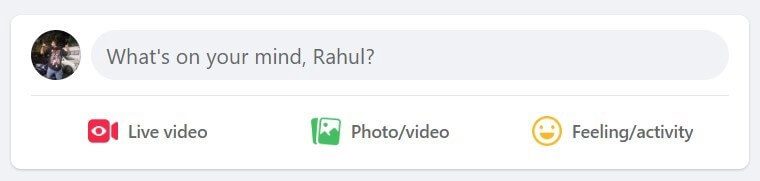
    Facebook post status
    Related: What Is Tumblr Blaze & How Creators Can Make Use of It?

    2. Once the image is uploaded, To access the alt text options, select the Edit option.
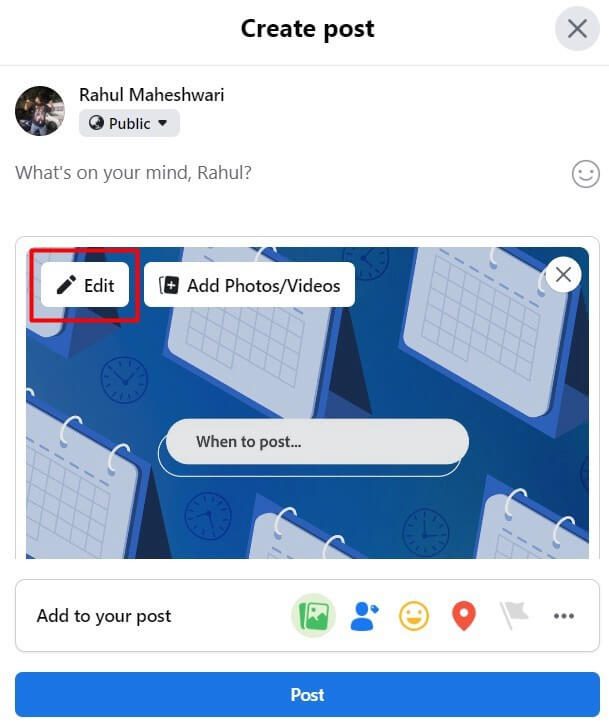
    Edit post on Facebook

    See also: How to Change Your Name on Facebook: Complete Guide

    3. Select Alternative text in the edit menu.
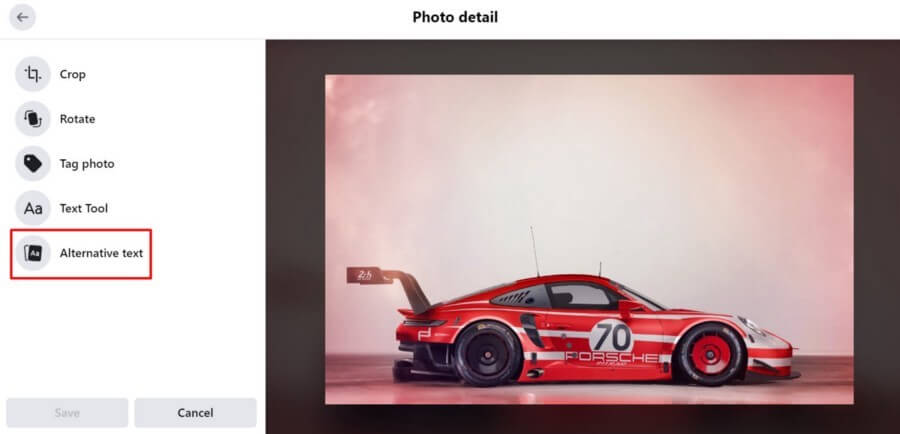
    Alt text edit option for Facebook post

    4. You will see option to write your own alt text or select the alt text that Facebook automatically generates. The auto-generated alt text is very much generic, so it’s better to create your own to describe the image with more efficiency.
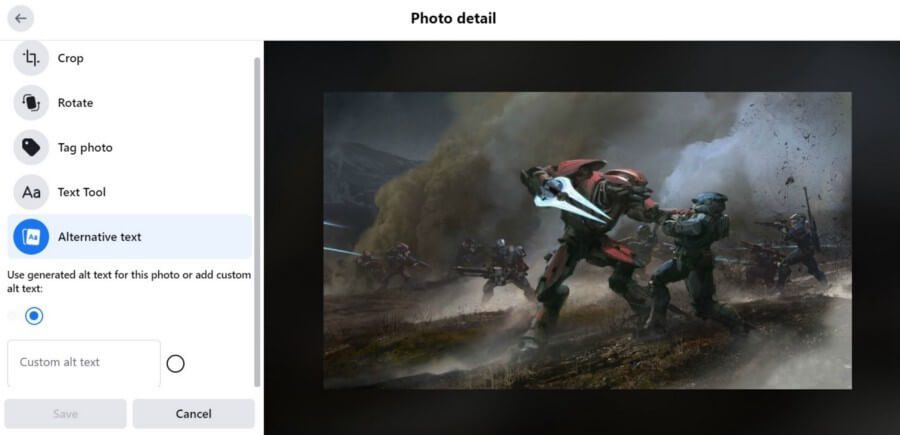
    add alt text on Facebook

    5. In the custom alt text box, Fill an appropriate, short sentence or two that describes the image.
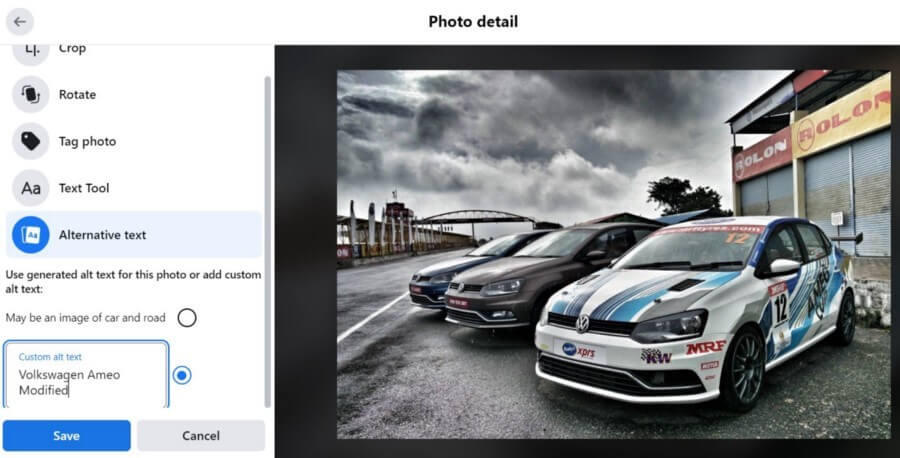
    custom alt text on Facebook

    6. Press the save button when you are done scripting the description and your alt text is ready to go.

    Related: 10 Ways to Immediately Increase Your Twitch Followers

    How to Add Alt-Text in Existing Facebook Posts

    You can always edit alt text on existing Facebook posts by following these simple steps.

    1. After selecting the image you want to edit, Click on the three dots which you can find in the top right corner.

    add image alt tags on existing posts on Facebook

    2. When you see a menu of options, To edit your image description, Select Change Alt Text
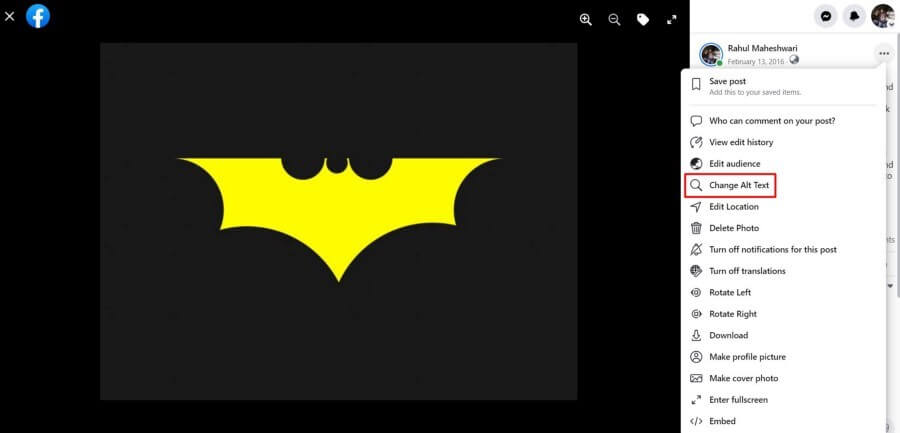
    Change alt text option on Facebook

    3. You can edit a pre-existing Alt Text or Add new text, and then hit Save when you’re done.
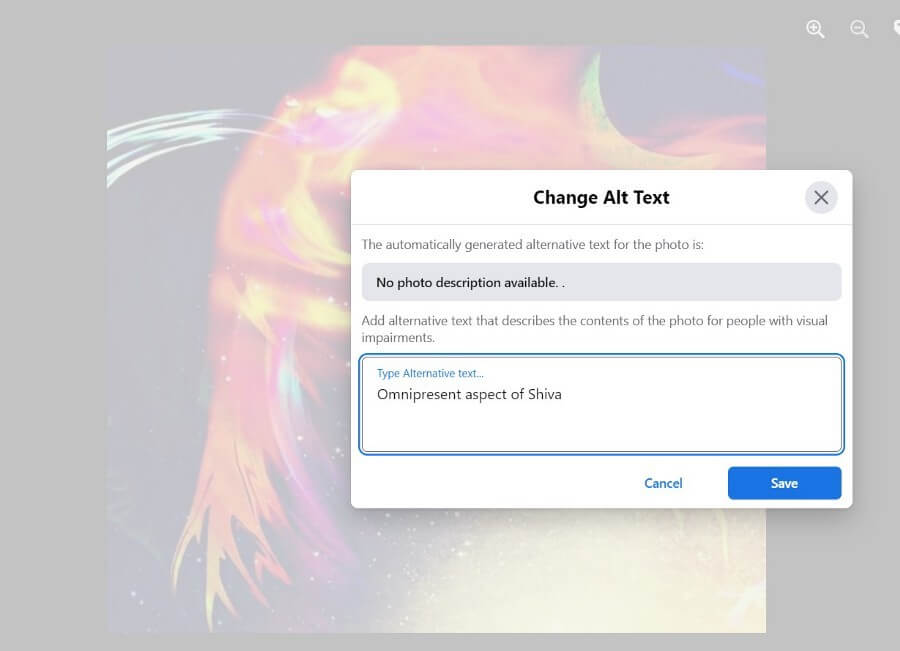
    Save changes after adding alt text on existing Facebook post

    How can you view Facebook Alt Text ?

    Facebook alt text can be viewed using a screen reading tool or inspect the page’s HTML code. As a content creator, you can add or edit Facebook alt text in the Edit menu on each individual Facebook image.

    Want to get more comments on your Facebook posts? See our premium plans for Facebook Comments.

    alt tag facebook alt text facebook alt text facebook post alt text
    Rahul Maheshwari
    • Website

    Digital Marketer | Football Maniac | Value Investor | Petrol Head | Plantsman

    Related Posts

    Why Is Everyone Suddenly Posting Videos on LinkedIn?

    June 27, 2026

    How Mobile Networks Are Changing Digital Testing

    June 17, 2026

    Why Digital Identity Matters More Than Ever

    June 17, 2026

    How to See Private Instagram Profiles: What Worked in 2020, 2022, 2024 and What Actually Works in 2026

    June 15, 2026
    Recent Posts
    • Why Is Everyone Suddenly Posting Videos on LinkedIn? June 27, 2026
    • Why Most Affiliates Promote the Wrong Offers and How Affspace Helps You Find Better Ones June 22, 2026
    • Why Business Review Management Is Getting Harder and More Important at the Same Time June 22, 2026
    • Why One-Size-Fits-All SEO Approaches Rarely Work Today June 18, 2026
    • Turn Visitors Into Customers Using an E-Commerce Lead Generation Quiz June 17, 2026
    • How Mobile Networks Are Changing Digital Testing June 17, 2026
    • Why Digital Identity Matters More Than Ever June 17, 2026
    Categories
    • Business
    • Content Marketing
    • Entertainment
    • News
    • SEO
    • Social Media
    • Technology
    • Twitter
    SEO

    How to Build Backlinks Without Spending Money?

    By Mini JainAugust 9, 20170

    Building a website for your business needs to score high in quality of backlinks as…

    5 Reasons Why Reddit is Better than Facebook

    July 21, 2021

    What Do the Snapchat Emojis Mean?

    July 9, 2017

    How to Create Google Plus Page for Your Business?

    September 5, 2017
    The SocioBlend Blog
    Facebook X (Twitter) Instagram Pinterest Vimeo YouTube
    © 2026 SocioBlend. Developed by Jitendra Kumar Singh.

    Type above and press Enter to search. Press Esc to cancel.